

When hosting on Airbnb, your phone number is shared with guests after a reservation is accepted. For privacy and professionalism, using a business phone number is a smart choice. It keeps your personal number private, complies with legal requirements in certain regions (like the UK and EU), and simplifies managing multiple properties. Airbnb requires hosts to verify a phone number, and switching to a business number is straightforward.
Here’s what you need to know:
- A business number protects your privacy by separating personal and professional communications.
- It’s legally required in some regions for business hosts to display a contact number on listings.
- Managing multiple properties becomes easier with a dedicated line for guest communication.
- Verification involves linking your business number during account setup and confirming it via SMS.
Services like MobileSMS.io provide reliable numbers for Airbnb verification, avoiding issues with VoIP numbers. This ensures smooth account setup, uninterrupted payouts, and compliance with Airbnb’s verification policies.
Benefits of Using a Business Number for Airbnb Hosting
A business number can be a game-changer for Airbnb hosts, especially when it comes to privacy, efficiency, and meeting platform requirements.
Keeping Your Personal Phone Number Private
Sharing your personal phone number with guests can lead to unwanted calls, spam, and privacy concerns. By using a dedicated business number, you create a clear boundary between personal and hosting communications. This separation not only protects your privacy but also allows you to manage calls more effectively. For example, you can set "Quiet Hours" in your House Rules to limit when guests can contact you, ensuring your personal time remains undisturbed.
In certain regions, such as those regulated by the Digital Services Act (including the European Economic Area, UK, Switzerland, and Brazil), Airbnb is required to publicly display contact details on listing pages. Using a business number instead of your personal one ensures your private information stays protected while complying with these legal requirements.
Managing Multiple Properties More Easily
If you manage several properties, whether in the same city or across different locations, a business number is essential for staying organized. It provides a central point for all guest communications, helping you maintain a professional image and streamline responses.
For property management companies, a business number can also differentiate between team members handling various tasks. It ensures that critical security messages, such as verification codes or notifications, are sent to a reliable, dedicated line without interfering with personal phone activity. Plus, having a verified business number aligns with Airbnb’s requirements for professional accounts.
Meeting Airbnb’s Business Account Requirements
Airbnb requires business hosts to complete Know Your Customer (KYC) verification to combat fraud and money laundering. This process includes verifying a business phone number through a one-time SMS code. Without completing this step, hosts risk paused payouts or limited account functionality.
As Shauna Johnston from 1-800Accountant notes:
Having a business profile signals to renters that you’re an experienced host. It also shows potential guests that you’ll offer professional service, cleanliness, and hospitality.
Business verification is particularly important for individuals who own or control 25% or more of a hosting business. Keeping your business number up-to-date and verified ensures uninterrupted payouts and access to your account – essential for hosts who rely on Airbnb income, which averages around $13,800 annually per host.
How to Set Up an Airbnb Host Account with a Business Number
How to Set Up Airbnb Host Account with Business Number – Step-by-Step Guide
Setting up an Airbnb host account with a business number involves a few steps to ensure proper verification and compliance with Airbnb’s requirements.
Creating Your Airbnb Host Account
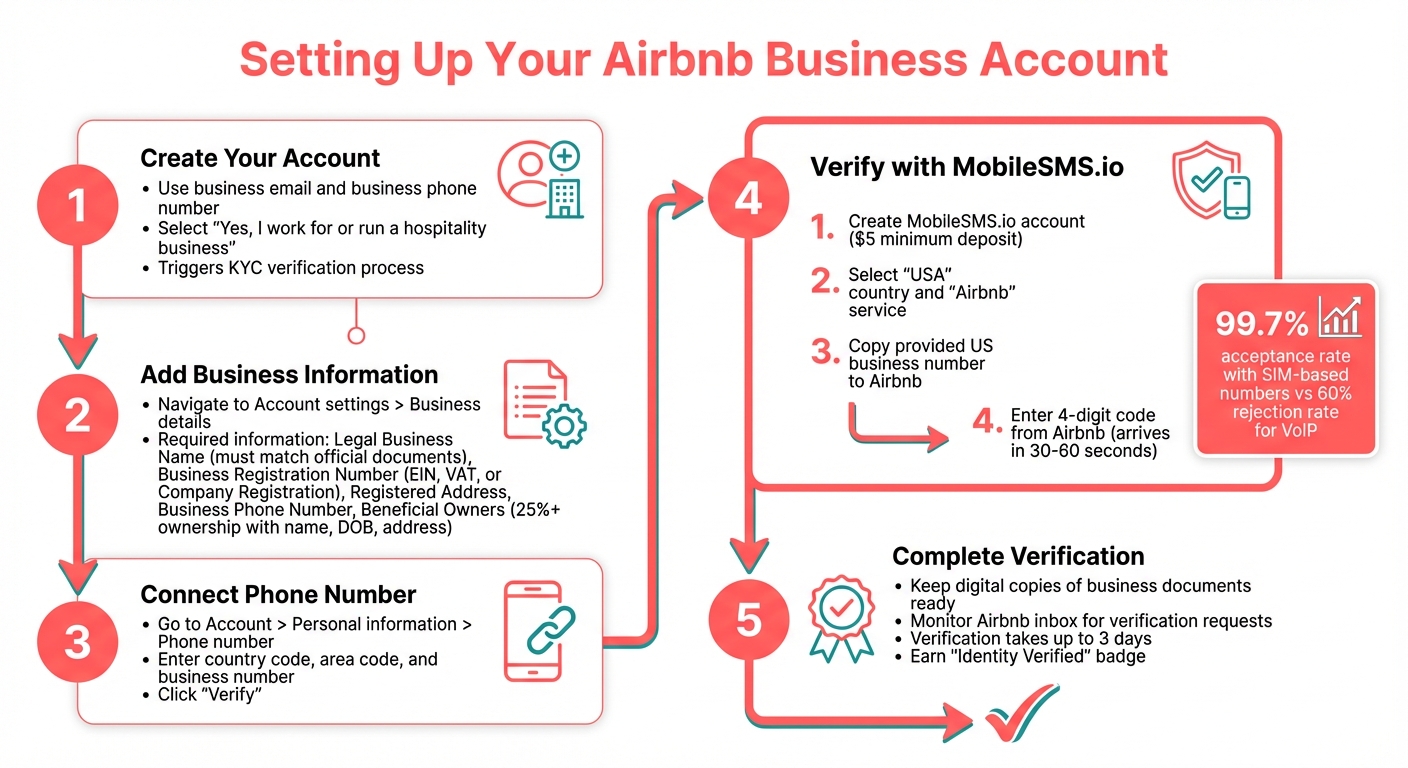
Start by creating an Airbnb account using your business email and business phone number. During the setup, select the option "Yes, I work for or run a hospitality business" to initiate the professional verification process. This step triggers Airbnb’s Know Your Customer (KYC) process.
Once your account is created, move on to entering your business details accurately.
Adding Your Business Information and Phone Number
Navigate to Account settings > Business details to input your official business information. Make sure every detail matches your registered business documents.
Here’s what you’ll need to provide:
| Required Business Information | Details to Enter |
|---|---|
| Legal Business Name | Must match your official documents exactly (e.g., "Smith Property Management LLC") |
| Business Registration Number | Your EIN, VAT number, or Company Registration Number |
| Registered Address | The address where your business receives legal notices |
| Business Phone Number | A dedicated number for account security and guest communication |
| Beneficial Owners | Information on individuals owning 25% or more of the business, including their name, date of birth, and address |
To connect your business phone number, go to Account > Personal information > Phone number, or stay in the Business details section. Enter the country code, area code, and your business phone number, then click Verify.
Verifying Your Phone Number with MobileSMS.io
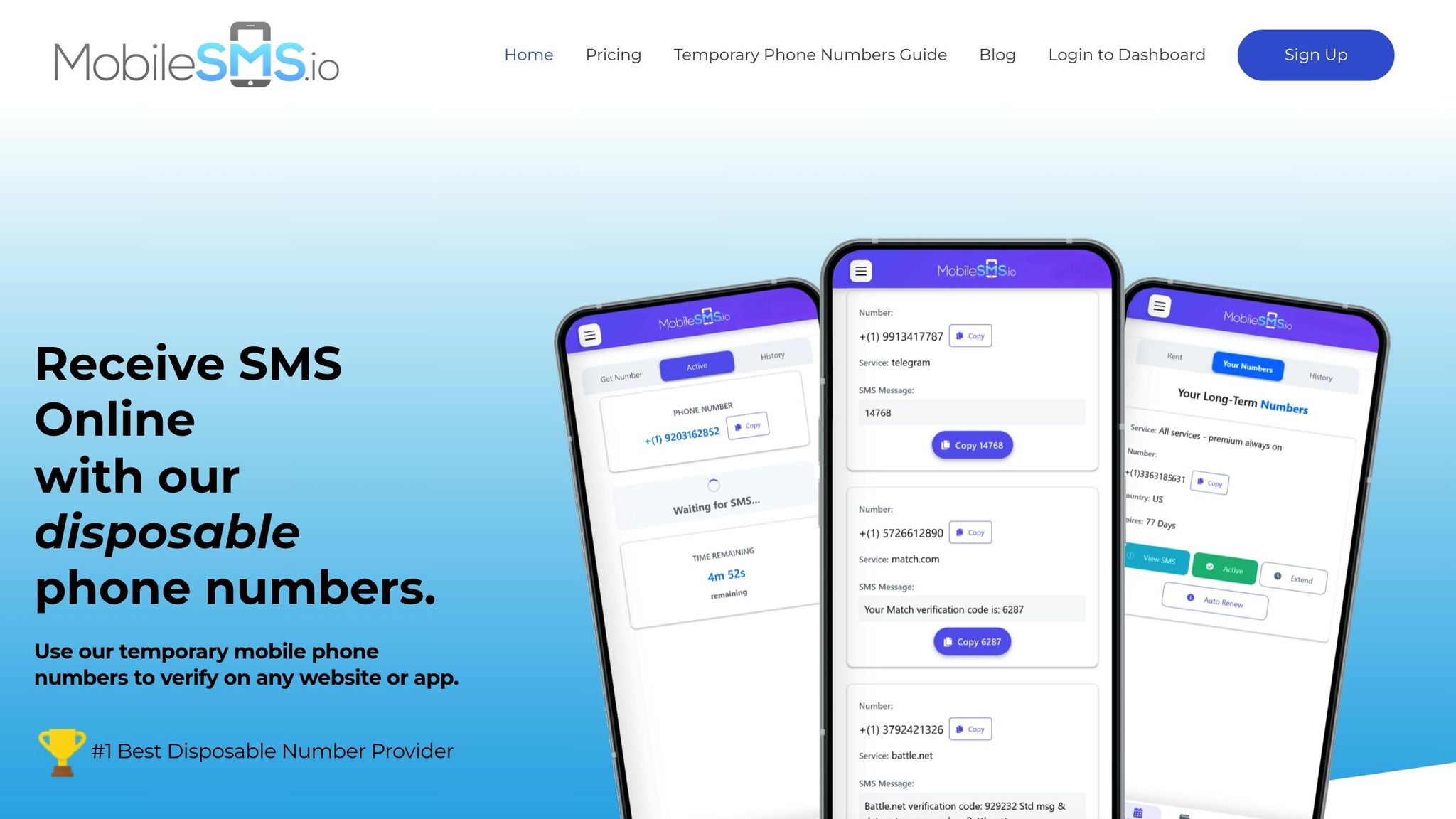
Verifying your business phone number is a critical step to ensure secure communication with guests and compliance with Airbnb’s policies. MobileSMS.io can help with this process by providing real SIM-card numbers, which Airbnb’s systems accept, unlike VoIP numbers that are often flagged.
Here’s how to verify your number using MobileSMS.io:
- Create an account on MobileSMS.io and add a minimum deposit of $5.
- Select "USA" as your country and "Airbnb" as the service you’re verifying.
- Copy the US business number provided by MobileSMS.io into Airbnb’s verification field.
- Enter the 4-digit code sent by Airbnb to complete the verification.
Additional Tips for Verification
Keep clear, digital copies of your Articles of Incorporation or Business Registration Certificate handy, as Airbnb may request these during the KYC process. Also, monitor your Airbnb inbox regularly – verification requests are often sent through the host message thread and may expire after 30 to 90 days.
Understanding Airbnb’s Phone Verification Process
Why Airbnb Requires Phone Verification
Airbnb requires phone verification for all hosts as part of its "Know Your Customer" (KYC) regulations. This step is designed to protect the platform from fraud and ensure a trustworthy community. As Airbnb explains in their Help Center: "Know Your Customer (KYC) is a regulatory requirement to help protect our community from fraud, and to help prevent money laundering and terrorist financing."
This process is crucial for confirming user identity and maintaining a safe environment for both hosts and guests. Data shows that account hacking accounts for 20% of scam-related issues, highlighting the importance of these measures.
For business accounts, the requirements are even stricter. Without completing phone and identity verification, Airbnb may pause payouts and limit account functionality. In some regions, professional hosts are also legally required to display verified business phone numbers on their listings. The verification process for business accounts can take up to three days, so it’s essential to plan ahead when setting up your account. These policies make it clear why choosing the correct phone number format is so important.
Why MobileSMS.io Numbers Work Better Than VoIP
Given Airbnb’s strict verification protocols, the type of phone number you use plays a key role. VoIP numbers are often rejected by Airbnb to ensure accounts are authentic, which can pose challenges for hosts who want to keep their personal numbers private or separate from their hosting activities.
MobileSMS.io offers SIM-based numbers that Airbnb accepts with ease. While VoIP numbers face a rejection rate as high as 60%, MobileSMS.io’s SIM-based numbers have a 99.7% acceptance rate. These carrier-based numbers meet Airbnb’s requirements, helping you safeguard your personal number while avoiding verification setbacks or account restrictions. This makes them a reliable choice for maintaining privacy and professionalism on the platform.
sbb-itb-5a89343
Tips for Managing Your Airbnb Business Account
Using Separate Numbers for Different Properties
Keeping your Airbnb communications organized can be a challenge, especially if you manage multiple properties. A smart solution is assigning different phone numbers to each listing. This way, you can immediately identify which property a call or message is related to. It’s also a great way to maintain a professional identity, particularly if you manage both high-end and budget-friendly properties.
Services like MobileSMS.io make this easy. They provide dedicated phone numbers at rates ranging from $15 to $100, depending on how long you need them. These numbers come with unlimited SMS capabilities, perfect for handling Airbnb verifications and ongoing account management. Plus, this approach helps you avoid the chaos of juggling a single number across multiple accounts, ensuring you never miss important security codes or notifications. It’s an efficient way to stay organized and protect your business communications.
Protecting Your Privacy and Account Security
Privacy and security are critical when running an Airbnb business. Airbnb automatically shares your account’s phone number with guests, which could expose your personal line. Using a dedicated service like MobileSMS.io allows you to separate your personal and business communications, offering an extra layer of protection.
To bolster your account security, consider these steps:
- Regularly remove any unused numbers from your account.
- Set up a PIN and security questions under the "Login & Security" section.
- Keep your "Business details" updated to avoid payout delays.
These small actions can make a big difference in safeguarding your account while keeping your operations smooth.
Managing International Properties with MobileSMS.io
If you’re managing properties across different countries, things can get tricky with regional requirements and verification processes. MobileSMS.io simplifies this by offering phone numbers from over 100 countries, so you don’t need to worry about local SIM cards or expensive international plans.
For those handling multiple international properties, their Premium All Services plan ($100/month) is a game-changer. It includes features like automatic SMS forwarding and integration with tools like Slack and Discord. This setup centralizes all your verification codes and messages, making it much easier to stay on top of your global operations. Whether you’re dealing with a single international listing or several, this solution helps you stay compliant and organized.
Conclusion
Hosting on Airbnb professionally requires a strong focus on privacy and compliance with verification rules. Using a business phone number instead of your personal one is a smart way to protect your private information. It also ensures you meet regional requirements to publicly display verified business contact details on your listings.
MobileSMS.io provides a seamless solution for verification by offering real SIM-card numbers that work with Airbnb’s security systems. These numbers quickly receive four-digit verification codes – typically within 30 to 60 seconds – helping you earn the "Identity Verified" badge. This badge not only builds trust with guests but also safeguards your personal privacy while enhancing your professional reputation.
A dedicated business number simplifies operations and improves privacy, especially for property managers juggling multiple listings or international properties. Assigning separate numbers to different properties keeps things organized, maintains professional boundaries, and reduces the risks of sharing personal contact details across accounts. Plus, flexible pricing options make it easy to find a plan that fits your needs.
FAQs
Why is using a business phone number important for Airbnb hosting?
Using a business phone number for your Airbnb hosting can make a big difference in how you manage your rental. For starters, it keeps your personal number private, separating your hosting activities from your everyday life. This way, guests only have access to your business contact info, helping you maintain clear professional boundaries and peace of mind.
On top of that, having a dedicated business number adds consistency and security to your hosting. It simplifies things like verifying your phone, updating account details, and staying in touch with guests. This makes managing your Airbnb smoother and more professional overall.
How can MobileSMS.io assist with verifying my Airbnb account?
MobileSMS.io makes Airbnb phone verification easy by offering temporary or virtual phone numbers. These numbers let you verify your account without sharing your personal phone number, helping to maintain privacy and security. It’s a perfect solution for property managers or hosts who want to keep their personal contact information separate while communicating with guests.
Why should I use a separate phone number for each rental property?
Using a dedicated phone number for each rental property comes with several perks. First, it helps safeguard your privacy by keeping your personal number off-limits, ensuring guests can only reach you through a specific line. It also streamlines communication management – you’ll instantly know which property a guest is referencing, cutting down on any mix-ups. Plus, separate numbers help keep guest interactions structured and secure, which is especially useful for property managers juggling multiple properties.