

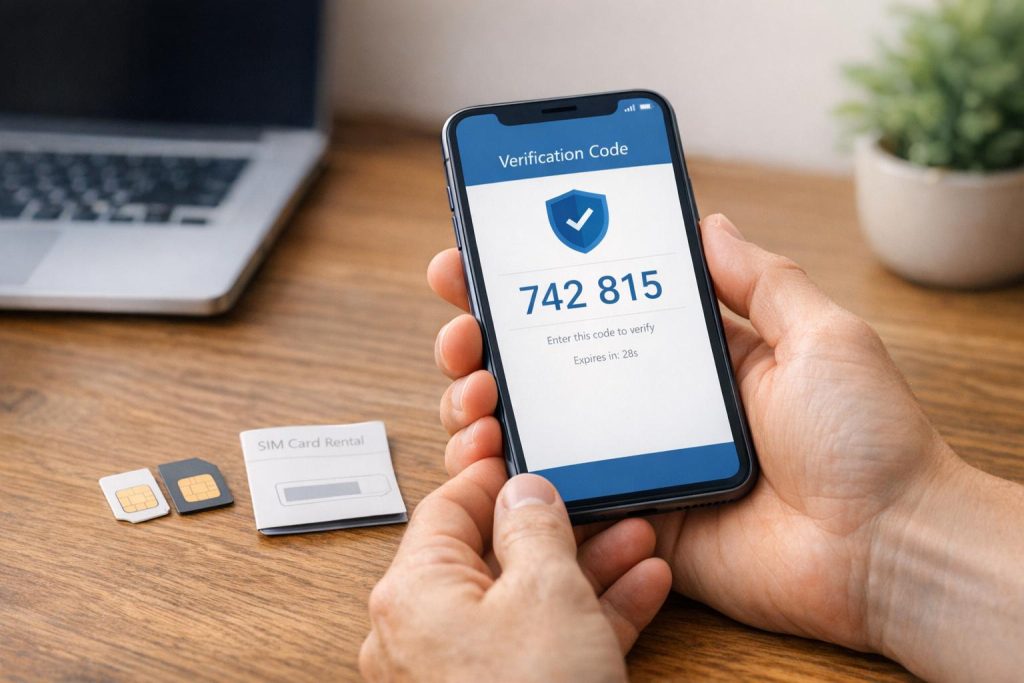
Your phone number is more than just digits – it’s a gateway to your digital life. SMS verification is convenient for account security, but it also exposes your personal number to risks like data breaches, SIM swapping, and cross-platform tracking. Here’s how to protect your privacy:
- Avoid using your personal number for SMS verification.
- Opt for disposable or long-term rental numbers to shield your identity.
- Disposable numbers are ideal for one-time sign-ups.
- Long-term rentals work for ongoing access or frequent re-verification.
- Choose non-VoIP, SIM-based numbers for better platform acceptance (up to 99.7% on services like Google and WhatsApp).
- Regularly rotate your numbers to minimize exposure and monitor for unusual SMS activity.
Choosing the Right SMS Verification Privacy Tools
Disposable vs. Long-Term SMS Numbers: Which Is Right for You?
Disposable vs. Long-Term SMS Numbers: Which One Do You Need?
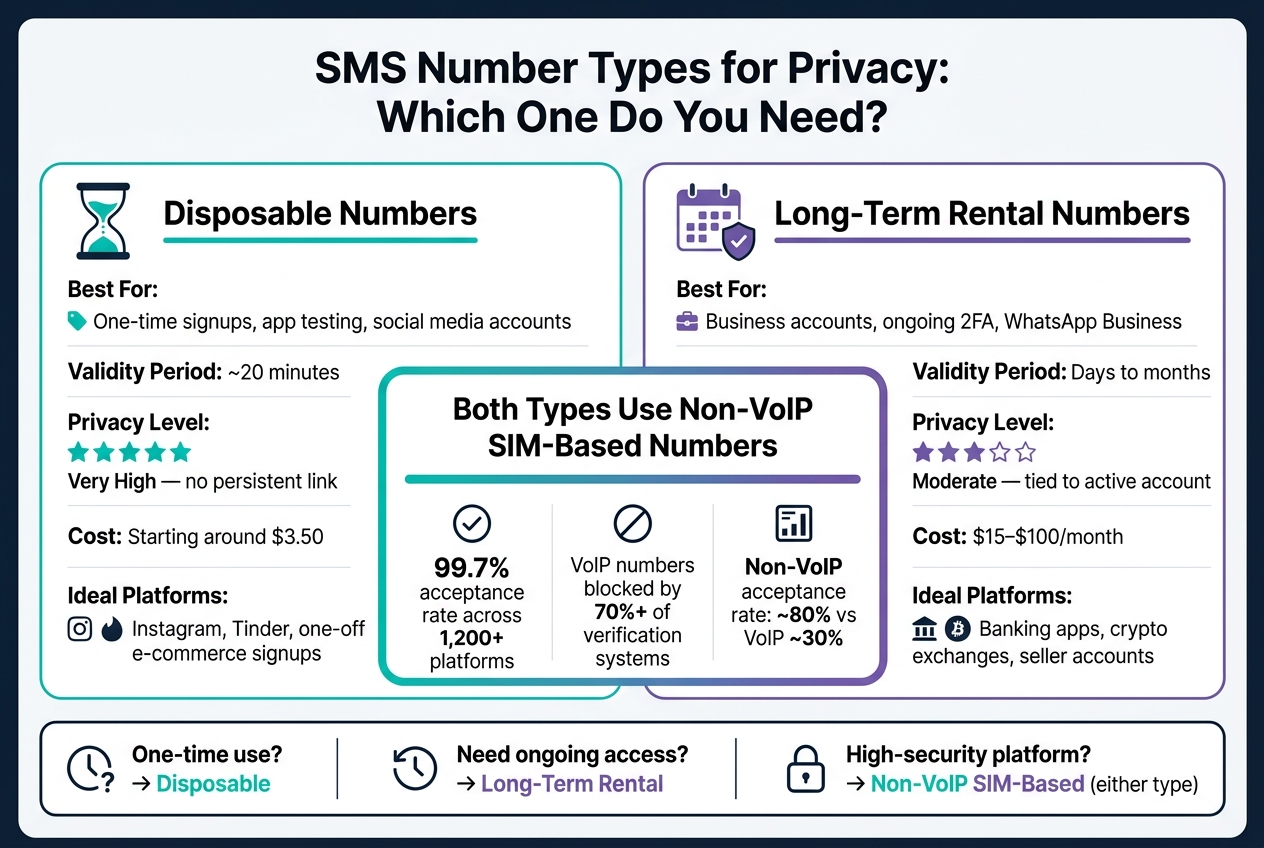
When deciding between disposable and long-term SMS numbers, it all comes down to how you plan to use them. A disposable number is perfect for short-term needs like one-time promotions, app testing, or creating social media accounts you won’t need to recover. These numbers typically stay active for about 20 minutes – just enough time to receive a verification code and complete registration.
On the other hand, long-term rental numbers are essential for situations where ongoing access is critical. Think business accounts, managing a WhatsApp Business line, or maintaining two-factor authentication (2FA) for important accounts. Losing access to a long-term number could mean losing access to the associated account entirely.
| Disposable Number | Long-Term Rental | |
|---|---|---|
| Best for | One-time signups, app testing | Business accounts, ongoing 2FA |
| Validity period | ~20 minutes | Days to months |
| Privacy level | Very high – no persistent link | Moderate – tied to active account |
| Cost | Low (starting around $3.50) | Higher ($15–$100/month) |
Next, let’s explore why non-VoIP SIM-based numbers are often the better choice for verification.
Why Non-VoIP SIM-Based Numbers Work Better
VoIP numbers, which are internet-based, have a low acceptance rate – about 30% – on major platforms. That’s because over 70% of verification systems use automated carrier-type checks to detect and block these numbers. Platforms like WhatsApp, Google, and Telegram are particularly strict about filtering them out.
In contrast, non-VoIP SIM-based numbers are tied to physical SIM cards from real carriers like Verizon, AT&T, or T-Mobile. To verification systems, they look just like regular mobile phone numbers, achieving an acceptance rate of around 80%. Services like MobileSMS.io offer these numbers, boasting a 99.7% acceptance rate across over 1,200 platforms. Plus, since these numbers aren’t linked to your personal information, they help protect your identity even if a platform experiences a data breach.
Matching Your Number Type to Your Use Case
The type of number you choose should fit the platform and security needs of your account.
For social media or dating apps like Instagram or Tinder, disposable numbers are ideal. They keep your personal number out of marketing databases and prevent tracking across platforms. For e-commerce sites like Amazon or eBay, you can use a disposable number for initial signups. However, if you’re a seller who needs periodic re-verification, a long-term rental number is a better fit.
For high-security platforms – such as banking apps, crypto exchanges, or government services – non-VoIP numbers are often a must. These platforms perform strict carrier lookups that typically reject VoIP numbers. If you’re looking to enhance security even further, consider switching to an authenticator app after the initial setup. This eliminates the risk of SMS-based attacks entirely.
sbb-itb-5a89343
Platform Compatibility and Privacy During Verification
Why Some Platforms Reject Certain Phone Numbers
The type of phone number you use plays a big role in how SMS verification works and whether platforms like Google, WhatsApp, and Telegram accept it. These platforms run automated checks to block numbers that seem high-risk. For instance, over 70% of major verification systems use VoIP detection to flag internet-based numbers, often labeling them as potential spam or bot-related.
This process relies on something called Line Type identification, which determines if a number is a physical mobile line or a virtual one. If your number is identified as VoIP or virtual, you’ll likely encounter an error message like, "This number cannot be used for verification." On the other hand, non-VoIP, SIM-based numbers from established carriers pass these checks because they look like standard mobile lines. This is why MobileSMS.io’s non-VoIP numbers have a much higher success rate compared to traditional VoIP options. These validation practices also emphasize why reusing numbers across platforms should be avoided, as explained below.
Risks of Reusing the Same Number Across Platforms
Using the same phone number across multiple platforms – like Instagram, WhatsApp, or an online shopping site – can expose you to cross-platform tracking. This happens when services aggregate your activity to build a profile of your online behavior, often without your consent.
There’s also the risk of compromised numbers being exploited for password resets across different accounts. To protect yourself, it’s a good idea to dedicate separate numbers to each platform. For high-stakes accounts, like banking or cryptocurrency exchanges, this practice is especially important compared to lower-risk accounts, such as social media.
Using Team Tools to Manage SMS Codes Privately
Businesses face additional risks when SMS verifications are tied to a single device. If an employee leaves the company, access to critical accounts could be lost.
MobileSMS.io solves this problem by integrating with tools like Slack and Discord. These integrations use webhooks to forward incoming SMS codes directly to a private channel, making them accessible to the entire team in real time. This ensures account access remains with the organization, not with any one individual.
Building a Privacy-First SMS Verification Setup
Key Parts of a Privacy-Focused Verification Setup
Creating a privacy-first verification system hinges on a few essential components. The cornerstone is using non-VoIP, SIM-based numbers. These numbers are more widely accepted by high-security platforms like Google, WhatsApp, and banking apps, ensuring smoother account setup and fewer rejections.
Another critical step is segregating numbers based on account risk. Assign specific numbers to different risk categories – such as financial services, social media, or e-commerce. This way, if one platform experiences a breach, the damage is contained within that segment. With over 1.35 billion records exposed in data breaches in 2023, including phone numbers, this kind of isolation is a smart precaution.
Lastly, consider transitioning from SMS-based two-factor authentication (2FA) to more secure alternatives like authenticator apps or hardware keys after the initial account setup. Use a disposable number to create the account, then switch to tools like Google Authenticator, Authy, or a hardware key like YubiKey. This step eliminates the risk of SIM-swap attacks altogether.
By combining these strategies, you can build a secure and efficient SMS verification system tailored to protect privacy.
SMS Verification Best Practices for Businesses and Teams
For businesses, securing SMS verification processes starts with centralizing control. One common pitfall is tying crucial account access to a personal device or individual’s number. If that person leaves the organization, access often leaves with them. A shared dashboard ensures that account control remains with the business, not an individual.
Role-based access is another key safeguard. Limit who can view or act on incoming verification codes, and use integrations with tools like Slack or Discord to route codes into specific channels. These channels should only be visible to authorized team members. To streamline operations, configure permissions so team members only see codes relevant to their roles. For companies handling higher volumes, API access can automate bulk verifications, bypassing the need to rely on personal devices entirely.
Common Privacy Mistakes and How to Fix Them
To maintain security, avoid these common errors:
- Reusing one number across multiple high-risk platforms. If the number is exposed in a breach, it can link accounts together. Always assign separate numbers to different risk categories.
- Failing to save recovery codes before a temporary number expires. Take a screenshot of backup or recovery codes while the number is still active. Losing these codes can make account recovery much more difficult.
- Leaving your phone number tied to an account after switching to another 2FA method. If the platform allows, remove the number after setup to eliminate it as a potential vulnerability.
"Your phone number isn’t just a contact detail – it’s the skeleton key to your digital life." – SMSCode.gg
Maintaining SMS Verification Privacy Over Time
When and How to Rotate Your Privacy Numbers
Protecting your privacy isn’t a one-and-done task – it’s an ongoing process. Regularly rotating your verification numbers is key to staying secure. For accounts with higher risks, consider changing your number every 30–60 days. For lower-risk accounts, a 90-day rotation schedule should suffice.
Certain events should also trigger an immediate rotation. For example, if you experience a data breach or notice unusual login attempts, it’s time to act. Relying solely on annual reviews can leave you exposed. Services like MobileSMS.io make this process easier by offering flexible rental plans. These start at $15 for a 7-day rental and go up to $100 for a 90-day rental, allowing you to seamlessly replace your number without disrupting your accounts.
Routine number rotation works best when combined with vigilant monitoring for any signs of unusual SMS activity.
How to Spot Suspicious SMS Activity
Rotating your numbers is just one part of the equation; ongoing monitoring is just as important. Be on the lookout for unsolicited verification codes – this could indicate someone is trying to access your account. Other warning signs include:
- Errors like "too many attempts" when you try to log in.
- SMS alerts about account recovery requests.
- A sudden loss of cell service, which could point to a SIM swap attack.
SIM swap attacks are particularly dangerous, as they can lead to financial theft and other serious consequences. These warning signs shouldn’t be ignored – they often indicate your verification number has been exposed.
What to Do If Your SMS Number Is Compromised
If you notice suspicious activity, act quickly to secure your accounts. Start by logging into each affected account and changing the two-factor authentication (2FA) method. Switch to an authenticator app like Google Authenticator or Authy, or use a hardware key such as YubiKey. Once the new 2FA is in place, remove the compromised phone number from the account’s recovery settings to close any potential loopholes.
Next, replace the compromised number with a new, non-VoIP SIM-based number. Non-VoIP numbers are generally less prone to exposure in data breaches. Stay vigilant afterward, as attackers may try SMS phishing tactics to steal additional credentials.
| Sign of Compromise | Recommended Action |
|---|---|
| Unexpected OTP codes | Change your account password and switch to app-based 2FA immediately |
| "Too many attempts" error | Wait 24 hours before attempting another verification |
| Account recovery alerts via SMS | Review your login history and remove the number from recovery options |
| Sudden loss of cell service | Contact your carrier immediately to check for a SIM swap attack |
Make it a habit to review the platforms where your phone number is stored at least once a year. Delete unused accounts and remove your number from services where it’s no longer needed. These small steps can go a long way in reducing your risk.
Conclusion and Key Takeaways
Your personal phone number is more exposed than you might think. It’s closely tied to your identity through carrier records, and once it lands in a third-party database, it becomes a prime target for spam and SIM swap attacks. Staying protected is all about using the right tools and maintaining consistent habits.
The main takeaway here is simple: non-VoIP, SIM-based numbers offer the most secure way to verify accounts without putting your personal information at risk. Many platforms like Google, WhatsApp, and Telegram block VoIP numbers, making non-VoIP numbers a better choice for verification. This builds on earlier points about the importance of using dedicated privacy tools for SMS verification.
"We’re seeing everyone from college students to CEOs making the switch. The tipping point came when people realized just how exposed their personal numbers had become." – Industry Insider, SMS Verification Industry
It’s also important to choose the right type of number for your needs. For one-off signups, disposable numbers work well. On the other hand, long-term rentals are ideal for accounts that may require periodic re-verification. Services like MobileSMS.io offer both options, using real SIM cards from major carriers to ensure reliability.
Privacy is an ongoing effort. Rotate your numbers regularly, keep an eye out for suspicious activity, and review where your number is stored. The goal is to keep your personal number away from unnecessary risks and to limit the impact if an account is ever compromised. With these strategies, you’re ready to adopt a privacy-first approach to account verification.
FAQs
When should I use a disposable number vs. a long-term rental?
Use a disposable number when you need a quick, temporary solution – like signing up for social media or e-commerce platforms. These numbers are affordable, short-term, and help safeguard your privacy by keeping your personal number out of the mix.
For more extended needs, opt for a long-term rental. These numbers are perfect for managing multiple accounts or handling repeated verifications. With rental durations ranging from 7 to over 90 days, they offer consistent privacy and dependable support for ongoing tasks.
Why do Google and WhatsApp reject some phone numbers?
Google and WhatsApp typically reject phone numbers tied to VoIP services. This is because VoIP numbers are often linked to spam or fraudulent activity. Instead, these platforms favor real, carrier-based numbers for verification. Choosing a non-VoIP number that uses a SIM card increases the chances of compatibility and successful verification.
How can I rotate numbers without losing account access?
To switch phone numbers without risking account access, start by renting a temporary disposable number. Before deactivating your current number, update your account details with the new one. This ensures your account remains accessible. Use the new number for all future verifications and stop using the old one. This method protects your privacy and keeps your account secure without interruptions.