

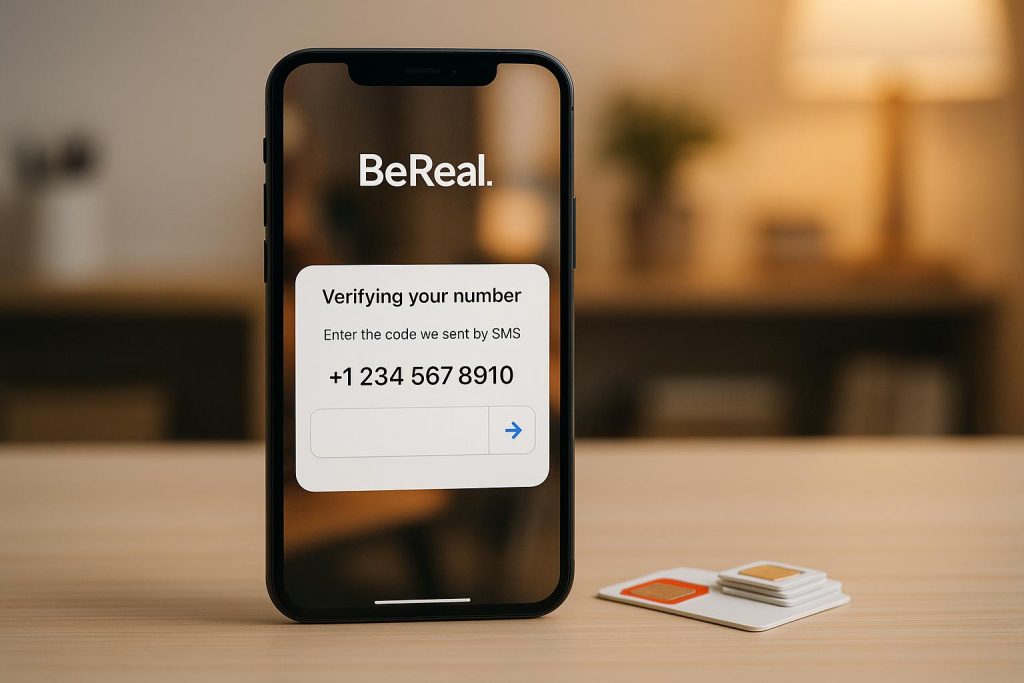
Want to protect your privacy while signing up for BeReal? Here’s the deal: BeReal requires phone number verification, which raises privacy concerns. Your number acts as your account’s primary identifier, potentially exposing you to risks like unwanted contact, data breaches, and spam. But there’s a simple solution: disposable phone numbers.
Key Takeaways:
- Why BeReal asks for your number: To manage accounts, enforce rules, and prevent misuse. Your number is private but stored internally.
- Risks of using your personal number: Data breaches, spam, doxxing, and complications with account recovery.
- Disposable numbers as a fix: Use temporary SIM-based numbers for verification. They keep your personal number safe and separate from BeReal.
How to do it:
- Choose a provider like MobileSMS.io for SIM-based numbers (starting at $3.50 per SMS).
- Select a number, enter it in BeReal, and verify with the code.
- Opt for long-term rentals if you need ongoing access.
Troubleshooting: If BeReal rejects your disposable number, ensure it’s SIM-based, not VoIP. Try a different number or country if needed.
Using a disposable number is a straightforward way to enjoy BeReal while keeping your personal data private.
Why BeReal Requires Phone Verification
BeReal asks for your phone number as a non-negotiable part of signing up. Without it, you can’t create an account. This isn’t just a random requirement – it plays a big role in maintaining the app’s integrity and safety.
One major reason for phone verification is enforcing account rules. If someone’s account is suspended for breaking the Terms of Use or the law, BeReal keeps the phone number on record to stop that person from making a new account. According to BeReal’s Privacy Policy (updated August 2025), this step helps enforce their rules and ensures a secure environment for users.
Your phone number also serves as a unique identifier. It’s what ties your account to you and makes logging in simple. By sticking to a one-account-per-user policy, BeReal reduces the chances of misuse or abuse on the platform.
Importantly, BeReal makes it clear that while your phone number helps with account management, it’s never shared with other users. It stays private and is only used internally, striking a balance between account functionality and protecting your privacy.
Privacy Risks of Using Your Personal Number for BeReal
Using your personal phone number to sign up for BeReal can lead to several privacy concerns, especially for Gen Z users.
Data breaches pose a serious threat to your phone number. Social media platforms, even the most established ones, have faced incidents where user data was leaked. If your number is exposed during such a breach, there’s no way to undo the damage – it’s out there permanently.
Spam calls and texts are another potential issue. While BeReal claims they don’t share your number with other users, your data is still stored in their system. It may also be accessible to third-party services or analytics partners. In the digital advertising world, phone numbers are highly sought after, and they often end up in marketing databases through channels that may technically follow privacy policies but still feel invasive.
Doxxing becomes a real concern. Your phone number can serve as a key to uncovering more personal information about you. Through reverse phone lookups and data aggregation services, someone could potentially find your name, address, family connections, or other accounts linked to your number. For BeReal users who share genuine, everyday moments, this connection between their number and personal content adds another layer of vulnerability.
Sharing data with third parties adds to the complexity. Even though BeReal’s Privacy Policy states that phone numbers are collected for account management, the broader ecosystem of data sharing in social media is murky. User data often flows through multiple systems for analytics, advertising, or service improvement. Every additional system increases the chances of your information being mishandled or exposed.
Account recovery becomes trickier if your personal number is tied to your BeReal account. If you ever need to change your number – perhaps due to harassment, switching carriers, or moving – getting back into your account might be a challenge. Your phone number essentially becomes a permanent part of your digital identity on the platform, and unlinking it isn’t always a simple process.
Your phone number is a direct link to your real-world identity. While BeReal’s focus on authenticity is appealing, using your personal number to register creates a close connection between your digital activity and your personal life. This convenience comes with risks – any security lapse, policy shift, or mishandling of data could have real-world consequences for your privacy.
What Are Disposable Phone Numbers?
Disposable phone numbers are temporary numbers you can use for SMS verification without exposing your personal phone number. Think of them as a shield that keeps your real identity separate from the platforms you interact with. They let you receive messages for verification purposes while keeping your personal details private.
For example, when BeReal asks for a phone number during signup, you can provide a disposable number instead. The verification code gets sent to this temporary number, you enter it into the app, and your account is created – all without sharing your personal contact information.
There are two main types of disposable numbers: VoIP numbers and SIM-based numbers.
- VoIP numbers work through the internet and are managed via apps or online services. They’re usually cheaper and easier to get, but many platforms, including BeReal, may reject them. This is because VoIP numbers are often linked to spam or automated accounts.
- SIM-based numbers, on the other hand, are tied to physical SIM cards and function like regular mobile numbers. They’re managed by telecom providers and operate over traditional cellular networks, making them more likely to pass BeReal’s verification processes.
You can also choose between one-time use numbers and long-term rental numbers. One-time numbers are perfect for single verifications – use them to receive a code, verify your account, and then discard them. Long-term rental numbers, however, stay active for extended periods, making them suitable for ongoing account use and management.
The biggest benefit? Privacy. Your personal number stays completely separate from your BeReal account. If there’s ever a data breach or unwanted contact, it’s the disposable number that’s affected – not your real one. Plus, if the disposable number becomes compromised or you no longer need it, you can simply let it expire without any impact on your actual phone number.
For BeReal specifically, SIM-based disposable numbers are the better choice. BeReal requires a valid phone number for account creation and sometimes for features like friend recommendations. While VoIP numbers might get flagged or rejected, SIM-based numbers are recognized as legitimate mobile numbers and meet the platform’s verification requirements without tying back to your personal identity.
Choosing the right disposable number ensures you can maintain your privacy while meeting BeReal’s verification needs. SIM-based numbers, in particular, provide the perfect balance of privacy and functionality.
How to Verify BeReal with a Disposable Number
Here’s a step-by-step guide to verifying BeReal using a disposable number.
Step 1: Choose a Disposable Number Provider
Start by selecting a provider that offers real SIM-based numbers. BeReal uses phone-number reputation checks and often blocks numbers from free online SMS services commonly used by bots. Real SIM-based numbers, provisioned through mobile carriers, are treated like regular mobile phone lines, making them more reliable for verification.
A service like MobileSMS.io specializes in providing real SIM-card mobile numbers (non-VoIP) from legitimate carriers. Operating since 2018, MobileSMS.io supports verification for platforms like BeReal. When evaluating a provider, look for these features:
- Real mobile SMS capability: Ensure the numbers are SIM-based, not VoIP.
- Global coverage: Access to US +1 numbers and numbers from over 100 countries.
- Instant message display: View verification codes immediately upon arrival.
- Straightforward pricing: Look for clear costs, such as MobileSMS.io’s credit-based system starting at $3.50 per SMS, with a $5 minimum deposit.
- Minimal account setup: Typically, you’ll only need an email and password to create an account.
To get started, create an account with your chosen provider and add funds. With MobileSMS.io, you only pay if the verification code is successfully received.
Once your provider is set, the next step is to pick the right number.
Step 2: Select Your Number
After setting up your account and adding credits, log in to the provider’s dashboard to choose your disposable number. You’ll typically need to select a country first, then specify the service you need the number for.
For best results, choose a number that matches your location. On MobileSMS.io, you can easily find numbers compatible with BeReal in the social networks or apps section. The dashboard displays available numbers, their country codes, and pricing upfront.
Consider the duration of the number’s activity: For a one-time BeReal verification, a number active for around 10 minutes is usually enough. MobileSMS.io ensures numbers remain active until the SMS is received. However, if you plan to maintain your account long-term, consider renting a number for extended use. MobileSMS.io offers rental periods ranging from 7 days ($15) to 90 days ($100), with unlimited SMS for the specified platform.
Once you’ve selected and activated your number, copy it exactly as displayed. Keep the dashboard open to monitor incoming messages.
Now, you’re ready to move on to the BeReal app.
Step 3: Enter the Number in BeReal
Open the BeReal app on your device. If you haven’t installed it yet, download it from the App Store or Google Play Store. Tap "Sign up" to create your account.
When prompted to enter a phone number, use the disposable number you selected. Make sure to include the country code and double-check for accuracy. BeReal formats numbers automatically, but verify that it matches exactly what your provider gave you.
Once entered, tap "Continue" or "Send code" (the button text may vary). BeReal will send a verification SMS to your disposable number. A screen will appear, asking you to input the code, often with a countdown timer indicating how long the code remains valid.
Keep both apps open so you can quickly retrieve the code when it arrives.
Step 4: Complete the Verification
Switch back to your disposable number provider’s dashboard or app. You should see the SMS from BeReal in the inbox for your temporary number. The message will contain a short numeric code, typically 4 to 6 digits.
Copy this code and return to the BeReal app. Enter the code in the verification field. The app may auto-advance once you’ve entered all digits, or you might need to tap a "Verify" or "Continue" button.
Once the code is accepted, BeReal will guide you through the remaining setup steps, like creating a username, confirming your date of birth, and setting notification preferences. At this point, your disposable number has fulfilled its purpose.
Your account is now active. BeReal treats the disposable number as your primary contact, meaning your real phone number stays off their database. This helps protect your privacy, as only the disposable number would be exposed in the event of a data breach or unwanted contact.
Keep in mind that BeReal might occasionally ask you to re-verify your number, especially if you log in from a new device or after a long period of inactivity. If you used a one-time number, you won’t be able to receive future codes after it expires. For continued access, a long-term rental number is a more practical choice while still maintaining your privacy.
sbb-itb-5a89343
Troubleshooting: If BeReal Rejects Your Disposable Number
BeReal might reject your disposable number if its system flags it as suspicious or incompatible. To ensure a smooth verification process while maintaining your privacy, follow these troubleshooting steps to address common issues.
Verify the Number Type
BeReal’s system is designed to block VoIP numbers and free online SMS services often linked to spam or bots. If your number is rejected immediately, it’s likely due to the type of number you’re using.
Ensure your number is SIM-based, not VoIP. BeReal runs checks on incoming numbers, and VoIP lines often fail these checks because they’re associated with spam activities.
Platforms like MobileSMS.io provide real SIM-card numbers from legitimate mobile carriers. This distinction explains their 99.7% platform acceptance rate, compared to the much lower success rates of VoIP services.
When choosing a provider, look for clear language indicating they offer non-VoIP numbers or real SIM cards. Be cautious of services advertising extremely low prices or unlimited free trials, as they often rely on VoIP technology, which BeReal is likely to reject.
Try a Different Number or Country
If your initial number doesn’t work, switching to another number can often resolve the issue. Not all numbers from the same provider will perform equally.
Start by selecting a different number within the same country. Many providers, including MobileSMS.io, allow you to browse through multiple options. If one number has been flagged by BeReal, a fresh one might work without any problems.
Consider switching to a number from a different country if issues persist. Some regions have more reliable SMS delivery routes and fewer spam restrictions. Countries like the United States, United Kingdom, Canada, Australia, Germany, and France are known for their stable verification routes, and MobileSMS.io highlights these as "Primary Countries" due to their high compatibility with platforms like BeReal.
The location of the number doesn’t impact your BeReal experience. For example, you can use a UK number even if you’re physically in the United States without encountering any issues.
If switching numbers doesn’t solve the problem, it’s time to check how you’re entering the verification code.
Double-Check the Verification Code
Sometimes, the issue lies with the code itself rather than the number. BeReal’s verification codes are time-sensitive and typically expire within 5 to 10 minutes.
Enter the code exactly as it appears. Verification codes are usually 4 to 6 digits long and should be entered without spaces or special characters. Double-check each digit to avoid mistakes.
If the code still doesn’t work, verify the timestamp on the SMS. If the code has expired, request a new one.
Be patient if there’s a delay. While most codes arrive within seconds, delivery can occasionally take 1 to 2 minutes due to carrier routing. Wait at least 3 minutes before assuming the message won’t arrive.
Contact Customer Support
If none of the previous steps resolve the issue, reach out to customer support. They can investigate whether the problem is due to a technical issue or a recent change in BeReal’s verification requirements.
When contacting support, provide details like the country code, the error message, and the status of the SMS receipt. This information will help them troubleshoot more effectively. If the issue lies with the provider, they may offer a refund or credit, especially if you’re using a pay-per-success service.
For example, MobileSMS.io offers a 7-day money-back guarantee for situations where technical issues prevent successful verification. If all else fails, this policy ensures you’re protected.
Managing Your BeReal Account with a Disposable Number
After verifying your BeReal account with a disposable number, managing it effectively takes a bit of extra planning. The goal is to maintain access while keeping your privacy intact. Here’s how you can do that.
Use the Number Exclusively for BeReal
To minimize security risks, it’s a smart move to dedicate your disposable number to just one service – like BeReal. Sharing the same number across multiple platforms can increase the chances of a security breach affecting all linked accounts.
By keeping the number exclusive to BeReal, you can better monitor its usage and quickly spot any unusual activity. For example, MobileSMS.io offers Single Service Number plans, providing affordable, dedicated options that are perfect for this purpose.
Regularly Monitor Your Number’s Status
Unlike personal phone numbers, disposable numbers need regular attention to ensure uninterrupted service. If you’re using a long-term rental, it’s crucial to check its status frequently.
- Log into your provider’s dashboard weekly to confirm the number is still active and to review any incoming messages. This is especially important if you’ve enabled two-factor authentication on BeReal or rely on the number for security updates.
- Keep an eye on your rental’s expiration date. While some providers send reminders, it’s wise to set your own alert a few days before the number expires. This ensures you renew it on time and avoid losing access.
If you receive unexpected verification codes or messages from services you didn’t sign up for, it could mean the number was previously used by someone else. This might lead to complications, so staying vigilant is key.
Be Ready for Number Updates
When your rental period ends or if you decide to switch providers, it’s essential to update your number in BeReal. Thankfully, the app makes this process straightforward.
- Go to BeReal’s settings and look for the phone number or account section. You can replace your current number by entering a new one and verifying it with a code. Your account details, friends, and memories will automatically transfer to the new number.
To avoid disruptions, secure a new disposable number and complete the transfer process while both numbers are still active. This proactive step ensures you won’t run into issues if BeReal tries to send a verification code to an expired number.
For added security, store your account credentials in a password manager. While changing numbers doesn’t affect your account data, having a backup can be a lifesaver if you face any login issues.
If you’re thinking about upgrading from a short-term to a long-term rental, MobileSMS.io’s Premium All Services plan might be worth considering. At $100 per month, it includes automatic SMS forwarding, eliminating the need to manually check for messages. Plus, a 7-day money-back guarantee lets you test the service risk-free before committing.
Conclusion
Using a disposable number to verify your BeReal account is a smart way to protect your personal U.S. number from being shared with yet another social platform.
The privacy perks are undeniable. By opting for a disposable number, BeReal only interacts with that temporary line, keeping your personal number – connected to sensitive services like banking, email, and two-factor authentication – completely private. This simple step enhances your overall privacy without affecting how you use the app.
For Gen Z, who often embrace digital minimalism, disposable numbers fit seamlessly into existing privacy habits. Think of it as an extension of tools like finstas, alt accounts, and privacy apps, all aimed at maintaining control over your digital footprint. It minimizes cross-platform tracking and reduces the chance of your BeReal data being linked to other personal identifiers, like carrier records or physical addresses. Essentially, you’re giving apps just enough to function, without over-sharing.
"MobileSMS.io ensures your privacy by allowing you to use our disposable numbers instead of your personal number. This way, you never have to share your personal information with any website or app."
MobileSMS.io is designed for privacy-focused users. It provides real SIM-card numbers that work seamlessly with SMS-based one-time codes, making it easy to verify your BeReal account in seconds. Unlike VoIP numbers, which many platforms reject, MobileSMS.io’s non-VoIP numbers are optimized for app verifications, so you won’t face compatibility issues. And if a number doesn’t work, you can quickly switch to another region or number.
Once your BeReal verification is complete, your account operates just like any other: you can post daily BeReals, add friends, and customize settings without restrictions. The disposable number remains entirely in the background, leaving the app’s features untouched.
To streamline account management, save your personal number for critical services like banking and government accounts. For social platforms or temporary accounts, disposable numbers are the way to go. To ensure smooth access in the future, securely store your MobileSMS.io account details so you can retrieve codes if BeReal ever requires re-verification. If you’re using a long-term rental, it’s a good idea to check your number’s status periodically.
When signing up for BeReal – or any social app – consider MobileSMS.io as a practical solution for maintaining your privacy. It’s a simple yet effective way to control what information you share and with whom, helping you keep your online presence secure and manageable.
FAQs
How can using a disposable phone number protect my privacy when signing up for BeReal?
Using a disposable phone number is a smart way to keep your personal number private. By using a temporary number for BeReal’s verification process, your actual phone number stays under wraps. This reduces the chances of it being shared, stored, or potentially exposed in a data breach.
This method is especially useful if you value anonymity or want to avoid spam calls and messages. It’s an easy and practical step to safeguard your personal details while still enjoying the app’s features.
Why is my disposable number not working for BeReal verification?
If your disposable number isn’t working during BeReal’s verification process, here are some steps you can try to fix the issue:
- Verify the number: Double-check that you’ve entered the number correctly, without any mistakes.
- Update BeReal: Ensure you’re running the latest version of the app to avoid compatibility issues.
- Check your connection: A reliable cellular signal is essential for receiving verification texts.
- Restart your phone: Sometimes, a quick reboot can resolve temporary glitches with message delivery.
- Look at your settings: Make sure no apps or settings on your device are blocking incoming texts.
If none of these steps work, give it a few minutes and try again. Sometimes, delays on BeReal’s end can cause a hold-up in sending verification codes.
Can I use a new disposable number for BeReal, and what happens to my current account details?
Yes, you can switch to a new disposable number for your BeReal account. That said, changing the number linked to your account might affect your access to certain features or retrieving existing account details.
To keep things running smoothly, make sure to update your BeReal account with the new number right away and complete any required verification. Double-check that all your account information is current to ensure uninterrupted use.