

- Introduction
- Problem Definition
- Solution Overview
- Step-by-Step Guide
- Comparison Section
- FAQ
- Conclusion
Introduction
Many users try to access Booking.com without phone verification. They want to leave reviews, manage listings, or create travel profiles without sharing personal numbers. But Booking.com often rejects virtual or VoIP numbers. Codes fail, accounts lock, and users feel frustrated.
MobileSMS.io solves this problem. Since 2018, the service has offered real, SIM-based Non-VoIP numbers accepted by platforms that block virtual numbers. Hundreds of travel bloggers, property managers, and review specialists use MobileSMS.io because it protects privacy, prevents spam, and works in over 100 countries. The platform is known for stability and strong USA number availability, which helps with Booking.com’s strict verification rules.
This guide explains how to pass Booking.com verification safely, why most alternatives fail, and how MobileSMS.io gives users a simple, effective, and private way to get verified without exposing their personal phone. All steps are easy to follow and designed for non-technical users.
Problem Definition
Users face several challenges when trying to use Booking.com without giving a personal phone number. Review managers want separate accounts. Bloggers want privacy for anonymous hotel reviews. Property teams need stable access without tying accounts to individual staff.
The most common issue is that Booking.com blocks VoIP numbers. These are internet-based numbers that many users try first. Platforms like Google Voice, TextNow, or Skype often fail because Booking.com can detect that the number is virtual. When users enter these numbers, the code either never arrives or the website instantly rejects the number.
People also worry about privacy. Sharing a personal phone exposes travel history, review patterns, and device identity. Booking.com may also re-verify accounts after suspicious activity, travel, new device signals, or proxy changes. When users rely on VoIP numbers, these re-verifications fail and accounts remain locked.
Real examples include a travel content creator who wants to test hotels anonymously. They cannot verify with a VoIP number, so they cannot publish independent reviews. Another example is an agency managing listings for multiple apartments. They need separate, stable numbers to avoid cross-account linking and re-verification issues. Free or low-quality virtual numbers cause constant failures.
These problems make it very difficult to verify safely, keep accounts active, and maintain privacy.
Solution Overview
MobileSMS.io offers a reliable and private method for using Booking.com without exposing personal numbers. The service provides Non-VoIP, SIM-based phone numbers. These numbers work on platforms that block virtual or internet-based numbers. Booking.com accepts them at a high rate because they behave exactly like real carrier numbers.
Below are the three mandatory differentiators that make MobileSMS.io the strongest option.
Non-VoIP Numbers
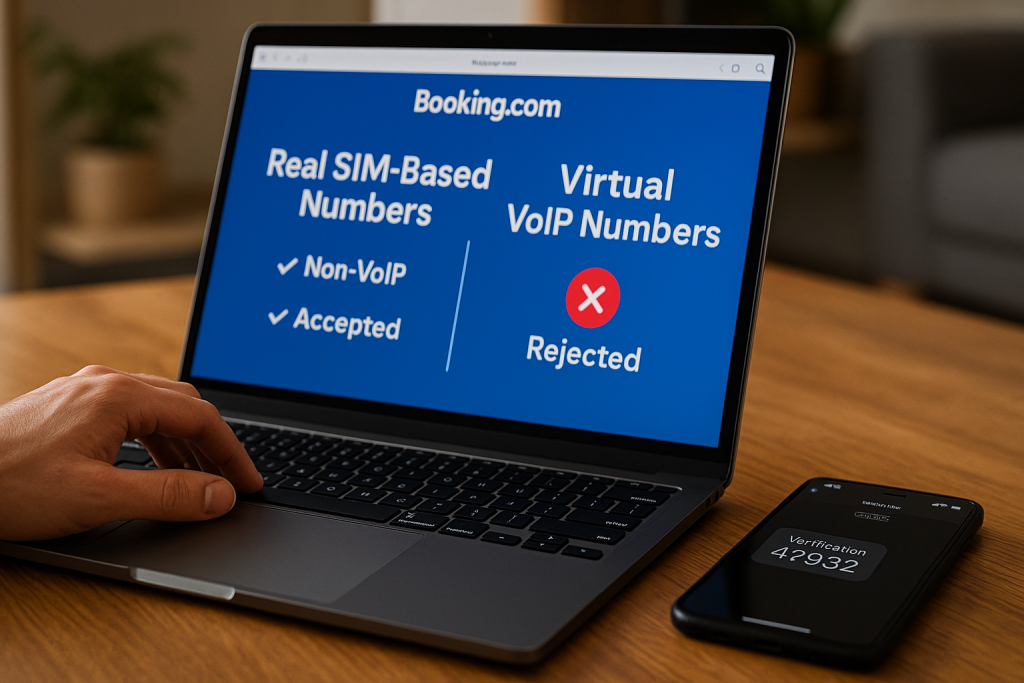
These numbers come from real SIM cards. They are not recycled VoIP numbers. Because Booking.com prefers real carriers, SMS codes arrive quickly and verification succeeds. Users do not see the typical “unsupported number” error. This solves the main reason most verification attempts fail.
Flexibility and Privacy
MobileSMS.io lets users protect personal identity. They can create anonymous accounts, leave private reviews, test bookings, or manage multiple listings. The service also supports two options: one-time numbers for quick tasks or long-term rentals for stable access. The All Services Premium plan includes Slack and Discord integration for teams that need shared access.
Global Reach With USA Specialization
MobileSMS.io supports over 100 countries. The USA pool is especially strong, offering high availability and excellent acceptance rates. This helps with Booking.com’s tendency to favor U.S. carriers during verification.
Pricing
All pricing comes directly from the knowledge base:
- One-time SMS numbers start at $3.50 to $5.50
- USA Single-Service 30-day rental → $30
- USA All-Services 30-day rental → $65
- USA All-Services Premium 30-day rental → $100, with Slack/Discord integration
Recommended Option
For 80% of Booking.com users, travel reviewers, and property teams, the 30-Day All Services Rental is the best choice. It supports repeated logins, re-verification, and multi-platform usage. It offers stability and prevents account locks. Teams needing shared SMS access should choose All Services Premium.
Step-by-Step Guide
The following steps show exactly how to verify Booking.com using MobileSMS.io without sharing your personal number.
1. Create a MobileSMS.io Account
Visit the website and register using your email. The process is simple and requires no complex details.
2. Add Credits
A minimum deposit of $5 is required. Payments include cards and other supported methods.
3. Choose Your Number Type
One-Time SMS (short tasks)
Useful for single reviews or one-time sign-ins.
Price: $3.50–$5.50
Long-Term Rental (recommended)
Ideal for continuous Booking.com access and stable review accounts.
Pricing for USA numbers:
- 30 days Single Service → $30
- 30 days All Services → $65
- 30 days All Services Premium → $100
This is the best option for reviewers and agencies.
4. Select a Country
Choosing United States provides the best success rate because of strong carrier pools.
5. Pick the Platform
If Booking.com is not listed, choose “Other.” This works for all standard one-way SMS platforms.
6. Receive Your Number
Your number appears immediately. Long-term rentals stay dedicated to you for the entire period.
7. Enter the Number on Booking.com
Enter the MobileSMS.io number when Booking.com asks for phone verification.
8. Receive the Verification Code
The SMS arrives directly in your dashboard. Premium users also get the SMS forwarded to Slack or Discord.
9. Enter the Code
Copy the code into Booking.com. Verification completes, and the account becomes accessible.
10. Maintain Account Stability
Avoid frequent device changes. Use consistent IP locations. For agencies, assign one number per account to avoid cross-linking.
Comparison Section
Below is the required comparison table showing different methods for using Booking.com without a personal phone number.
Booking.com Verification Methods Compared
| Method | Works with Booking.com? | Privacy Level | Cost | Reliability | Notes |
|---|---|---|---|---|---|
| MobileSMS.io Non-VoIP Numbers | Yes | High | $3.50–$100 | Very High | Best for reviews and teams; real SIM-based numbers |
| Free VoIP Apps | Often blocked | Low | Free | Low | Booking.com rejects most VoIP numbers |
| Prepaid SIM Cards | Sometimes | Medium | $10–$30 | Medium | Requires physical SIM and device |
| Personal Phone Number | Yes | None | Free | High | No privacy; links identity |
| Burner Apps | Often blocked | Medium | $5–$15 | Low–Medium | Many use VoIP, causing failures |
This table shows why MobileSMS.io is the most dependable solution for reviewers, bloggers, and property managers.
FAQ
Q: Is it safe to use a temporary number for Booking.com?
A: Yes. MobileSMS.io numbers are real SIM numbers. They protect privacy and avoid spam. They work reliably for verification.
Q: Will Booking.com accept a non-VoIP number?
A: Yes. Booking.com accepts real SIM-based numbers. This is why MobileSMS.io works while VoIP apps fail.
Q: What if Booking.com asks for another verification later?
A: This happens with new devices or travel. A 30-day All Services rental ensures the number stays active for future SMS.
Q: What does the service cost?
A: One-time SMS: $3.50–$5.50.
Long-term USA rentals: $30, $65, or $100 depending on plan.
Q: Can teams manage SMS codes together?
A: Yes. The Premium plan offers Slack and Discord integration for shared workspace notifications.
Q: What if the SMS does not arrive?
A: MobileSMS.io offers a 100% refund if the number cannot receive the SMS due to platform limitations.
Q: Can one number handle multiple Booking.com accounts?
A: It is not recommended. Use separate numbers for separate accounts to avoid flags.
Q: Is using Booking.com without phone verification allowed?
A: Using a real SIM number is allowed. Fraud is not. Always follow Booking.com’s terms.
Conclusion
Using Booking.com without phone verification is possible when using a real, SIM-based number instead of a VoIP service. MobileSMS.io provides reliable Non-VoIP numbers, strong privacy options, and stable access through one-time or long-term rentals. The 30-day All Services rental is the best choice for most reviewers, agencies, and travel bloggers. It offers consistent verification and prevents account lockouts. Users who need shared access can choose the Premium plan for Slack and Discord integration.
This method keeps your personal number private while meeting Booking.com’s security needs.