

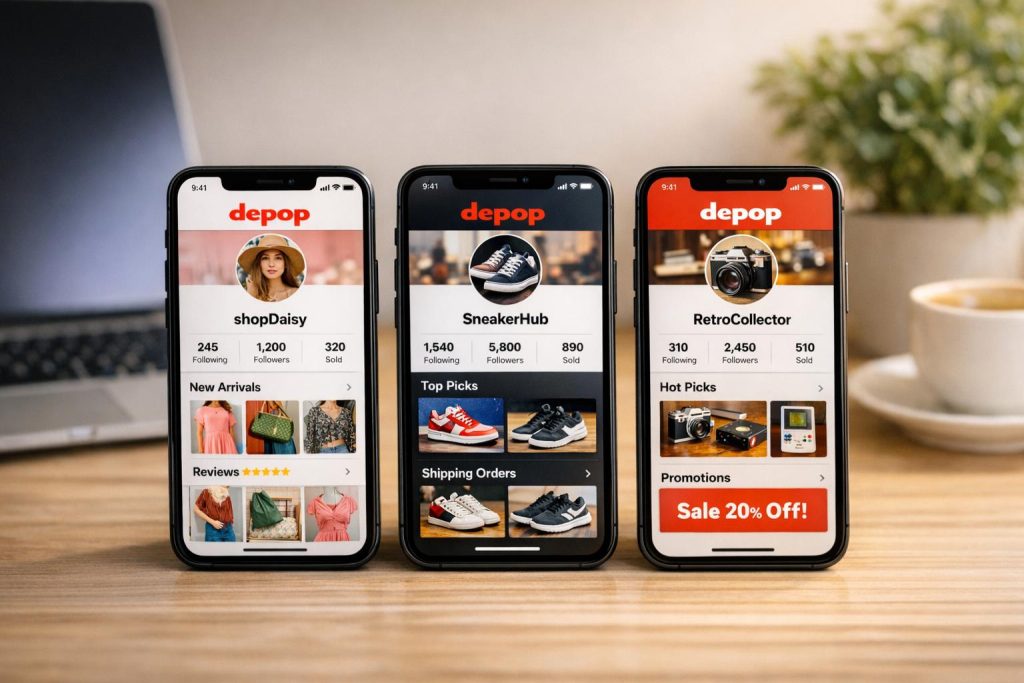
Managing multiple Depop accounts can be tricky due to strict phone verification rules. Each account requires a unique mobile number, and Depop actively monitors IP addresses and device fingerprints to detect linked accounts. Violations can lead to permanent suspensions or IP bans. Sellers often face challenges like:
- Phone number reuse: Depop allows only one account per number, and reusing numbers can trigger bans.
- IP tracking: Accessing multiple accounts from the same network or device creates links between them.
- Device fingerprinting: Depop identifies accounts through browser and device data, even in Incognito mode.
To stay compliant and avoid detection, sellers use tools like MobileSMS.io. This service provides real SIM-backed numbers that Depop accepts, ensuring smooth verification and ongoing access. For added security, sellers isolate accounts using anti-detect browsers and residential proxies. These measures help vintage sellers, dropshippers, and privacy-focused users manage multiple accounts successfully while maintaining separation and avoiding bans.
Key Takeaways:
- Use unique, real SIM numbers for each account.
- Isolate accounts with dedicated browser profiles and proxies.
- Avoid reusing phone numbers, IP addresses, or devices across accounts.
Risks of Managing Multiple Depop Accounts Without Proper Tools
Running multiple Depop accounts on the same device or network can lead to permanent bans on all your accounts. Depop’s detection systems use various tracking techniques to identify users managing multiple accounts. Once flagged, the platform suspends all linked accounts, not just the newest one.
Two common mistakes sellers make are IP address overlap and reusing phone numbers. These actions leave digital traces that Depop can easily connect to a single user. Understanding these detection methods is crucial because even a single careless login can jeopardize your entire operation. Let’s break down the key technical risks.
IP Address and Device Detection
Depop monitors both your IP address and device fingerprint to identify linked accounts. If multiple accounts access Depop from the same IP address, the system flags them as connected. According to the multi-account management guide, "Violation of this policy leads to the permanent exclusion of the corresponding user’s IP address." Once your IP is banned, you won’t be able to create new accounts from that network, even with different phone numbers or emails.
Device fingerprinting adds another layer of scrutiny. This technology gathers information about your browser, operating system, screen resolution, installed fonts, and hardware setup to create a unique identifier for your device. Clearing cookies or using incognito mode doesn’t hide this fingerprint. Pete Mitchell, Senior Staff Writer at TechCult, explains: "If this policy is violated by trying to create 2 Depop accounts, it can result in suspending or termination of all associated accounts."
Many sellers have accidentally logged into a second account from their home network without using a proxy, only to have both accounts suspended shortly after. This type of mistake creates a permanent link in Depop’s tracking system. Unlike minor violations that might be appealed, bans tied to IP-linked accounts are severe, making reinstatement nearly impossible. Implementing proper isolation strategies is the best way to avoid this outcome.
Phone Number Reuse and Account Linking
Reusing a phone number across multiple accounts is another surefire way to trigger a ban. Depop’s Help Centre clearly states: "You’re only allowed one Depop account per mobile number." If you attempt to register a second account with a number already in use, the system will prompt you to log into the existing account instead of allowing a new registration.
The risks don’t stop there. Phone number reuse can lead to bigger problems with Depop’s payment partners, such as PayPal and Stripe. These partners can blacklist phone numbers connected to banned or suspicious accounts. Vladislav S., author at Pixelscan, notes: "Depop’s payment partners (like PayPal and Stripe) can blacklist associated details, including your bank account, phone number, or IP address." Once blacklisted, a phone number becomes useless – not just for new Depop accounts but also for receiving payouts or completing transactions on existing accounts.
The issue extends beyond phone numbers. Sharing sensitive details like bank accounts or PayPal information across multiple stores raises red flags for Depop’s security systems. If one account is banned, all linked accounts may follow. As Vladislav S. puts it: "If one account is banned, the others might follow." This chain reaction can wipe out your entire operation in one enforcement action. To safeguard your accounts, using dedicated verification tools and maintaining strict isolation practices is essential.
How to Use MobileSMS.io for Depop Phone Verification
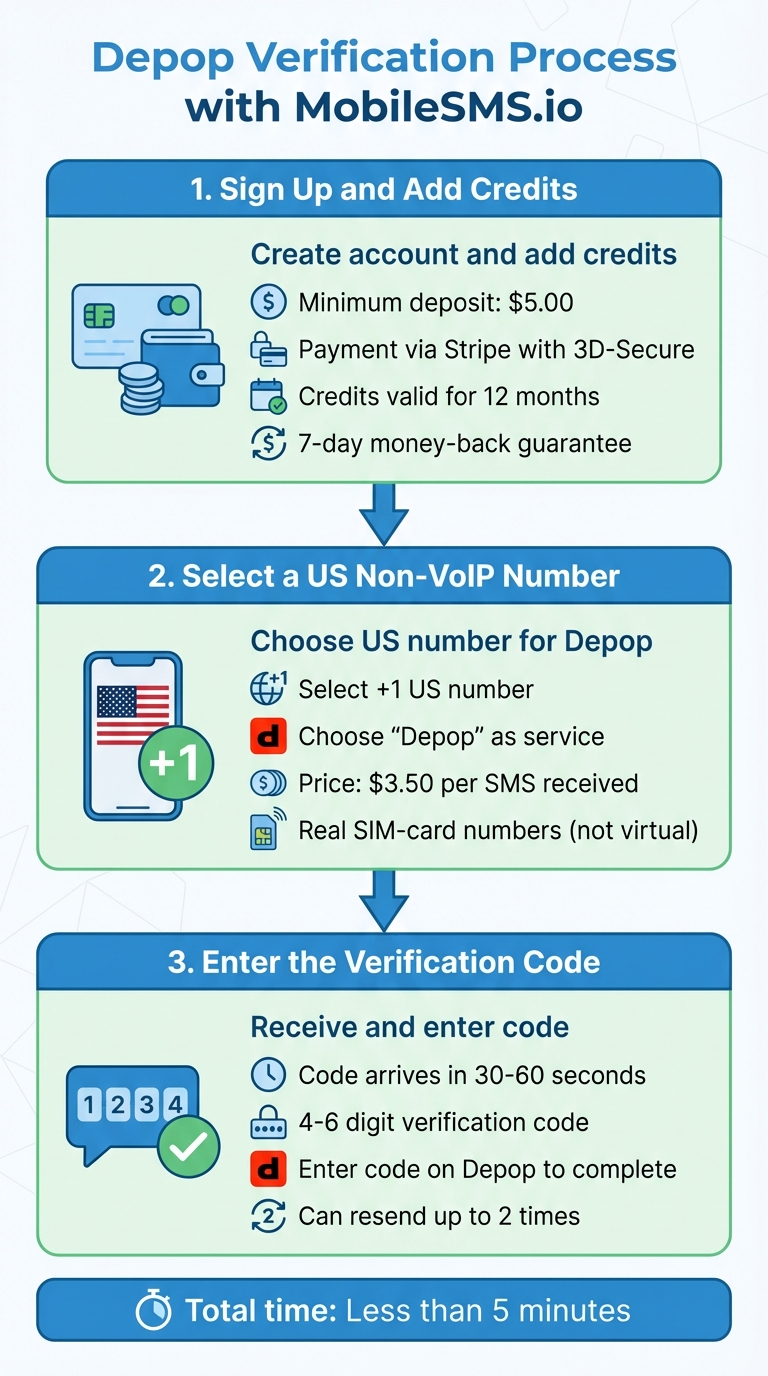
How to Verify Depop Account Using MobileSMS.io in 3 Steps
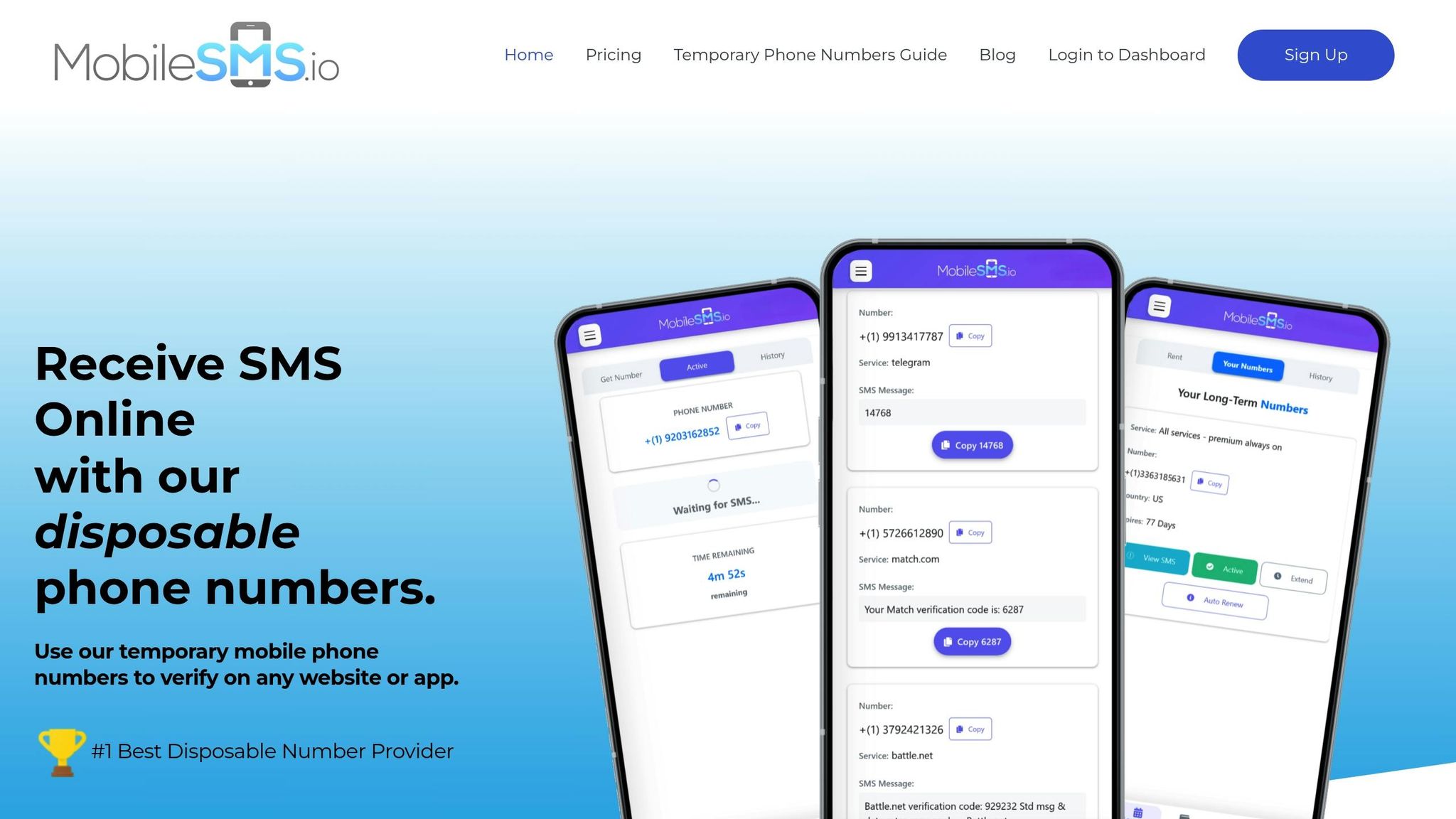
MobileSMS.io makes Depop phone verification simple by providing real SIM-card numbers. You’re only charged when a verification code is successfully received, so there’s no risk of paying for numbers that don’t work. The entire process takes less than five minutes. Here’s how to get started.
MobileSMS.io also helps avoid issues like IP detection and reused phone numbers, ensuring your account stays secure and complies with Depop’s policies.
Step 1: Sign Up and Add Credits
Start by creating an account on MobileSMS.io using your email and password. Once registered, head to the Top-Up section to add credits. The minimum deposit is $5.00, which is enough for at least one Depop verification and leaves extra funds for future use.
Payments are processed securely through Stripe, using 3D-Secure technology. Your credits are valid for 12 months, and there’s a 7-day money-back guarantee if you run into any problems. After adding credits, you can choose a number for Depop verification.
Step 2: Select a US Non-VoIP Number
Pick a US number with a +1 code and select "Depop" as the service to ensure compatibility. US non-VoIP numbers for Depop verification start at $3.50 per SMS received.
Using real SIM-card numbers is key because Depop often rejects virtual numbers. With a real SIM number, you can complete verification without any issues.
Step 3: Enter the Verification Code
Copy the number provided by MobileSMS.io into Depop’s verification field. Within 30-60 seconds, a 4-6 digit code will appear on your dashboard. Enter this code on Depop to finish the verification process.
If the code doesn’t show up within 60 seconds, double-check the number and country code you selected. Depop allows you to resend the verification code up to two times, but after that, you’ll need to wait 10 minutes before trying again.
How to Isolate and Manage Multiple Depop Accounts
To make the most of MobileSMS.io’s services, you need to ensure each Depop account operates independently. Depop identifies and links accounts through cookies, fingerprints, and IP addresses. Without proper isolation, your accounts could be flagged or banned. The key is to make each account appear as if it belongs to a completely separate user.
Set Up Separate Browser Profiles
Using standard browsers – even in Incognito mode – can lead to shared cookies and device fingerprints, which increases the risk of account linkage. To prevent this, anti-detect browsers are a game changer. These browsers allow you to create unique profiles for each account, with each profile having its own cookies, cache, and device fingerprint. You can also assign a unique proxy IP address to every profile, making it look like each account is being accessed from a different location. This level of separation is crucial to keeping your accounts undetectable and independent.
After setting up proper isolation, you can use specialized tools to manage these accounts efficiently without risking detection.
Use Long-Term Number Rentals from MobileSMS.io
Once your browser profiles are isolated, it’s essential to maintain distinct communication channels for each account. While burner numbers might work for initial signups, they won’t provide the long-term reliability needed for ongoing access. Depop frequently requires two-factor authentication (2FA) or verification checks, which means you’ll need consistent access to the same phone number.
MobileSMS.io offers flexible long-term rental plans designed for this purpose. For example, their 30-Day All Services Premium plan includes automatic SMS forwarding, so you don’t have to manually check for verification codes. If you’re running a permanent Depop store, renewing the rental monthly ensures the same number stays linked to your account. Always assign a dedicated phone number to each Depop profile to keep your accounts completely separate and secure.
sbb-itb-5a89343
Long-Term Account Management for Sellers and Dropshippers
Once you’ve secured initial verifications, maintaining your accounts over the long haul requires a thoughtful approach. One key step? Keeping accounts separate. Using dedicated numbers for each account is a reliable way to ensure this separation stays intact.
Premium Rental Plans for Sellers
If you’re a Depop seller, you’re probably familiar with the constant re-verifications and security checks. MobileSMS.io offers rental plans designed to make this process easier:
- $100.00 Premium All Services Plan: Perfect for teams that need fast and efficient account verification. This plan includes unlimited SMS for platforms like Depop and offers real-time message forwarding through Slack or Discord for seamless collaboration.
- $65.00 All Services Plan: Tailored for solo sellers, this plan provides all the essentials for individual account management.
Both plans automatically renew using your credit or debit card, so you won’t have to worry about service interruptions.
Why Dedicated Numbers Matter for Long-Term Use
Dedicated numbers go beyond just helping with initial account setup – they’re essential for keeping your accounts secure over time. Assigning a unique, permanent number to each Depop account prevents cross-account linking. Plus, having a number that’s always active means you’ll never miss a verification code.
For sellers managing multiple accounts, pairing dedicated numbers with residential proxies adds another layer of protection. By using a real home IP address, you reduce the risk of detection and ensure your accounts run smoothly without disruptions. This combination is especially valuable for high-volume sellers juggling several accounts.
Conclusion
Successfully managing multiple Depop accounts hinges on three key principles: adhering to platform rules, ensuring strict account separation, and utilizing the right verification tools. Depop strictly enforces its rule of one account per mobile number, and breaking this policy can lead to a permanent IP ban. Their advanced detection systems can connect accounts through shared phone numbers or IP addresses, making careful management essential.
To navigate these restrictions, implementing strong account isolation strategies is crucial. The techniques discussed in this guide – like using anti-detection browsers, residential proxies, and non-VoIP numbers from MobileSMS.io – are designed to safeguard your accounts. These measures help prevent one account’s issues from impacting others, which is especially important for vintage sellers and dropshippers who rely on multiple storefronts for their income.
"If you operate more than one Depop store, temporary non-VoIP numbers help keep them separate." – SMS Verified
By incorporating these strategies, you can ensure each storefront operates independently, minimizing the risk of detection. MobileSMS.io offers scalable solutions that allow you to start small and grow as needed, providing dedicated numbers that pair seamlessly with residential proxies for long-term stability.
When combined with Depop’s evolving focus on search-first visibility – where accurate keywords, proper categorization, and competitive pricing take precedence over social engagement – you’ll have a reliable system for managing multiple accounts without the constant worry of security breaches.
FAQs
How does Depop identify and connect multiple accounts?
Depop keeps an eye out for multiple accounts by tracking shared details like phone numbers, email addresses, and device IP addresses. If several accounts are tied to the same credentials, they might be flagged and linked, as Depop enforces a strict rule: one account per phone number or email address.
To steer clear of any problems, make sure each account has its own unique phone number and email address. Also, avoid logging into multiple accounts from the same device or network to prevent them from being linked.
What are the advantages of using MobileSMS.io for verifying Depop accounts?
MobileSMS.io offers a simple and secure solution for Depop sellers needing to complete phone verification without exposing their personal number. By providing disposable, non-VoIP numbers that can instantly receive SMS messages, it keeps your private number safe from spam, unwanted messages, or interactions with buyers.
These unique numbers can be tied to individual Depop accounts, allowing you to manage multiple stores – whether it’s a vintage clothing shop or a dropshipping business – without violating Depop’s one-number-per-account rule. This makes it an ideal option for sellers looking to stay organized and compliant with platform policies.
Additionally, MobileSMS.io lets you view verification codes in real time, minimizing the chance of missing or expired codes. The service also ensures your data stays private by securely storing your numbers and never sharing them with third parties. It’s a reliable way to protect your privacy while keeping your business running smoothly.
Why should I use separate IP addresses and device fingerprints for each Depop account?
To keep your Depop accounts unlinked, it’s crucial to use unique IP addresses and distinct device fingerprints for each profile. Depop closely tracks accounts that share the same IP or device, which could result in suspensions or even permanent bans.
Maintaining separation for each account minimizes the chances of detection and helps ensure your profiles stay active. This is particularly important for vintage sellers or dropshippers running multiple accounts to grow their business.