

- Introduction
- Why Use a Burner Number for Ubisoft?
- What Is a Long-Term Burner Number?
- How to Get a Long-Term Burner Number for Ubisoft
- Using Your Burner Number with Ubisoft
- Benefits of Using a Long-Term Burner Number from MobileSMS.io
- Privacy Best Practices for Gaming Accounts
- Troubleshooting Common Issues
- Common Questions About Using a Burner Number with Ubisoft
- Conclusion
Introduction
Signing up for Ubisoft accounts, like any online service, often requires a phone number for verification. While this step is essential for security, using your personal phone number can expose you to privacy risks, spam, and unwanted marketing calls. This is where using a long-term burner number for Ubisoft sign-ups from MobileSMS.io comes in handy.
(Updated December 2025)
In this guide, we’ll walk you through the benefits of using a long-term burner number for Ubisoft sign-ups, how it works, and why it’s a smart choice for protecting your privacy. Whether you’re creating a new account for the latest Rainbow Six Siege update or managing multiple gaming profiles, a burner number provides the privacy and flexibility you need.
Why Use a Burner Number for Ubisoft?
When you sign up for Ubisoft, the platform requires a phone number for verification. While this is a common security measure, it also means your personal number could be linked to your gaming activity, exposed to potential data breaches, or shared with third-party marketers.
Using a burner number helps to:
- Maintain Privacy: Keep your personal information safe by using a separate, disposable number. Your gaming activity remains disconnected from your real-world identity.
- Avoid Spam: Prevent your primary phone number from being bombarded with marketing messages. Gaming platforms often share user data with partners, leading to promotional texts and calls.
- Stay Anonymous: Safeguard your identity when interacting with online gaming communities. This is especially important for competitive gaming where privacy concerns are growing.
- Prevent SIM Swapping Attacks: By separating your gaming accounts from your primary phone number, you reduce the risk of hackers targeting your main line for account takeovers.
- Manage Multiple Accounts: If you need separate accounts for different regions or gaming purposes, burner numbers make this process simple and cost-effective.
- Control Data Sharing: In 2025, data privacy regulations continue to evolve, but using a burner number gives you immediate control over what information you share with gaming platforms.
What Is a Long-Term Burner Number?
A long-term burner number from MobileSMS.io is a temporary, non-VoIP number that you can use for an extended period, such as 30 days or longer. Unlike traditional disposable numbers, long-term burner numbers can be used for multiple verifications and even receive ongoing SMS messages, making them perfect for services like Ubisoft where you might need to verify your account more than once.
These numbers offer several key advantages over short-term alternatives:
- Real SIM-Card Technology: Unlike free VoIP services that get blocked instantly, MobileSMS.io provides authentic carrier numbers that Ubisoft and other gaming platforms accept without issues.
- Persistent Access: Your number remains active for the entire rental period, allowing you to receive two-factor authentication codes, password reset messages, and account notifications whenever needed.
- Flexible Duration: Choose from 7-day, 30-day, 60-day, or 90-day rental periods based on your needs. This flexibility is ideal for both short-term testing and long-term account management.
- No Shared Numbers: Each rented number is exclusively yours during the rental period, eliminating privacy concerns associated with shared or recycled numbers.
How to Get a Long-Term Burner Number for Ubisoft
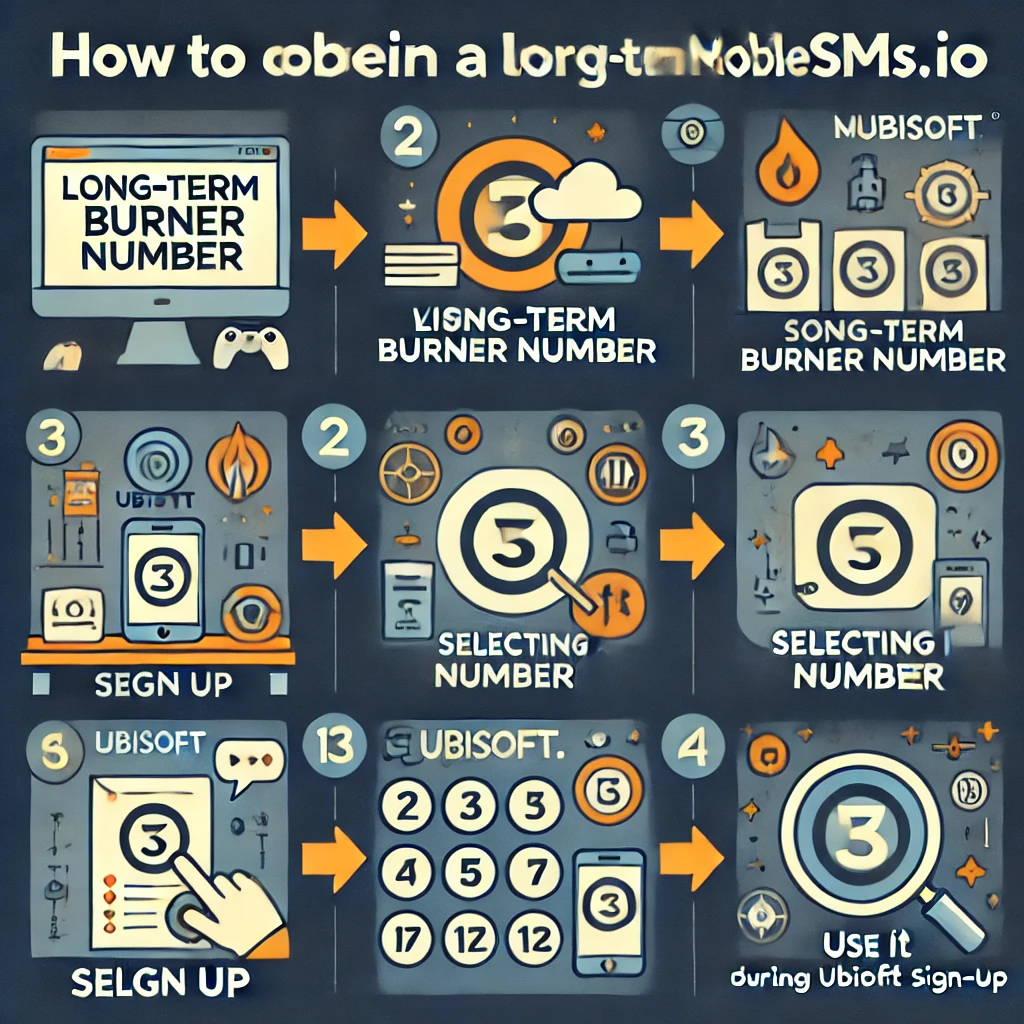
Here’s a step-by-step guide on how to set up a long-term burner number with MobileSMS.io for your Ubisoft account:
- Visit MobileSMS.io: Start by navigating to the MobileSMS.io website. The platform works seamlessly on both desktop and mobile browsers.
- Sign Up or Log In: If you’re a new user, sign up for an account using your email address. Existing users can simply log in. The registration process takes less than two minutes.
- Choose Your Country: While MobileSMS.io offers numbers from various countries, it’s recommended to choose a USA number due to its reliability and compatibility with most services, including Ubisoft. USA numbers have the highest acceptance rate across gaming platforms.
- Select Long-Term Rental: Opt for a long-term rental option. This ensures you can use the same burner number for an extended period, allowing you to access your Ubisoft account without any interruptions for verifications, password resets, or security checks.
- Pick a Plan: Depending on how long you need the burner number, choose from 7-day, 30-day, 60-day, or 90-day plans. If you’re unsure, the 30-day option is a great starting point and provides excellent value. For serious gamers managing multiple accounts, consider the “All Services” plan which gives you access to numbers for unlimited services during the rental period.
- Complete Payment: MobileSMS.io accepts various payment methods including credit cards and cryptocurrency for those seeking additional privacy. All transactions are secured with industry-standard encryption.
- Receive Your Number: Once your plan is selected and payment is confirmed, you’ll be assigned a real SIM-card number instantly. The number appears in your dashboard along with instructions for receiving SMS messages. Use this number when prompted for phone verification during your Ubisoft sign-up process.
- Save Your Dashboard Link: Bookmark your MobileSMS.io dashboard for easy access to incoming verification codes. The dashboard updates in real-time, so you’ll see codes as soon as they arrive.
Using Your Burner Number with Ubisoft
After setting up your long-term burner number, you can use it during the Ubisoft sign-up process:
- Start the Ubisoft Sign-Up Process: Visit the Ubisoft website or open the Ubisoft app and start the account creation process. Make sure you’re on the official Ubisoft platform to avoid phishing sites.
- Enter the Burner Number: When prompted to enter your phone number, input the long-term burner number provided by MobileSMS.io. Include the country code (e.g., +1 for USA numbers) to ensure proper formatting.
- Verify the Number: Ubisoft will send a verification code via SMS to your burner number. Simply retrieve the code from your MobileSMS.io dashboard and enter it on the Ubisoft platform. Codes typically arrive within 30 seconds to 2 minutes.
- Complete the Sign-Up: Finish the rest of the registration process as usual. Your Ubisoft account is now protected by your burner number, keeping your personal phone number private.
- Enable Two-Factor Authentication: For maximum security, enable two-factor authentication (2FA) on your Ubisoft account using your burner number. This adds an extra layer of protection while maintaining your privacy.
- Store Your Login Credentials Securely: Use a password manager to save your Ubisoft credentials along with a note about which burner number you used. This makes account recovery easier if needed.
Pro Tip: Take a screenshot of your verification code in the MobileSMS.io dashboard as backup documentation. This can be helpful if you need to contact Ubisoft support later.
Benefits of Using a Long-Term Burner Number from MobileSMS.io
Using a burner number from MobileSMS.io offers several advantages:
- Real SIM-Card Numbers: Unlike VoIP numbers, which are often blocked by services, MobileSMS.io provides real SIM-card numbers that are accepted by Ubisoft and other platforms. This ensures a 99%+ success rate for verification.
- Extendable Plans: Need more time? You can easily extend your number rental to continue using it beyond the initial period. This is perfect for ongoing gaming needs or if you want to maintain access to your account long-term.
- No Hidden Fees: Pay only for what you use, with no surprise charges. The pricing is straightforward and transparent, with all costs displayed upfront before purchase.
- 24/7 Access: Your dashboard is available around the clock, so you can receive verification codes anytime, day or night. This is especially useful for gamers in different time zones or those who play at irregular hours.
- Multi-Platform Compatibility: Numbers from MobileSMS.io work with virtually all gaming platforms, social media sites, and online services. If you need verification for Epic Games, Steam, or PlayStation Network in addition to Ubisoft, the same number can be used across multiple platforms with the “All Services” plan.
- Instant Delivery: No waiting periods—your number is activated immediately upon payment. Start your Ubisoft sign-up process within minutes of ordering.
- Privacy-First Approach: MobileSMS.io doesn’t require extensive personal information to rent a number, respecting your privacy from the very first step.
- USA-Based Numbers: Specializing in USA numbers ensures maximum compatibility with Ubisoft’s North American servers and services, reducing potential regional restrictions.
Privacy Best Practices for Gaming Accounts
While using a long-term burner number for Ubisoft sign-ups is a great first step, consider these additional privacy measures for comprehensive account security in 2025:
- Use Unique Email Addresses: Create a dedicated email address for gaming accounts separate from your personal or work email. This prevents cross-platform tracking and reduces spam.
- Choose Strong, Unique Passwords: Never reuse passwords across different gaming platforms. A password manager can generate and store complex passwords for each service.
- Review Privacy Settings: After creating your Ubisoft account, immediately review privacy settings to limit data sharing. Disable optional data collection features and marketing communications.
- Monitor Account Activity: Regularly check your Ubisoft account for unusual login attempts or changes. Enable login notifications to your burner number for immediate alerts.
- Consider Payment Privacy: When making in-game purchases, use virtual credit cards or prepaid cards instead of your primary payment method to add another layer of privacy.
- Limit Social Connections: Be selective about connecting your Ubisoft account to social media platforms. Each connection creates additional data sharing opportunities.
Troubleshooting Common Issues
While using a burner number from MobileSMS.io is typically smooth, here are solutions to common challenges:
Verification Code Not Arriving:
- Wait 2-3 minutes—some codes take longer during high-traffic periods
- Refresh your MobileSMS.io dashboard
- Check that you entered the number correctly with the proper country code
- Request a new code from Ubisoft if the first attempt fails
Number Format Rejected:
- Ensure you’re including the country code (e.g., +1 for USA)
- Try both formats: with and without dashes or spaces
- Copy-paste the number directly from your MobileSMS.io dashboard to avoid typos
Account Recovery Issues:
- Keep your burner number active if you anticipate needing account recovery
- Document your burner number details in a secure password manager
- Before your rental expires, update your Ubisoft account recovery options if needed
Multiple Account Verifications:
- Some users report needing verification multiple times—this is where long-term rentals shine
- Consider the 60-day or 90-day plan if you frequently trigger security checks
- Keep your rental active during major game launches when Ubisoft increases security measures
Common Questions About Using a Burner Number with Ubisoft
1. Can I use the same burner number for multiple Ubisoft accounts?
Yes, with a long-term burner number, you can use the same number for verifying multiple accounts or for re-verification if needed. However, be aware that Ubisoft’s terms of service may have restrictions on multiple accounts, so review their policies first.
2. What happens if I lose access to my burner number?
If your number rental period expires and you haven’t extended it, you’ll lose access to the number. It’s important to renew your rental before the expiration to maintain access. Set a calendar reminder a few days before expiration to avoid interruption. If you do lose access, you can update your phone number in your Ubisoft account settings with a new burner number.
3. Is it legal to use a burner number for Ubisoft?
Yes, using a burner number for privacy protection is completely legal. However, ensure you follow Ubisoft’s terms of service when signing up. Using privacy tools like burner numbers is a legitimate practice protected under privacy laws in most jurisdictions, including the USA and EU.
4. How long can I keep a burner number?
With MobileSMS.io, you can keep a burner number for as long as you need it, provided you renew your rental plan. Many users maintain the same number for months or even years by choosing extended rental periods or renewing regularly.
5. Can I receive regular SMS messages on my burner number?
Yes, your long-term burner number can receive any SMS messages, making it ideal for ongoing use with services like Ubisoft. This includes verification codes, password resets, promotional messages, and security alerts from Ubisoft.
6. What if Ubisoft rejects my burner number?
MobileSMS.io provides real SIM-card numbers, which are less likely to be rejected. However, if an issue arises, you can contact MobileSMS.io support for assistance. In rare cases, trying a different number from the available inventory may resolve the issue immediately.
7. Will my Ubisoft account work in all regions with a USA burner number?
Yes, Ubisoft accounts are global, and using a USA burner number won’t restrict your gaming experience. You can still access games, make purchases, and interact with players worldwide regardless of the phone number’s origin.
8. Can I port my burner number to a permanent phone service later?
Burner numbers from MobileSMS.io are designed for temporary use and typically cannot be ported. If you need a permanent solution, consider maintaining an active rental or updating your Ubisoft account with a permanent number when you’re ready.
9. How quickly do verification codes arrive?
Most verification codes from Ubisoft arrive within 30 seconds to 2 minutes. During peak gaming hours or new game releases, delivery may take slightly longer, but rarely exceeds 5 minutes.
10. Do burner numbers work with Ubisoft’s mobile app?
Yes, burner numbers work perfectly with both the Ubisoft website and the Ubisoft Connect mobile app. The verification process is identical across all platforms.
Conclusion
Using a long-term burner number for Ubisoft sign-ups from MobileSMS.io is an effective way to protect your privacy while enjoying Ubisoft’s services. By following the steps outlined in this guide, you can sign up for Ubisoft securely and keep your personal information safe from spam, data breaches, and unwanted marketing.
The combination of real SIM-card technology, flexible rental periods, and USA-based numbers makes MobileSMS.io the ideal solution for gamers who value their privacy in 2025. Whether you’re creating your first Ubisoft account or managing multiple gaming profiles, a burner number gives you control over your personal data without compromising functionality.
Take control of your online privacy today with MobileSMS.io, and never worry about unwanted exposure again. With transparent pricing, instant delivery, and reliable service, protecting your gaming accounts has never been easier or more affordable.