

If you’re a Patreon creator, verifying your account requires a phone number. While this ensures security and compliance with legal standards, it can raise privacy concerns. Using your personal number may expose you to risks like spam, phishing, or unwanted contact. Patreon’s strict verification process blocks VoIP numbers, making it harder to use free or virtual options.
Key Points:
- Patreon requires a real, carrier-issued phone number for verification.
- VoIP numbers are not accepted due to fraud prevention measures.
- Creators have 60 days to verify before account suspension, with permanent deletion after 118 days.
- Personal phone numbers are stored for up to 10 years and may be shared with third parties or law enforcement.
Solution:
Services like MobileSMS.io provide real SIM-card numbers that meet Patreon’s requirements while keeping your personal data private. These disposable or rental numbers ensure smooth verification without linking your personal contact details. Pricing starts at $3.50 for one-time use, with rental options available for ongoing needs.
Problems with Standard Verification Methods
Many creators attempt to safeguard their personal phone numbers by turning to free or low-cost virtual options. Unfortunately, these virtual numbers often don’t pass Patreon’s strict verification process, leading to frustrating verification failures.
This happens because Patreon has specific measures in place to ensure accounts are tied to legitimate, secure phone numbers.
Why Patreon Blocks VoIP Numbers
Patreon actively filters out VoIP numbers by using telecom databases to differentiate them from traditional carrier numbers.
This isn’t just an arbitrary rule – it’s a key part of their efforts to prevent abuse. As toast0, Developer/App Moderator, explained:
"The problem is there are some services that make it very easy to obtain a voip number at no cost to the user; if they don’t have effective protections against bulk registration, spammers abuse them to get thousands of numbers and then use those numbers to abuse the service."
By requiring non-VoIP numbers, Patreon raises the barrier for fraudulent activity and ensures that only legitimate accounts can pass verification. Additionally, shared or public phone numbers come with security risks – others could intercept verification codes, potentially leading to account takeovers. This undermines the platform’s two-factor authentication system and jeopardizes account security.
What Happens When Verification Fails
If verification fails, the consequences are immediate and severe. Payouts are frozen right away, and if the issue isn’t resolved within 60 days, your account is suspended. During this time, you can’t accept new memberships, gain subscribers, or withdraw funds. After 60 days, any remaining eligible funds are refunded to your patrons, and your creator page is permanently removed.
How MobileSMS.io Protects Your Privacy on Patreon
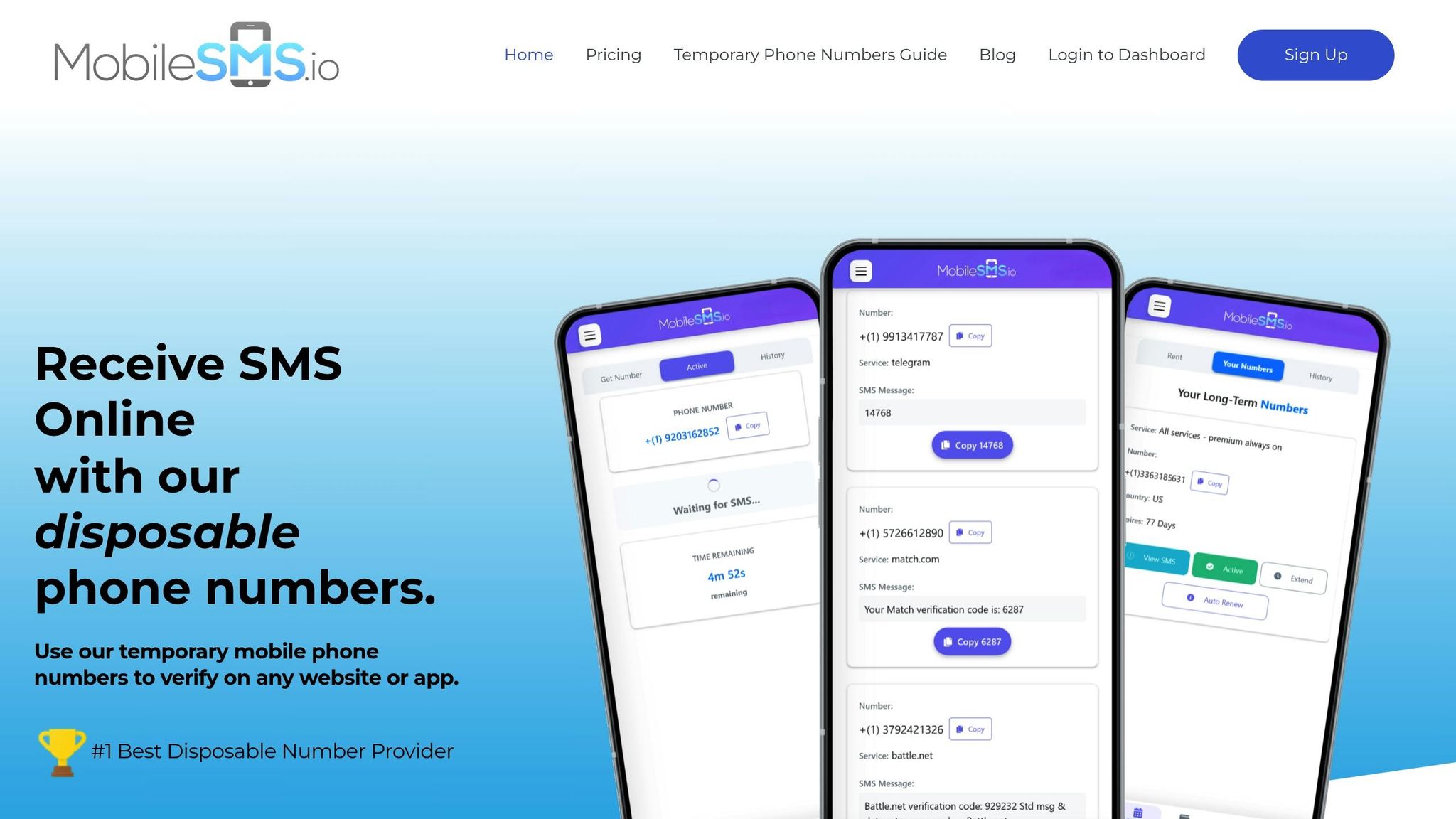
MobileSMS.io offers real, carrier-issued phone numbers that meet Patreon’s verification requirements, safeguarding your personal number. These numbers, provided by major carriers like Verizon, AT&T, and T-Mobile, look and function like standard mobile lines, bypassing Patreon’s VoIP filters. As MobileSMS.io explains: "Non-VoIP phone numbers, also known as real SIM-card mobile phone numbers, are provided by legitimate mobile carriers and can be used for account verification on most online services." Numbers are typically assigned within minutes, and if you don’t receive your verification code, MobileSMS.io provides a money-back guarantee if you contact support within 7 days. This approach ensures a smooth verification process while keeping your personal information private.
Real SIM-Card Numbers That Work With Patreon
These carrier-based numbers operate just like those from major mobile providers. When Patreon checks the number, it identifies it as a legitimate mobile carrier line – not a VoIP number – allowing you to complete the verification process without any issues. At the same time, your personal contact details stay completely private.
Privacy Features for Patreon Creators
MobileSMS.io goes beyond verification to enhance your overall privacy. Payments can be made using cryptocurrencies like Bitcoin, Ethereum, or USDC, eliminating the need to use a credit card. Your personal number is never shared with Patreon, and verification codes are delivered instantly to your dashboard. This setup shields you from potential data breaches or unwanted contact. For creators managing multiple accounts or teams, premium plans include Slack and Discord integration to auto-forward codes, ensuring privacy and efficiency across all projects.
How to Verify Your Patreon Creator Account with MobileSMS.io
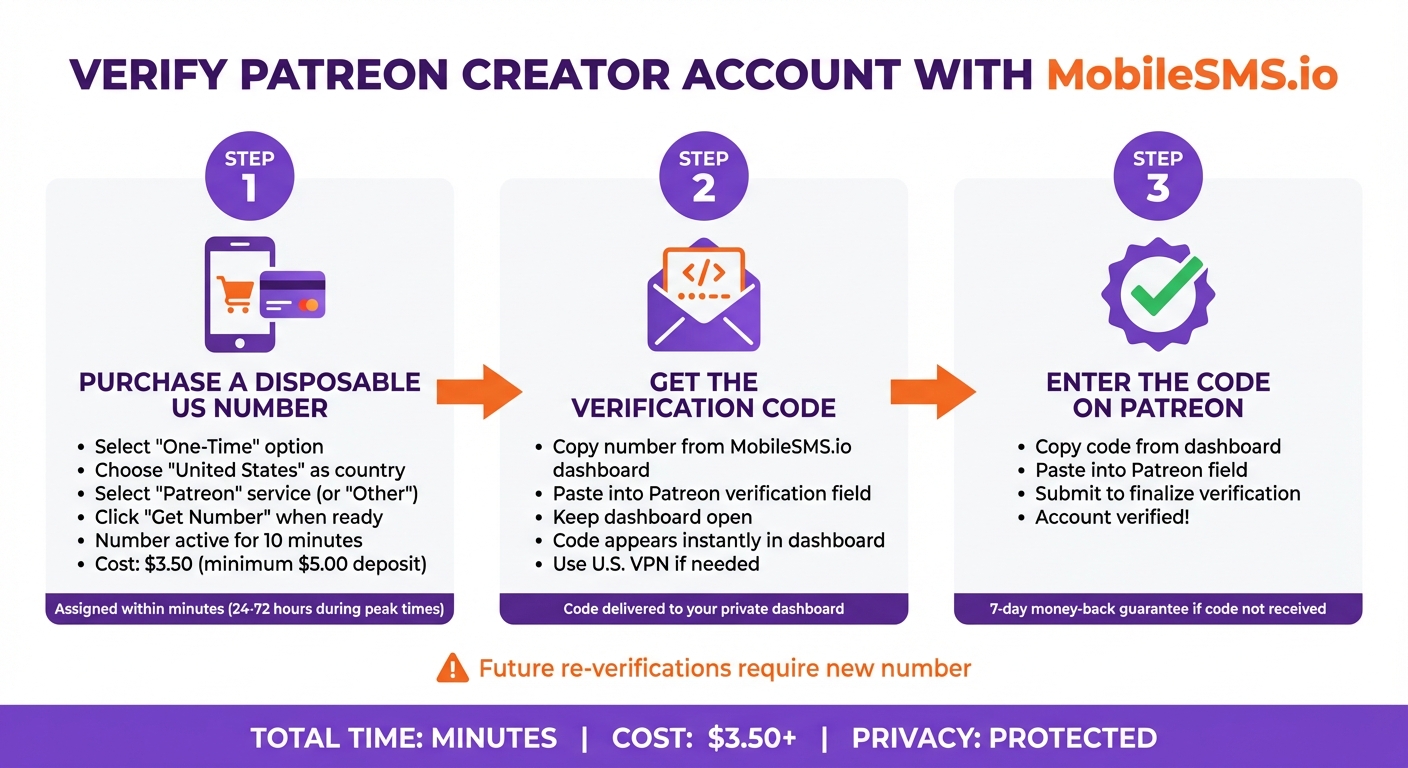
How to Verify Patreon Account with MobileSMS.io in 3 Steps
This process allows you to keep your personal phone number private while verifying your Patreon account. Before starting, make sure to deposit at least $5.00 into your MobileSMS.io account to cover the $3.50 verification fee (prices may vary).
Here’s how to get your account verified quickly and securely:
Step 1: Purchase a Disposable US Number
Log in to your MobileSMS.io dashboard and select the "One-Time" option under number types. Choose "United States" as your country, then look for "Patreon" in the service menu. If "Patreon" isn’t listed, select "Other" instead. Click "Get Number" only when you’re ready to use it immediately, as the number remains active for just 10 minutes. Most numbers are assigned within minutes, but during busy times, it could take 24 to 72 hours. Don’t worry – you’re only charged the $3.50 if the SMS is successfully received.
Step 2: Get the Verification Code
Copy the disposable number from your MobileSMS.io dashboard and paste it into the verification field on Patreon. Keep your dashboard open, as the code will appear there as soon as it’s sent. Make sure your browser’s IP address matches a U.S. location – use a U.S. VPN if needed. This step helps avoid triggering Patreon’s security measures.
Step 3: Enter the Code on Patreon
Once the verification code appears on your MobileSMS.io dashboard, copy it and paste it into the designated field on Patreon. Submit the code to finalize the verification. If you don’t receive a code within a few minutes, try clearing your browser’s cookies and cache before requesting a new number. Keep in mind, future re-verifications will require a new disposable number.
sbb-itb-5a89343
MobileSMS.io Pricing for Patreon Creators
Find a pricing plan that suits your verification needs while keeping your privacy intact.
MobileSMS.io provides three flexible pricing options tailored to how you use Patreon – whether you’re verifying a single account or managing several profiles for different projects.
One-Time Numbers for Single Verifications
If you’re verifying just one Patreon account and don’t plan to reuse the number, a temporary phone number is the most budget-friendly choice. Verifications for Patreon typically cost around $4.50, with a minimum deposit of $5.00 to get started. You’re only charged if the SMS is successfully received – if it doesn’t arrive, your credits remain untouched. These numbers stay active for 10 minutes, giving you enough time to complete the process without any extra fees.
Rental Numbers for Multiple Accounts
For creators managing multiple accounts or needing to re-verify later, rental numbers are a better fit. You can rent a number for 7 days at $15.00 or 30 days at $30.00 (renewable monthly). Both options allow unlimited SMS reception from Patreon during the rental period. This is especially useful if Patreon asks for re-verification, like when logging in from a new device or updating security settings. A 30-day rental costs just $1.00 per day, which is more economical than paying $4.50 each time for a new disposable number.
For creators with ongoing projects or who need additional features, there are Premium Plans to consider.
Premium Plans with Auto-Forwarding
The All Services Premium plan, priced at $100.00 per month, is ideal for teams or creators managing multiple platforms. The number stays active continuously, so you don’t need to reactivate it each time. This plan also includes auto-forwarding to Slack or Discord for easy team collaboration. It supports unlimited SMS across 1,200+ platforms, not just Patreon, while maintaining MobileSMS.io’s commitment to privacy. For long-term stability, the 12-month plan costs $450.00 upfront, breaking down to $37.50 per month – a 62% discount compared to monthly payments.
These plans offer flexibility, privacy, and convenience for creators of all types.
Conclusion: Protect Your Privacy on Patreon with MobileSMS.io
Patreon requires phone verification to comply with legal obligations, such as tax reporting for creators earning income. While these steps help prevent fraud, they also put your personal information at risk.
Using your personal phone number links your identity to your creative work, exposing you to potential dangers like doxing, stalking, SMS spam, and phishing attacks. Many virtual number services fall short of Patreon’s strict verification standards, but MobileSMS.io offers a secure solution. By providing real SIM-card numbers that meet these requirements, MobileSMS.io ensures your personal number stays private.
MobileSMS.io makes verification simple and secure. Once you purchase a number, your verification code appears instantly in your private dashboard, ready for use on Patreon. Plus, with a 7-day money-back guarantee, you can verify your account without worrying about exposing your personal data. The service also offers flexible pricing, catering to both one-time verifications and ongoing account management.
For creators handling multiple accounts or needing long-term stability, MobileSMS.io’s rental options are a game-changer. These rentals help you manage re-verification requests seamlessly, ensuring uninterrupted access to your account. This solution not only meets Patreon’s requirements but also protects your privacy and creative freedom, keeping your personal life separate from your professional work.
FAQs
Why does Patreon need my phone number for verification?
Patreon asks for a real phone number to verify your identity and ensure the platform remains secure and reliable. This verification step helps combat fraud, misuse, and other harmful activities while meeting security and regulatory requirements.
On top of that, providing your phone number allows you to enable features like two-factor authentication. This adds an extra layer of security to safeguard your account and personal details.
How does MobileSMS.io ensure my privacy during Patreon phone verification?
MobileSMS.io is all about keeping your privacy intact during the Patreon phone verification process. With our service, your personal phone number stays completely hidden – Patreon or any third party never gets access to it. Instead, we provide you with a temporary, secure phone number that’s solely for verification, keeping your real number safe.
To ensure your data stays protected, our platform relies on encrypted systems. Plus, the temporary numbers we provide are strictly for one-time use, giving you an added layer of security. This means you can handle the Patreon verification process worry-free, knowing your privacy is in good hands.
What happens if I don’t verify my Patreon account?
If you don’t verify your Patreon account, it will be suspended. This means you won’t be able to accept new payments or withdraw any funds. If the issue remains unresolved for 30 days, your account will be permanently deleted, and any eligible funds will be refunded to your patrons.