

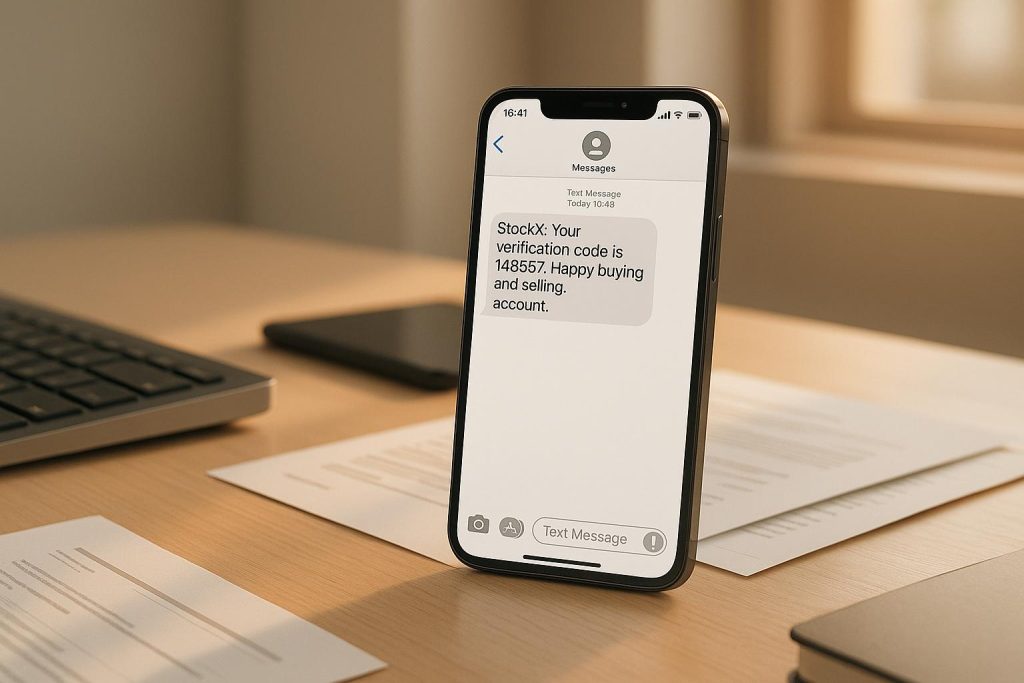
StockX requires two-factor authentication (2FA) for all accounts, sending a one-time SMS code to a registered phone number during login. For resellers managing multiple accounts, this can be a challenge since using the same number triggers fraud detection, leading to account issues or suspensions. MobileSMS.io offers a solution by providing real U.S. non-VoIP phone numbers for verification. These numbers, tied to actual SIM cards, work seamlessly with StockX’s system, ensuring smooth verification for resellers.
Key Points:
- StockX 2FA requires unique phone numbers for each account.
- Using the same number across accounts can cause verification errors or bans.
- MobileSMS.io provides disposable and rental non-VoIP numbers:
- One-time numbers: $0.50–$2.00 for single use.
- Rental numbers: $8–$35 for 7–30 days of ongoing use.
- These numbers reduce fraud detection issues and simplify account management.
MobileSMS.io ensures reliable access to StockX accounts while avoiding the hassle of managing multiple personal SIM cards.
Why Resellers Need Different Phone Numbers for Each StockX Account
Managing multiple StockX accounts can get tricky, especially when it comes to the verification process. StockX uses two-factor authentication (2FA), sending a unique SMS code to the phone number tied to your account. For resellers juggling several accounts, assigning a separate phone number to each one keeps things organized and avoids unnecessary headaches.
Problems with Using One Phone Number for Multiple Accounts
Trying to use the same phone number across multiple StockX accounts can lead to all sorts of issues. Registration conflicts and SMS delivery failures are common problems in such cases. While StockX doesn’t explicitly prohibit this practice in its guidelines, sharing one number between accounts can create technical hiccups, making the process unnecessarily complicated. Keeping phone numbers distinct for each account is a simple way to sidestep these challenges.
Advantages of Disposable and Rental Phone Numbers
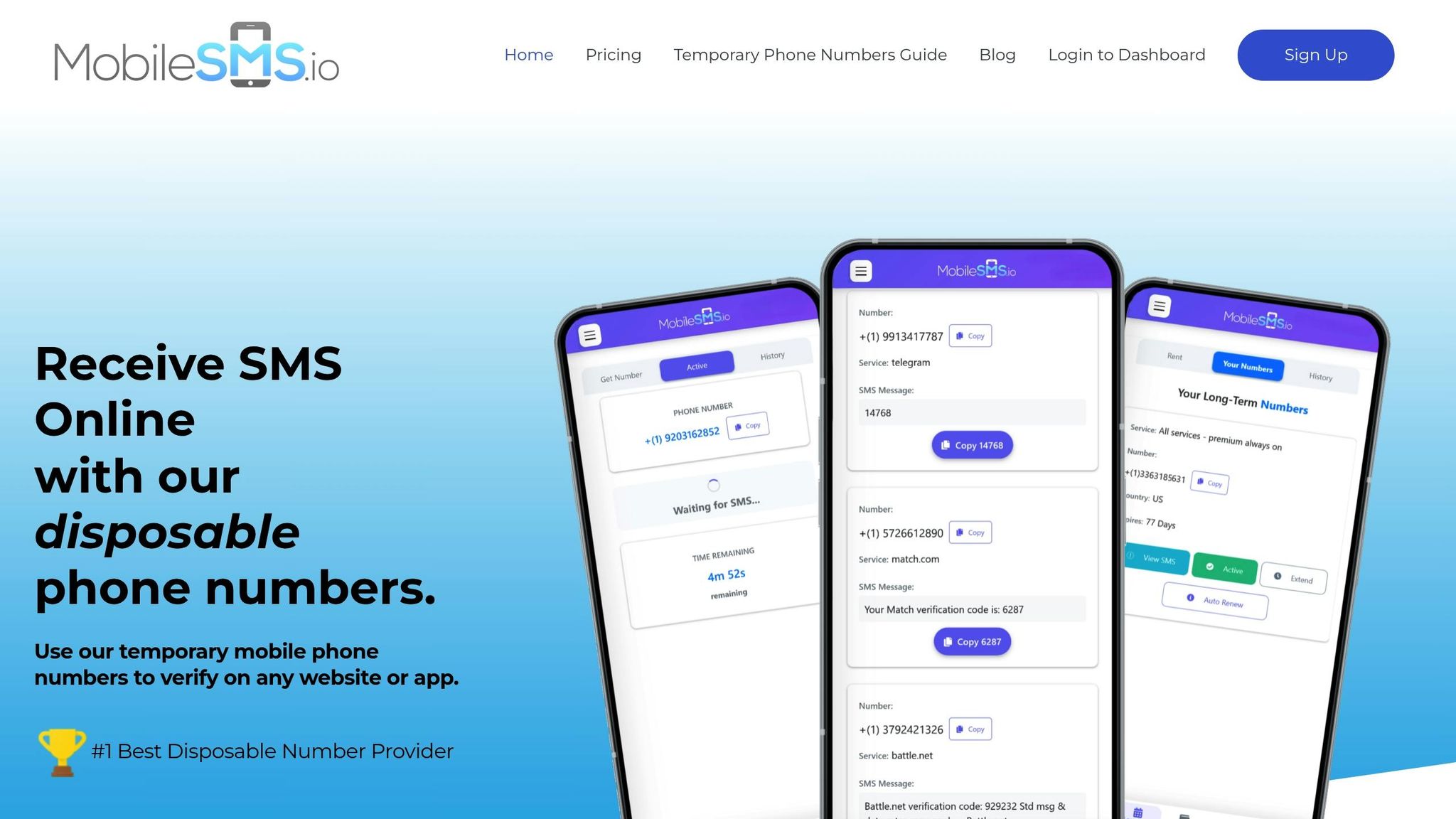
This is where MobileSMS.io comes in handy. Their disposable or rental non-VoIP numbers work just like regular cell lines, making them perfect for receiving SMS codes without any hassle. Assigning a unique number to each StockX account not only ensures smooth verification but also reduces the chances of being flagged by StockX’s fraud detection systems. By using MobileSMS.io, resellers can keep their accounts separate and the verification process seamless.
How to Use MobileSMS.io for StockX Account Verification
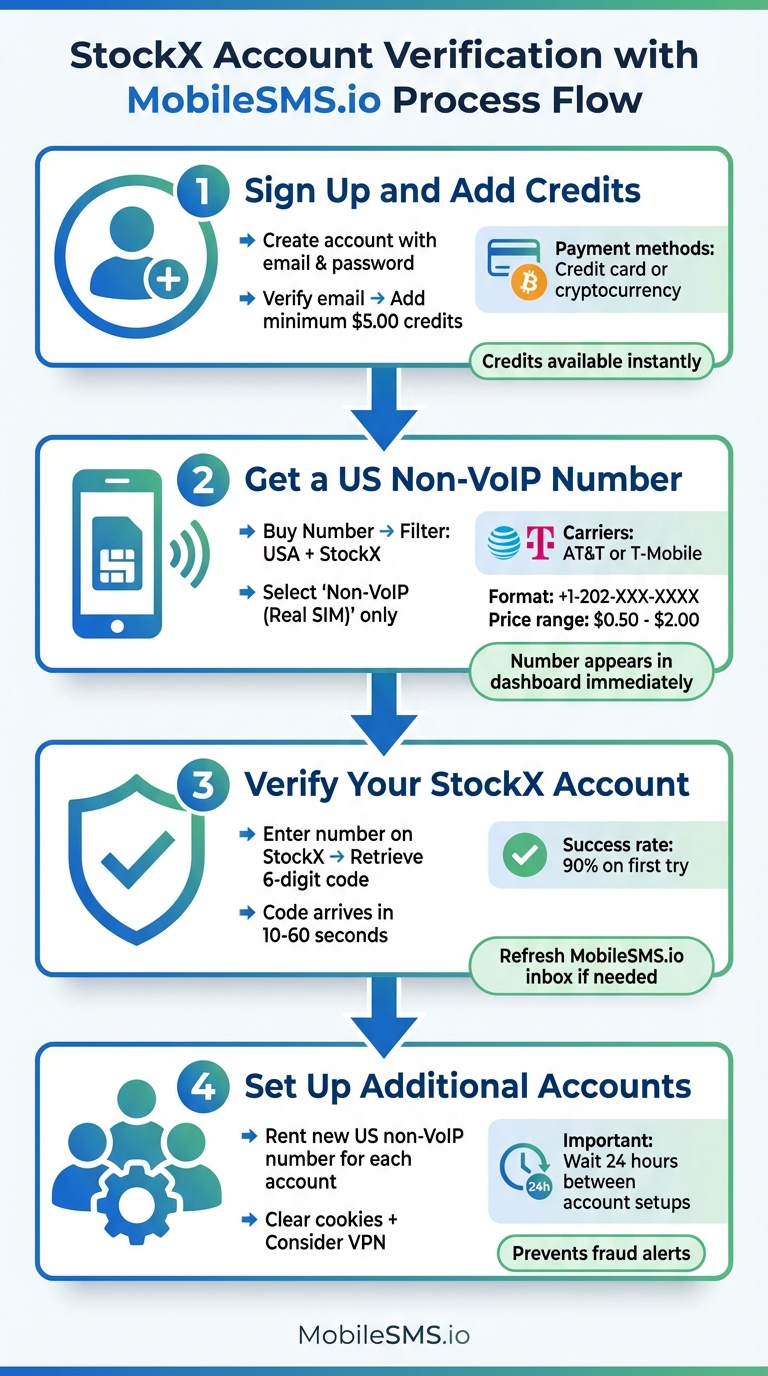
How to Verify StockX Account Using MobileSMS.io in 4 Steps
Need to verify your StockX account quickly? MobileSMS.io makes it simple. Here’s a step-by-step guide to get you up and running:
Step 1: Sign Up and Add Credits to Your MobileSMS.io Account
Start by creating an account on MobileSMS.io using your email and a password. Once you’ve signed up, check your email for a verification link to activate your account. After logging in, you’ll need to add credits – deposit at least $5.00 using a credit card or cryptocurrency. Your credits will be available instantly, so you can start right away.
Step 2: Get a US Non-VoIP Number for StockX
From your MobileSMS.io dashboard, click "Buy Number." Set the filter to the USA and choose StockX. Make sure to select a "Non-VoIP" (Real SIM) number, as StockX does not accept VoIP numbers. These numbers come from carriers like AT&T or T-Mobile and are formatted like +1-202-XXX-XXXX. Prices range from $0.50 to $2.00 each, depending on availability. Once you select a number, it will appear in your dashboard immediately.
"Non-VoIP phone numbers, also known as real SIM-card mobile phone numbers, are provided by legitimate mobile carriers and can be used for account verification on most online services. MobileSMS.io only provides non-VoIP phone numbers to ensure that our users can successfully verify their accounts on the websites and apps they need to access."
- MobileSMS.io FAQ
Step 3: Verify Your StockX Account
Go to stockx.com/register or open the StockX app. When prompted, enter the MobileSMS.io number in the phone field under account security or two-step verification. Then, refresh your MobileSMS.io SMS inbox to retrieve the 6-digit verification code from StockX. The code usually arrives within 10–60 seconds. If it doesn’t show up within two minutes, use the resend option on StockX. MobileSMS.io users report a 90% success rate for non-VoIP numbers on the first try.
Step 4: Set Up Additional Accounts with New Numbers
If you need to create more accounts, rent a new US non-VoIP number from MobileSMS.io. Clear your browser cookies and consider using a VPN for added security. To avoid triggering fraud alerts, wait 24 hours before setting up each new account.
Which MobileSMS.io Number Type to Use for StockX
Picking the right number type depends on how you plan to handle verification and account management. MobileSMS.io offers two choices: one-time numbers and rental numbers.
One-Time Numbers for Single Verifications
One-time numbers are priced between $0.50 and $2.00 and are designed for a single verification process. Once you purchase a number, you’ll receive your SMS code within 10–60 seconds. After that, the number expires. These numbers remain active for about 10 minutes, which is more than enough time to complete StockX’s verification.
This option works best for temporary or disposable accounts, ensuring there’s no overlap between multiple profiles. Resellers have reported over 95% success rates using these numbers on StockX. Plus, you avoid the risk of StockX flagging accounts for duplicate phone usage.
If you need ongoing access to an account, rental numbers are a better fit.
Rental Numbers for Ongoing Account Management
Rental numbers are available for longer durations – 7 days for $8–$15, or 30 days for $20–$35. These numbers function just like regular phone numbers, allowing you to reliably receive SMS codes for logins, password resets, or two-factor authentication (2FA). For active seller accounts, especially those under StockX’s Verified Seller program, having continuous access to the same number is crucial for security checks and compliance updates.
For example, a 30-day rental at $25 can save you money compared to buying 30 individual one-time numbers. Rental numbers boast 99% success rates on StockX and are ideal for handling the frequent SMS needs of high-volume accounts. Resellers often choose rental numbers for their main accounts to ensure smooth operations and compliance without disruptions.
sbb-itb-5a89343
Fixing StockX Verification Problems
Even with the right number, verification can sometimes fail due to timing, number selection, or StockX’s fraud protection measures. Here are some quick solutions to common problems.
Common Errors and How to Fix Them
One frequent issue is not receiving the verification SMS. After StockX sends the code, wait 2–3 minutes. Refresh your MobileSMS.io dashboard manually to check for new messages. If nothing appears, ensure you’re monitoring the exact US number you entered on StockX. Avoid requesting multiple codes in a short period, as this can trigger StockX’s rate limits. If the second attempt still doesn’t work, switch to a fresh US non-VoIP number.
If you see "This phone number cannot be used", StockX has rejected your number. Double-check that you’re using a US non-VoIP mobile number from MobileSMS.io and not a VoIP or international number. Try selecting a different US area code or carrier range, as some prefixes may be flagged from frequent use. Clearing your browser cookies or using an incognito window can also help, as StockX tracks device fingerprints alongside phone numbers.
An "Invalid code" or "code expired" error usually happens if you enter an old code or wait too long. Keep your MobileSMS.io tab and StockX verification screen open simultaneously. Copy and paste the code as soon as it arrives instead of typing it manually. If you’ve requested multiple codes, always use the most recent one. If the issue persists, restart your browser and try a new US non-VoIP number.
The "Too many attempts" error temporarily locks you out. Stop requesting codes immediately – continuing will only extend the lockout. Wait 30–60 minutes before trying again, and change one variable: either use a new US number from MobileSMS.io or switch to a different browser. However, don’t change both at once. Also, avoid switching VPNs during verification, as sudden IP changes can raise red flags with StockX.
When to Reach Out to MobileSMS.io Support
If these steps don’t solve the problem, it may be time to contact MobileSMS.io support. Reach out if multiple fresh numbers fail consistently for StockX but work fine on other platforms. This could indicate a routing or carrier issue that MobileSMS.io needs to investigate. Contact support if you experience delayed messages, technical issues like inboxes not loading, credits being deducted without a number being assigned, or visible delivery failures in your dashboard.
Before contacting support, gather some key details:
- Your MobileSMS.io account email
- The specific numbers you used (including country and type)
- The time window of the issue (with your time zone)
- Screenshots from StockX showing error messages like "number not supported", "too many attempts", or "invalid code"
- Screenshots of your SMS inbox for the affected number
This information helps the support team review routing logs and carrier responses that aren’t visible to you.
"MobileSMS.io guarantees that the numbers provided will work and if for any reason a number does not work, they will gladly provide a refund."
If you believe you were wrongly charged for a failed verification session where the code didn’t arrive under normal conditions, support can review your account and issue a refund. These steps usually resolve most verification issues.
Conclusion
MobileSMS.io offers a practical solution for StockX resellers juggling multiple accounts by providing real US non-VoIP numbers specifically designed for StockX’s strict verification requirements. With StockX enforcing SMS-based two-step verification, having reliable, unique numbers is essential for account security and management.
The service simplifies the process by offering two types of numbers: one-time numbers for quick account creation and rental numbers for ongoing access. This flexibility allows resellers to set up new accounts as needed while maintaining stable access to their high-volume profiles – no need to handle physical SIM cards or risk using the same personal number across multiple accounts.
By giving resellers control over their verification process, MobileSMS.io ensures that the numbers provided work seamlessly with StockX’s system. Plus, their refund policy guarantees peace of mind if a number doesn’t function as promised. For US-based resellers, the availability of real US numbers keeps every aspect of the workflow – pricing, shipping, and account management – aligned with the US market.
To streamline your setup, start with a test verification, then assign a dedicated number to each StockX account. Keep track of your numbers and accounts in a simple spreadsheet, maintain a small credit balance for quick access to numbers, and you’ll have a scalable, efficient verification system that grows alongside your reselling business.
FAQs
Why do sneaker resellers need unique phone numbers for each StockX account?
To comply with StockX’s verification rules and prevent accounts from being linked, sneaker resellers must use a unique phone number for each account. This verification process is crucial for maintaining a fair and secure marketplace.
If the same phone number is tied to multiple accounts, it can trigger suspicion, potentially resulting in account suspensions or other restrictions. By assigning a different phone number to each account, resellers can effectively manage multiple accounts while minimizing the chances of detection or penalties.
How does MobileSMS.io ensure its numbers work for StockX phone verification?
MobileSMS.io offers genuine U.S. mobile numbers that work perfectly with StockX’s phone verification system. These numbers come directly from real SIM cards, not VoIP services, ensuring they comply with StockX’s verification standards.
With MobileSMS.io, verifying your StockX account is straightforward and dependable – even if you’re juggling multiple accounts as a sneaker reseller. Our numbers are built to integrate smoothly with StockX, making the entire verification process fast and simple.
What can I do if my StockX verification doesn’t work with a MobileSMS.io number?
If you’re having trouble with StockX verification while using a MobileSMS.io number, here’s what you can do:
- Verify the number: Make sure the number you entered is correct and matches the one provided by MobileSMS.io.
- Try again after a short wait: Sometimes, waiting a few minutes before reattempting can resolve the problem.
- Get a new number: Request another disposable number from MobileSMS.io and give it another shot.
If none of these steps work, StockX might have stricter verification rules or limitations on certain types of numbers. In that case, contacting MobileSMS.io’s customer support is your best bet. They can help identify the issue and guide you on how to proceed.