

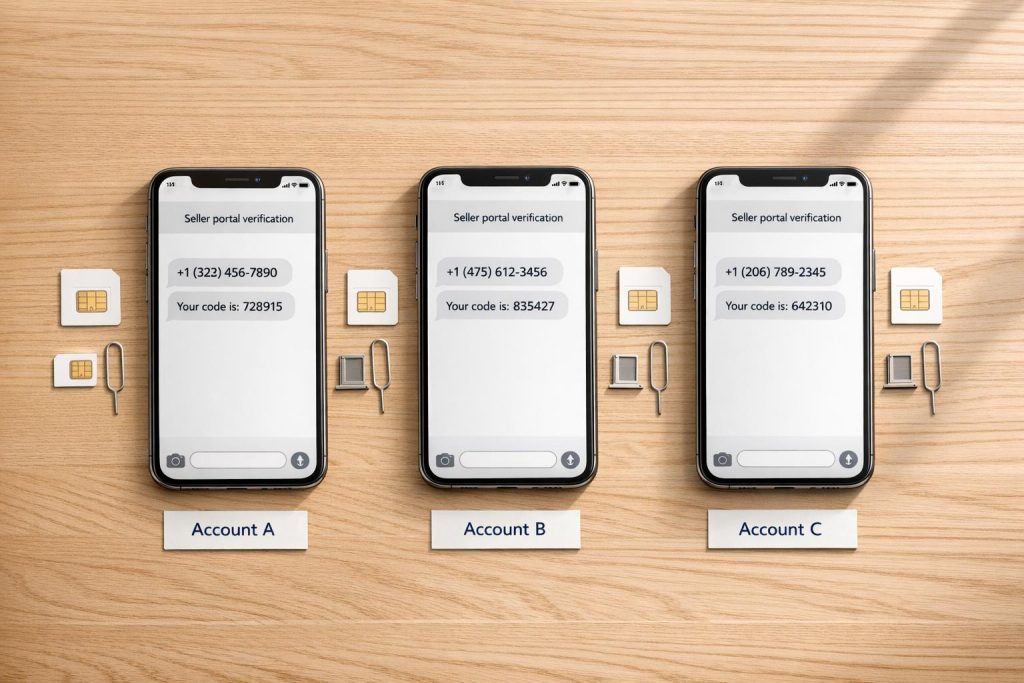
Amazon requires verified phone numbers for Seller and Vendor Central accounts. Using unreliable numbers – like VoIP, shared, or non-US numbers – can lead to account restrictions or suspensions. Dedicated, real SIM-based US numbers are the safest option to avoid these issues. Here’s why:
- Amazon rejects VoIP/virtual numbers: They often fail to receive verification codes or get blocked by carrier filters.
- Shared numbers link accounts: If one account is suspended, all linked accounts may also face deactivation.
- Non-US numbers cause problems: They may pass initial checks but fail during later verifications, risking account lockouts.
- Account linking risks: Amazon tracks shared details like phone numbers, IP addresses, and devices to detect related accounts, which can lead to suspensions.
Solution: Use real SIM-based US numbers from services like MobileSMS.io. These numbers are accepted by Amazon, reduce risks of account linking, and support long-term verification needs. Rental plans start at $30/month for continuous access, ensuring uninterrupted account security.
To avoid problems:
- Use one unique phone number per account.
- Avoid VoIP, shared, or temporary numbers.
- Renew rentals before they expire to maintain consistent verification.
Key takeaway: Secure your Amazon accounts by using reliable, dedicated US numbers to prevent disruptions and protect your business.
Amazon Verification Problems for Sellers and Vendors
Amazon’s Phone Verification Rules
When managing accounts on Amazon Seller Central or Vendor Central, verification is a key step during registration, phone number updates, or random security checks. Amazon uses a 6-digit PIN for this process, sent via SMS or voice call.
To ensure smooth verification, always include the ‘+’ followed by your country code (e.g., +1 for the US) when entering your phone number. Forgetting this step can lead to rejections.
"It will be vital to include the ‘+1’ when entering your information so that the country code is included. Any other format could cause a rejection of the information into the system." – Atlas_Amazon, Amazon Staff
Repeated verification failures can result in your account being locked and sent to an internal review team. This review process can take up to 48 hours. To avoid delays, steer clear of using numbers tied to extensions or automated menus, as Amazon’s system cannot navigate these to deliver your PIN.
Next, let’s dive into why using personal or shared numbers can cause even bigger problems.
Why Personal or Shared Numbers Create Problems
Amazon links accounts by phone numbers, so using the same number across multiple accounts can lead to trouble. If one account gets suspended, all accounts tied to that number may also face deactivation.
Amazon requires each account to have unique contact details. Even listing the same number as an emergency contact can raise red flags or lead to account issues. These rules are designed to prevent security risks but can inadvertently jeopardize your operations if not followed.
Public or free SMS services add another layer of risk. These numbers are often blacklisted due to prior misuse, increasing your chances of account suspension right from the start.
"If the accounts are found to be related and either one of them has an issue, both will be shut down." – Seller_OvL8C4BJWiuS9, Amazon Seller Forums
Non-US and VoIP numbers also bring their own set of challenges, which we’ll address next.
Problems with Non-US and VoIP Numbers
Amazon tends to block VoIP and virtual numbers because they are seen as less secure. These numbers often fail to receive verification codes due to carrier filtering, leading to delays or even delivery failures. To avoid such issues, Amazon advises using numbers from established local mobile carriers.
If you’re using a non-US number for a US marketplace account, the complications can multiply. While virtual numbers might pass the initial verification, they often fail during later stages like two-factor authentication or identity reviews. This can result in unexpected account lockouts, putting your business at risk.
sbb-itb-5a89343
How Amazon Detects Linked Accounts and Bans Sellers
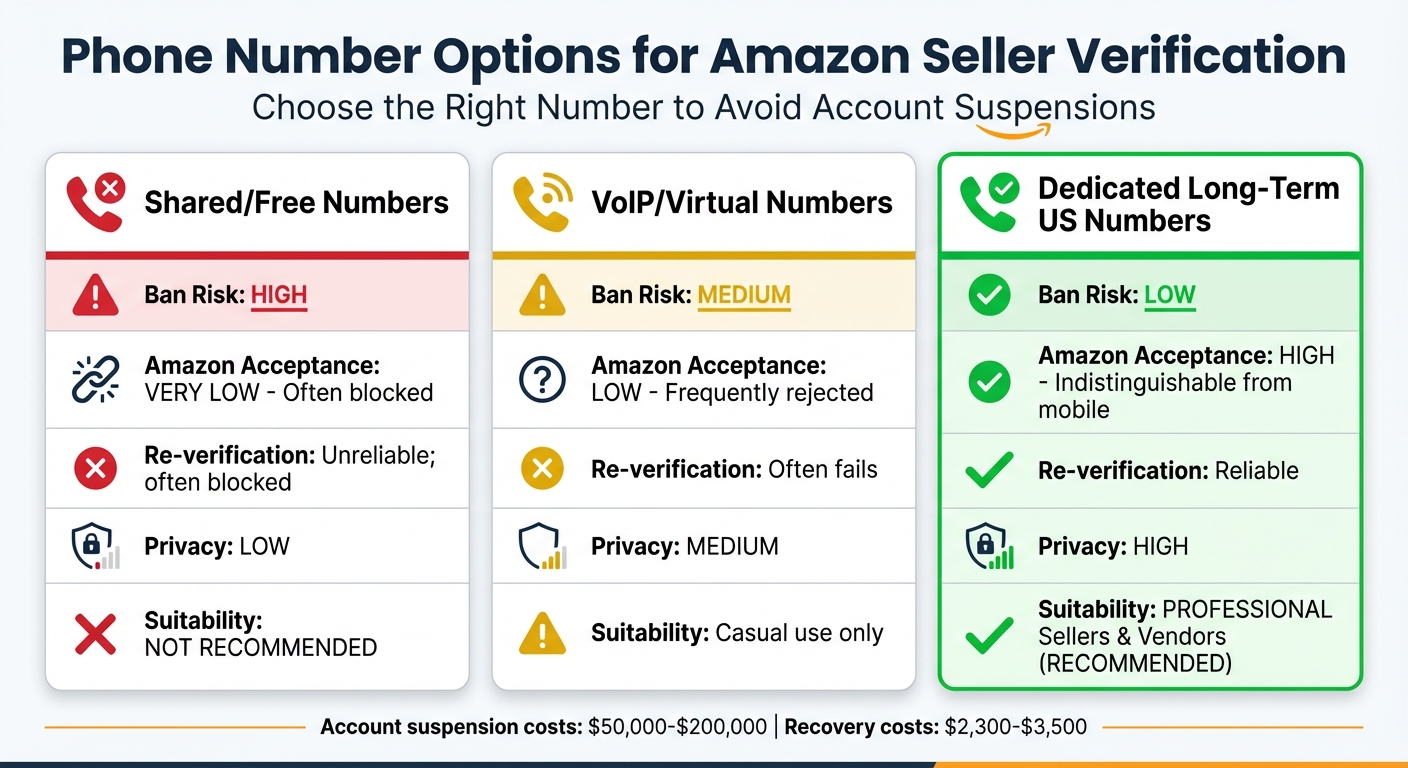
Amazon Phone Number Verification Options Comparison Chart
Amazon’s Account Linking Detection Methods
Amazon uses sophisticated tracking methods to identify and link seller accounts, especially those that might violate its policies. Beyond initial verification steps, the platform examines a wide range of data points to uncover potential connections between accounts. These include shared phone numbers, IP addresses, and credit card details. Even something as simple as logging in through a shared Wi-Fi network or office router can raise suspicion.
Amazon also leverages browser fingerprinting to create a unique digital profile for each device. This involves tracking details like screen resolution, installed fonts, timezone settings, and browser plugins. Even if sellers change their IP addresses, techniques like Canvas and WebGL fingerprinting allow Amazon to identify the device being used.
Additionally, Amazon monitors shared business information, such as bank accounts, EINs, business addresses, and email details. Using shared resources – like a Virtual Assistant, prep center, or warehouse – can also result in accounts being flagged as linked.
"Amazon’s linked‑account detection can trigger suspension without intent." – AMZ Sellers Attorney®
The financial impact of an account suspension can be severe, with potential losses ranging from $50,000 to $200,000. If one account is suspended for a policy violation, Amazon’s system may automatically suspend any linked accounts as well.
Common Verification Failures
Certain phone number types, such as VoIP or free temporary numbers, are prone to verification issues. These numbers often fail to receive SMS codes due to carrier filtering, causing delays or failed verifications.
Temporary numbers that expire unexpectedly can also block access when verification codes are sent. On top of that, mismatched or incomplete documents – like inconsistent identity proofs – can trigger Amazon’s system to flag accounts as linked.
Amazon’s AI also detects suspicious registration behaviors. For example, filling out forms too quickly or with identical keystroke patterns across multiple accounts can lead to immediate deactivation. Resolving related-account suspensions often requires professional help, which can cost between $2,300 and $3,500.
These challenges highlight the importance of using reliable phone numbers and ensuring all registration details are accurate.
Phone Number Options Compared
Choosing the right type of phone number is critical for avoiding verification failures and account suspensions.
| Feature | Shared/Free Numbers | VoIP/Virtual Numbers | Dedicated Long-Term US Numbers |
|---|---|---|---|
| Ban Risk | High | Medium | Low |
| Amazon Acceptance | Very Low (often blocked) | Low (frequently rejected) | High (indistinguishable from mobile) |
| Re‑verification | Unreliable; often blocked | Often fails | Reliable |
| Privacy | Low | Medium | High |
| Suitability | Not recommended | Casual use only | Professional Sellers & Vendors |
For sellers, dedicated long-term US numbers with real SIM cards are the safest choice. These numbers are treated like standard mobile numbers by Amazon, offering the best chance of successful verification and reduced risk of suspension. In contrast, free or shared temporary numbers are often flagged by Amazon’s system, making them unsuitable for serious business operations.
Why Dedicated Long-Term US Numbers Work Best
Advantages of Dedicated Long-Term Numbers
Dedicated long-term US numbers offer exclusive ownership, ensuring that your number isn’t shared across accounts. This exclusivity is critical for avoiding issues like cross-account SMS usage or account-linking flags, which can often lead to suspensions. By keeping each number private to a single user, you maintain the separation Amazon’s automated systems require.
These numbers also allow unlimited SMS reception during the rental period. This means you’ll always receive verification codes for routine logins or security checks. Unlike temporary numbers that expire after one use, long-term rentals ensure ongoing support for two-factor authentication (2FA). For professional sellers who need consistent access to Seller Central over months or years, this reliability is absolutely essential.
MobileSMS.io enhances these benefits by using real SIM-based technology, which adds another layer of security for your accounts.
MobileSMS.io‘s Real SIM-Based US Numbers
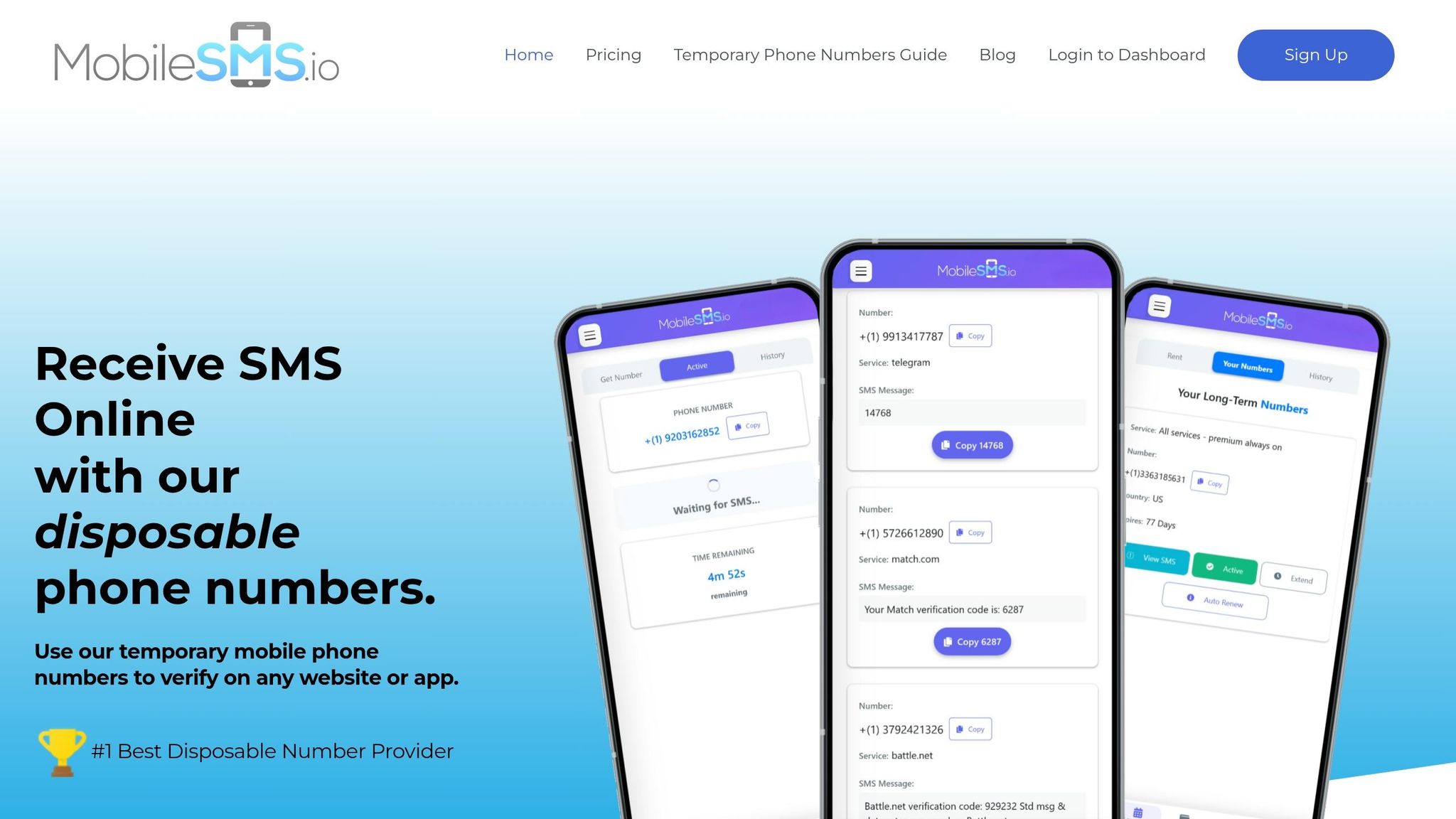
MobileSMS.io offers real SIM-based numbers that Amazon’s systems recognize as legitimate mobile numbers. These aren’t VoIP or virtual numbers – they’re tied to actual carrier SIM cards. This distinction explains their impressive 99.7% acceptance rate on major platforms like Amazon. Because they function just like standard mobile phones, they easily bypass detection systems that often reject virtual numbers.
Numbers are assigned quickly – usually within minutes, though it may take up to 72 hours during periods of high demand. Once assigned, you can use a simple dashboard to retrieve SMS codes in real time. For teams, premium plans even include integrations with Slack or Discord, streamlining collaboration.
This dedicated approach ensures your account remains secure and avoids the risks of account linking.
How MobileSMS.io Numbers Prevent Account Linking
Each MobileSMS.io number comes with unique carrier codes, which help prevent detection patterns. When you rent a number, it’s exclusively yours – no one else can access it or view its SMS history. This exclusivity eliminates the risk of linked account suspensions, keeping your seller profiles completely separate in Amazon’s tracking systems.
Long-term rentals with auto-renewal ensure your number stays active for continuous verification. If your number expires and you need to switch to a new one, Amazon may flag this as suspicious and link your accounts. By maintaining the same dedicated number, you create a consistent record in Amazon’s system, significantly reducing the risk of suspension.
How to Use MobileSMS.io Numbers for Amazon Verification
Getting Started with MobileSMS.io
To begin, head over to the MobileSMS.io website and click on "Sign Up." Create your account using your email and password. After registering, you’ll need to deposit at least $5.00 to purchase credits, which are used to pay for services. This credit-based system ensures you only pay for what you actually use.
Once your account is set up, go to the "Long-term Rentals" section and filter for US numbers that are specifically labeled for Amazon Seller or Vendor Central. Choose your desired number (formatted as +1-XXX-XXX-XXXX) and select the rental duration that fits your needs. Numbers are generally assigned within minutes, but during peak times, it may take up to 72 hours. Once assigned, your dashboard will display SMS and OTP codes in real-time, ensuring you never miss a notification.
After securing your number, you can integrate it with your Amazon account and start using it right away.
Setting Up Numbers for Seller and Vendor Central
When signing up for Amazon Seller Central or Vendor Central, input your MobileSMS.io number in the phone verification section. Amazon will send a verification code to this number, and you can instantly view it in your MobileSMS.io dashboard. For 30-day rentals, all incoming messages will automatically appear in your dashboard, making retrieval simple.
If you’re setting up two-factor authentication (2FA), add your MobileSMS.io number as the primary method in your Amazon account’s security settings. This ensures you’ll receive login codes whenever Amazon requires additional verification. This setup helps you maintain account security and prevents issues with linked accounts.
To avoid interruptions, set a reminder to renew your rental at least 24–48 hours before it expires. The dashboard includes a countdown timer so you’ll know exactly when your number is due for renewal. Renewing on time keeps the same number active, avoiding potential re-verification or account issues under INFORM Act rules.
MobileSMS.io Pricing for Amazon Sellers
Once your number is set up, understanding the pricing structure will help you manage your budget effectively.
MobileSMS.io offers a variety of pricing options tailored to different needs. For one-time verification, the cost is $3.50 per number, which is ideal for initial setup but cannot be reused. Long-term rentals start at $15.00 for a 7-day single-service US number (Amazon-specific), $30.00 for 30 days, or $100.00 for 90 days.
For those managing multiple platforms, the "All Services Premium" plan costs $45.00 per month and includes integrations with tools like Slack or Discord. For long-term users, the 12-month premium plan is available for $450.00 and includes priority support. If you’re renting 5 or more numbers at once, you’ll receive a 10% discount on the total cost.
| Rental Type | Duration | Price (USD) | Best For |
|---|---|---|---|
| One-Time Verification | Single SMS | $3.50 | Initial account setup |
| Single-Service Rental | 7 Days | $15.00 | Short-term testing |
| Single-Service Rental | 30 Days | $30.00 | One Amazon account |
| All Services Premium | 30 Days | $45.00 | Multiple platforms + teams |
| All Services Premium | 12 Months | $450.00 | Long-term business stability |
How to Avoid Amazon Account Bans
Amazon monitors a wide range of data points – like phone numbers, IP addresses, and device fingerprints – to detect linked accounts. With the cost of an account suspension ranging from $50,000 to $200,000, prevention is far less costly than trying to recover.
Use One Number Per Account
Every Seller Central account on Amazon must have its own unique phone number. Sharing a phone number across accounts is one of the quickest ways to trigger a suspension for linked accounts.
"Each Amazon account should be associated with a unique phone number. Amazon uses phone numbers for account verification and security purposes." – GoLogin
When renewing a phone number, always secure a new, dedicated one. Keep all associated accounts in good standing because if one account gets flagged for a policy violation, Amazon’s system often disables all related accounts automatically.
Once phone numbers are isolated, focus on keeping your digital footprint distinct.
Separate IP Addresses and Devices
Amazon uses over 55 fingerprinting parameters to identify users. These include details like Canvas and WebGL rendering, installed fonts, screen resolution, and hardware specs. While a VPN can hide your IP address, it does not protect your browser fingerprint. To truly isolate your digital identity, residential proxies and antidetect browsers are essential.
"Using a VPN is like wearing a different hat but the same clothes – it’s not a real disguise." – Gayane G., Content Creator, Multilogin
Opt for residential proxies that match your account’s geographical location, and avoid datacenter proxies or free VPNs. For complete isolation, antidetect browsers like GoLogin (starting at $288 annually for 100 profiles) create unique browser environments with distinct digital fingerprints. Never access multiple Seller Central accounts from the same network.
Renew Rentals Before They Expire
Beyond securing unique numbers and IP setups, keeping your rental schedule updated is critical. Set reminders to renew your MobileSMS.io rental 24–48 hours before it expires. The dashboard provides a countdown timer to help you track renewal deadlines.
Letting a number expire can lead to forced updates to your Amazon account details, which may trigger security reviews and automated flags. Using a consistent, dedicated number helps you avoid frequent changes that catch Amazon’s attention. Keep in mind that appealing a suspension can cost between $2,300 and $3,500, far more than the $30.00 monthly rental renewal fee.
Conclusion
Following Amazon’s strict verification policies is key to keeping your operation secure and running smoothly.
Amazon only accepts real, dedicated phone numbers. MobileSMS.io provides real SIM-card numbers that Amazon approves, unlike VoIP numbers, offering a reliable and affordable way to minimize suspension risks.
With 30-day renewable plans, you get unlimited SMS reception and the option to extend indefinitely. This ensures you can keep the same number over time – a critical factor for re-verifications or receiving security codes. Plus, the All Services Premium plan, priced at $45.00 per month, keeps your number active around the clock and even integrates with Slack or Discord, helping you stay on top of time-sensitive messages.
To meet Amazon’s verification requirements, assign a unique MobileSMS.io number to each account. This isolation is vital for compliance and account security. Remember to auto-renew your numbers 24–48 hours before expiration to avoid interruptions and maintain continuous access.
For more detailed tips on managing multiple accounts, check out our guide to creating multiple Amazon accounts safely. Protecting your Amazon operation starts with proper verification.
FAQs
Can Amazon tell a SIM-based number from a VoIP number?
Amazon has systems in place to differentiate between SIM-based and VoIP numbers. By consulting carrier databases, it can identify VoIP numbers, which are often flagged and blocked during the verification process. To prevent any disruptions, make sure to use a trusted, dedicated phone number for account verification.
What happens if my Amazon verification number expires?
If your Amazon verification number expires, you’ll likely need to re-verify or update your account to keep things running smoothly. An expired number can interrupt the verification process, potentially leading to account issues or even suspension. To avoid these headaches, make sure your account is always tied to an active number.
Do I need a different phone number for each Amazon account?
Yes, every Amazon account must have its own unique phone number. This helps prevent accounts from being linked, which could lead to potential suspensions. Having a distinct phone number for each account is particularly important when verifying multiple accounts to stay within Amazon’s guidelines and protect the safety of your accounts.