

Using a burner number for your Mercari seller account is a smart way to protect your personal information, avoid scams, and maintain privacy. Mercari requires phone verification to unlock key features, but using your primary number can expose you to phishing attempts and spam. A burner number keeps your personal and business communications separate while meeting Mercari’s strict verification requirements.
Key Takeaways:
- Why use a burner number? Avoid phishing scams, keep your personal number private, and reduce spam.
- How it works: Platforms like MobileSMS.io offer real SIM-based numbers that Mercari accepts for verification.
- Cost: Prices start at $4.50 for a disposable number or $15 for a 7-day rental with unlimited SMS.
- Verification process: Use the burner number to receive a 4-digit code and link it to your Mercari account.
- Extra security: Burner numbers can also be used for Multi-Factor Authentication (MFA).
Burner numbers are especially helpful for sellers managing multiple accounts or brands, providing an easy way to stay organized and secure. If your burner number is ever compromised, it can be replaced without affecting your personal contact details.
Mercari Phone Verification Requirements Explained
To unlock full selling features on Mercari, phone verification is a must. Without it, key functions like chatting with buyers or listing items remain off-limits. Let’s break down why this step is essential and what types of phone numbers meet Mercari’s requirements.
Why Mercari Requires Phone Verification for Sellers
Mercari uses phone verification to build a safer, more trustworthy marketplace and to prevent fraudulent activity. According to Mercari:
"As part of Mercari’s commitment to enhancing trust on our platform, we’re requesting all users verify their email address or phone number."
This process ensures that accounts are tied to real individuals, limits access to only verified users, simplifies account recovery, and enables SMS-based Multi-Factor Authentication for extra security.
Which Phone Numbers Work with Mercari Verification
Not all phone numbers pass Mercari’s verification process. The platform only accepts mobile numbers from major U.S. carriers. Numbers that won’t work include international lines, prepaid numbers, and VoIP services, which rules out most virtual number providers.
Here’s how it works: you provide your mobile number, and Mercari sends you a 4-digit code via text. If you can’t receive texts, you can opt for a phone call instead. Once verified, Mercari won’t send additional messages or calls unless you’ve authorized them.
For those concerned about privacy, real SIM-based burner numbers can be a good option. These numbers come from actual U.S. carriers, not internet-based services, making them compliant with Mercari’s requirements while keeping your personal number private.
How to Set Up a Mercari Seller Account with a Burner Number
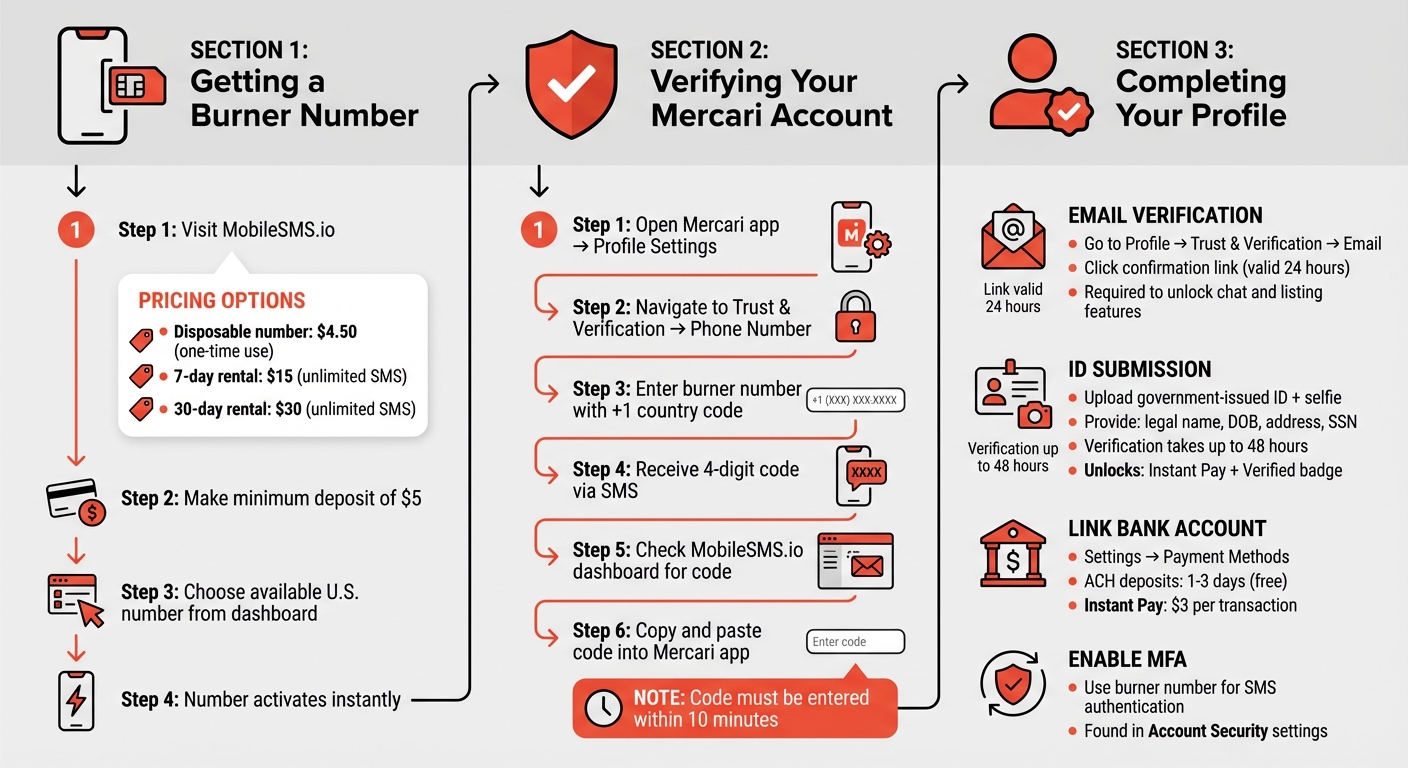
How to Set Up Mercari Seller Account with Burner Number – Step-by-Step Guide
To create a Mercari seller account, you’ll need a real SIM-based burner number, verify your phone, and complete your seller profile. One reliable option for obtaining a burner number is through MobileSMS.io.
Getting a Real-SIM Burner Number from MobileSMS.io
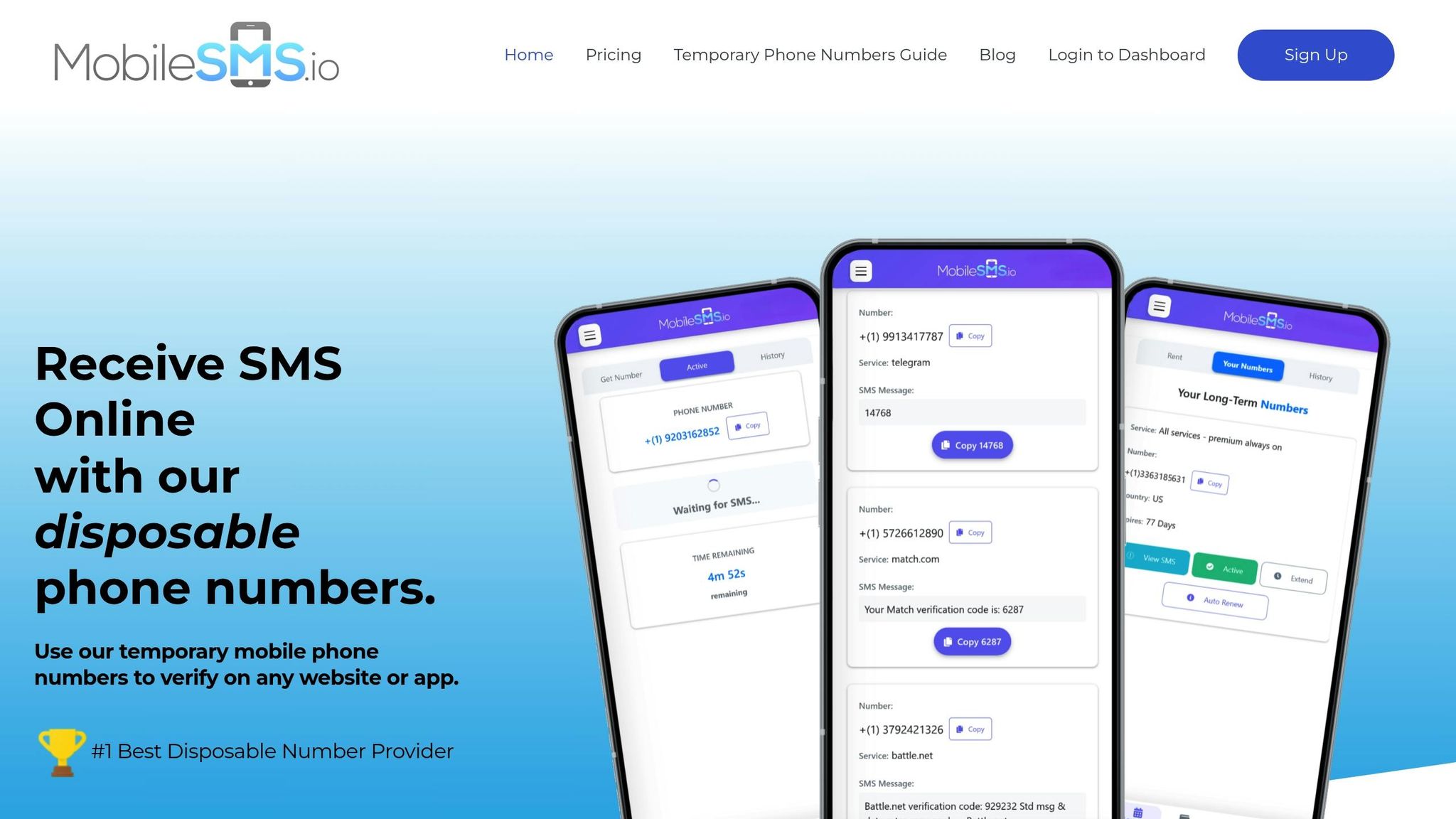
MobileSMS.io provides disposable U.S. numbers for $4.50, which you can use to receive your verification code. If you need long-term access for buyer messages or security alerts, they offer rental numbers starting at $15 for 7 days or $30 for 30 days, with unlimited SMS for Mercari.
These real SIM-based numbers meet Mercari’s verification standards. After making a minimum deposit of $5, you can choose an available U.S. number from your dashboard. The number activates instantly and appears in your dashboard, ready to receive SMS messages.
Verifying Your Mercari Account Step-by-Step
Once you have your burner number, follow these steps to verify your Mercari account:
- Open the Mercari app and go to your profile settings.
- Navigate to Trust & Verification > Phone Number.
- Enter your burner number, including the +1 country code.
Mercari will send a 4-digit code via text. Check your MobileSMS.io dashboard to retrieve the code, then copy and paste it into the Mercari app. Once the code is verified, your phone number will be linked to your account.
Completing Your Mercari Seller Profile
After verifying your phone, finalize your profile by confirming your email and submitting identification:
- Email Verification: Go to Profile > Trust & Verification > Email and request a confirmation link. This link is valid for 24 hours. Without verifying your email, you won’t be able to use chat or list items.
- ID Submission: To unlock features like Instant Pay and earn the Verified badge, submit a government-issued ID and a selfie. Upload these through Profile > Trust & Verification > Government ID. You’ll need to provide your legal name, date of birth, address, and SSN. Verification may take up to 48 hours.
Finally, link your bank account through Settings > Payment Methods. ACH deposits take 1–3 days, while Instant Pay costs $3 per transaction. For extra protection, enable SMS Multi-Factor Authentication in the Account Security settings using your burner number.
Benefits of Using a Burner Number for Mercari Sellers
Keeping Your Personal Phone Number Private and Reducing Spam
For Mercari sellers, keeping personal and business communications separate is a smart move. Using a burner number ensures your personal phone number stays private, protecting it from potential misuse by third parties. While Mercari limits direct messaging, there’s always a risk of data breaches or other vulnerabilities exposing your real number.
Elizabeth Thorn from the Burner App highlights the importance of protecting your number:
Those 10 digits can expose further personal information.
Sharing your actual phone number online increases the risk of unwanted exposure. A burner number provides peace of mind because, if compromised, it’s easy to replace. Beyond privacy, it also helps you manage your business communications more efficiently.
Organizing Multiple Accounts and Business Brands
If you run multiple Mercari accounts or sell under different brands, a burner number can keep things organized. For instance, you might sell vintage clothing under one brand and handmade jewelry under another. Assigning separate burner numbers for each account ensures your operations stay professional and distinct.
This setup also helps you maintain work-life balance. You can ignore business calls when you’re off the clock, knowing your personal calls won’t be affected. It’s a simple way to keep your professional and personal lives running smoothly.
Enhancing Account Security and Recovery Options
A burner number isn’t just about privacy – it’s also a useful tool for boosting security. You can use it for SMS Multi-Factor Authentication (MFA) on your Mercari account, adding an extra layer of protection to your login details. As Thorn explains:
If hackers get your number and know your email address, they can use your number to receive a password reset notification and lock you out of your email.
sbb-itb-5a89343
Troubleshooting Mercari SMS Verification Problems
For sellers who prioritize privacy and convenience, resolving SMS verification issues promptly is a must.
Common Verification Failures and Fixes
Even with a burner number from MobileSMS.io, you might run into verification issues. Double-check that you’ve entered the number correctly, including the ‘+’ and the appropriate country code. Also, ensure SMS reception is enabled and that no filters are blocking incoming texts.
Some users have reported that certain virtual numbers may experience delays or get blocked. Switching from Wi-Fi to your mobile network can often speed up SMS delivery. Additionally, restarting your device and clearing out old SMS messages can help ensure messages come through properly.
If these steps don’t resolve the issue, try Mercari’s "Receive a call" option. This provides the verification code via an automated voice call, offering an alternative way to complete the process.
Tips for a Smooth SMS Verification Process
Act quickly when you receive Mercari’s verification code – enter it within 10 minutes. To streamline this, keep your MobileSMS.io dashboard open in a separate tab so you can grab the code as soon as it arrives. Avoid repeated failed attempts to enter the code, as this can temporarily lock you out of the process.
When renting a burner number, select a rental period that aligns with your needs. For example, if you’re setting up a new account, a 7-day rental gives you ample time to complete verification and any initial setup tasks. Also, keep track of which burner number is linked to each Mercari account. This is crucial if you need to recover your account or contact support later.
When to Contact Support
If troubleshooting doesn’t work, it’s time to reach out for help. Start by contacting Mercari support if the problem seems specific to their platform – like error messages during verification or codes not arriving via either SMS or voice call.
For issues related to receiving messages on your burner number, contact MobileSMS.io support. They can confirm whether your number type is compatible with Mercari’s system. Keep in mind that Mercari explicitly states it cannot verify international, prepaid, or VoIP numbers. If verification keeps failing, MobileSMS.io can assist in switching to a number type that meets Mercari’s requirements.
Conclusion
Using a burner number from MobileSMS.io for your Mercari seller account offers a practical way to safeguard your privacy. By keeping your personal phone number separate from your selling activities, you can avoid spam calls, reduce the risk of harassment, and keep your personal communication channels clutter-free. This separation not only protects your privacy but also adds an extra layer of security to your account.
One major advantage is the flexibility it provides. If the burner number is ever compromised, you can easily replace it without impacting your primary contact information.
For those managing multiple brands, burner numbers make organization much easier. Assigning a dedicated number to each account helps maintain clear boundaries between operations, streamlines communication, and allows you to handle each account independently. And if one number becomes overrun with unwanted messages, it can be swapped out without disrupting your other accounts or your personal life.
FAQs
Why should I use a burner number for my Mercari seller account?
Using a burner number for your Mercari seller account is a smart way to protect your privacy. By keeping your personal phone number hidden, you reduce the chances of dealing with spam, unwanted calls, or even potential fraud.
It also helps you separate business communications from your personal life. This way, you can manage messages more efficiently and maintain a professional boundary with buyers. This simple step adds an extra layer of privacy and organization, making your selling experience more straightforward and secure.
How can I make sure my burner number works for Mercari’s phone verification?
To make sure your burner number works with Mercari’s verification process, you’ll need a U.S.-based mobile number that isn’t VoIP, prepaid, or international. It must be a standard carrier-issued number capable of receiving SMS messages or voice calls.
When entering your number, include the U.S. country code (+1) followed by the 10-digit phone number (e.g., +1 555-123-4567). Test your number beforehand to ensure it can receive Mercari’s 4-digit verification code via text or call.
Stick to using a mobile phone for the verification process – tablets or other non-phone devices won’t work. Once you get the verification code, enter it quickly to finish the setup. By following these steps, you’ll ensure your burner number meets Mercari’s requirements.
What can I do if I’m having trouble with Mercari’s SMS verification?
If you’re not getting Mercari’s 4-digit verification code, start with the basics. Double-check that you’ve entered the correct phone number, including the +1 country code for U.S. numbers. Keep in mind that Mercari doesn’t work with international, prepaid, or VoIP numbers – only standard mobile lines are supported. Also, make sure your phone has cellular service or Wi-Fi SMS enabled, that short-code messages aren’t blocked, and that you have a strong signal. If you’re trying to verify on a device that can’t receive SMS, like a tablet, switch to a mobile phone that can.
Still no luck? Use the “receive code by phone call” option on the verification page. When the call comes through, listen for the 4-digit PIN and enter it on the screen to complete the process.
If the problem continues, reach out to Mercari’s support team through their Help Center. Be ready to share details like your device type, the phone number you entered, and any error messages you’ve encountered so they can help resolve the issue.