

- Introduction
- Why Use Temporary Phone Numbers?
- What is Medium and Why Join in 2025?
- How to Get a Temporary Phone Number from MobileSMS.io
- Signing Up for Medium
- Pro Tips for Medium Success
- Troubleshooting Common Issues
- FAQs
- Conclusion
Introduction
Medium is a popular platform for readers and writers to share their ideas and stories. With over 100 million monthly readers in 2025, it remains one of the best places to publish thoughtful content and connect with engaged audiences. To sign up for Medium, you need to provide a phone number for verification. Using a temporary phone number from MobileSMS.io can help protect your privacy and avoid spam. (Updated December 2025)
This guide will walk you through the process of acquiring a temporary phone number and using it to create a Medium account. Whether you’re a writer looking to build an audience, a reader wanting to save articles, or someone exploring the Partner Program to earn money from your writing, this step-by-step tutorial has you covered.
Why Use Temporary Phone Numbers?
Privacy Protection
Using a temporary phone number ensures that your personal phone number remains private, safeguarding you from potential privacy breaches. In 2025, data breaches continue to be a major concern, with billions of phone numbers exposed in various leaks. By using a temporary number for Medium sign-up, you create a barrier between your real identity and online accounts.
Avoid Spam
By using a temporary number, you can avoid unwanted spam and promotional messages that often come with sharing your personal phone number online. Once your phone number enters a company’s database, it may be shared with third-party marketers or even sold to data brokers. A temporary number eliminates this risk entirely.
Flexibility
Temporary phone numbers offer flexibility, allowing you to use them for various services without long-term commitments. This is especially useful for testing platforms, managing multiple accounts for different purposes (like separating personal and professional writing), or accessing services while traveling internationally.
Better Account Management
Many writers and content creators maintain separate Medium accounts for different niches or pen names. Using temporary numbers from MobileSMS.io makes it easy to verify multiple accounts without burning through personal phone numbers or asking friends and family for help.
What is Medium and Why Join in 2025?
Medium is a publishing platform founded in 2012 by Twitter co-founder Ev Williams. It has grown into one of the internet’s most respected platforms for long-form content. Here’s why Medium remains relevant in 2025:
- Built-in audience: Unlike starting your own blog from scratch, Medium gives you immediate access to millions of readers actively searching for content.
- Partner Program earnings: Writers can earn money based on how long paying members read their content. Top writers earn thousands of dollars monthly.
- SEO benefits: Medium articles often rank well on Google, giving your content additional visibility.
- Clean reading experience: No ads cluttering your articles, creating a premium feel for your readers.
- Community features: Publications, comments, and claps help you connect with like-minded readers and writers.
Whether you want to share your expertise, build a personal brand, or simply have a place to organize your thoughts, Medium offers an excellent starting point.
How to Get a Temporary Phone Number from MobileSMS.io
Step 1: Visit MobileSMS.io
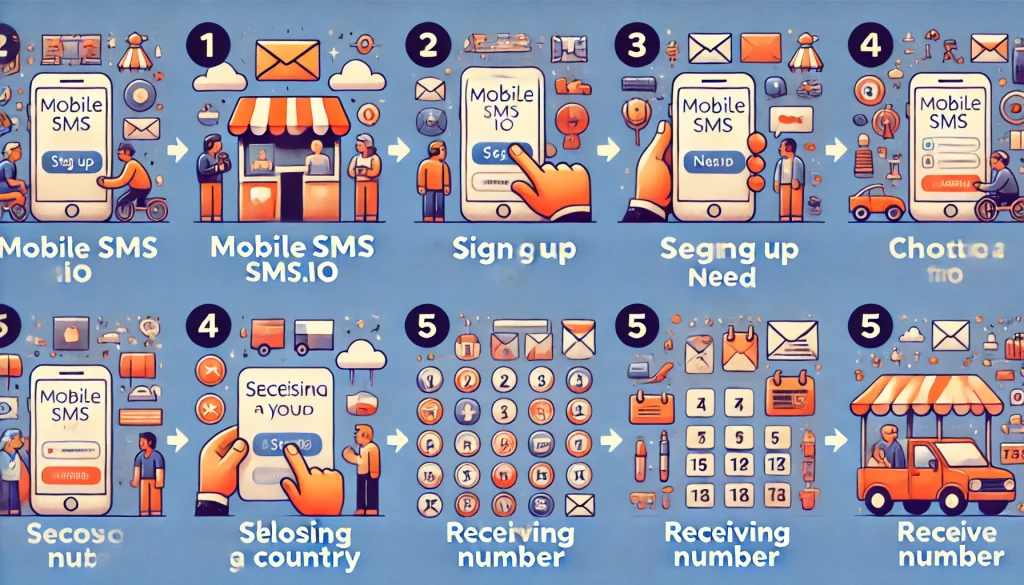
Navigate to MobileSMS.io to start the process. The user-friendly interface makes it easy to get started. The homepage clearly displays your options for both one-time verifications and long-term number rentals.
Step 2: Sign Up
Click on ‘Sign Up’ and create your account to begin. This step involves providing your email and creating a password. The sign-up process takes less than a minute, and you’ll receive a confirmation email to verify your account.
Step 3: Choose Your Country
Select the country for which you need a phone number. MobileSMS.io offers numbers from multiple countries, with a specialization in USA numbers. For Medium verification, USA numbers typically have the highest success rate since Medium is a US-based company.
Step 4: Select Your Need
Choose between “One-Time Use Numbers” for temporary needs or “Long Term Rentals” for extended use. One-time use numbers are ideal for single-use verifications like signing up for Medium. If you plan to verify multiple services or need ongoing access for account recovery, consider the “All Services” 30-day rental plan, which gives you a dedicated number for all your verification needs.
Step 5: Receive Your Number
Once selected, your temporary phone number will be ready for use. You can now use this number for any online verification process, including signing up for Medium. The number activates instantly, and you’ll see incoming SMS messages in your MobileSMS.io dashboard in real-time.
Signing Up for Medium
Step 1: Go to Medium
Visit Medium.com and click on ‘Get Started’ to create a new account. Medium provides several sign-up options including Google, Facebook, Apple, and email. You can also click “Sign in” and then choose to create a new account from there.
Step 2: Choose Sign Up Option
Select the option to sign up using a phone number. This ensures that your account is verified through a reliable method. Note that Medium may also ask for phone verification even if you initially sign up with email or social accounts, especially when you want to access premium features or the Partner Program.
Step 3: Enter Temporary Phone Number
Enter the temporary phone number you received from MobileSMS.io. Make sure to input the number correctly to avoid verification issues. Double-check that you’ve included the correct country code (e.g., +1 for USA numbers) and that there are no extra spaces or characters.
Step 4: Complete Verification
Medium will send a verification code to your temporary phone number. Enter this code to verify your account. The code typically arrives within 30 seconds. If you do not receive the code immediately, you may need to wait a few moments or request a new code. Keep your MobileSMS.io dashboard open to see the incoming message.
Step 5: Start Using Medium
Once verified, you can start using Medium to read and share stories. Enjoy exploring the diverse content available and contribute your own writings. Take some time to customize your profile, follow topics that interest you, and start engaging with the community.
Pro Tips for Medium Success
Now that you’ve created your account, here are some tips to make the most of Medium in 2025:
- Complete your profile: Add a professional photo and write a compelling bio. Readers are more likely to follow writers who seem authentic and established.
- Follow relevant publications: Medium publications act like magazines within the platform. Getting accepted to popular publications dramatically increases your reach.
- Engage with other writers: Leave thoughtful comments on articles you enjoy. This builds relationships and often leads to reciprocal engagement.
- Consistency matters: Publishing regularly (even once a week) helps build an audience over time.
- Use the mobile app: The Medium app lets you read and write on the go, and you can save articles for offline reading.
Troubleshooting Common Issues
Issue 1: Not Receiving Verification Code
If you do not receive the verification code, try generating a new number or ensure your VPN’s IP address matches the number’s country. Sometimes, network issues or mismatched IP addresses can cause delays in receiving SMS codes. Also, refresh your MobileSMS.io dashboard to ensure you’re seeing the latest messages. Codes typically arrive within 30-60 seconds.
Issue 2: Number Rejected by Medium
If Medium rejects your number, try a different country’s number or contact MobileSMS.io support for assistance. Occasionally, certain services may have restrictions on specific country numbers. MobileSMS.io provides real, non-VoIP numbers that have higher acceptance rates than typical virtual numbers. If you continue experiencing issues, the support team can recommend numbers with the best success rates for Medium.
Issue 3: Verification Code Expired
Medium verification codes typically expire after 10 minutes. If your code has expired, simply request a new one. Make sure you have your MobileSMS.io dashboard open and ready before requesting the code so you can enter it quickly once it arrives.
FAQs
Can I use the same temporary number again? Yes, with a long-term rental option, you can use the same number multiple times. This is ideal for services that require repeated verifications. The All Services 30-day rental plan is perfect for users who verify multiple accounts or need ongoing access to their number.
Are there additional benefits to using temporary numbers? Yes, they help protect your personal number and allow access to services outside your location. This flexibility can be particularly useful for international services. You also avoid the risk of your primary number being added to marketing databases.
What if the temporary number doesn’t work? MobileSMS.io offers a refund if the number doesn’t work. Contact support for assistance. The customer service team is available to resolve any issues promptly and can often suggest alternative numbers with better success rates for specific services.
Can I get a free disposable number? Yes, MobileSMS.io offers some free disposable numbers. These are great for users who want to try out the service before committing to a purchase. However, free numbers may have lower success rates for popular services like Medium.
How do I extend a one-time use number? One-time use numbers cannot be extended. Consider a long-term rental for extended use. Long-term rentals offer the flexibility to keep a number for an extended period, suitable for ongoing verifications and account recovery.
Why use non-VoIP numbers? Non-VoIP numbers are more reliable for SMS verifications and are accepted by most online services. This reliability ensures that your verifications are successful across various platforms. MobileSMS.io specializes in real, carrier-based USA numbers that platforms like Medium readily accept.
Can I use this number for Medium’s Partner Program? Yes, once you’ve verified your account with a temporary number, you can apply for the Partner Program and start earning from your writing. The phone verification is primarily for account creation, not ongoing program participation.
What if I need to recover my Medium account later? If you used a one-time number, you won’t have access to it for recovery. For accounts you plan to keep long-term, consider using the All Services rental plan so you maintain access to your verification number for account recovery purposes.
Conclusion
Using a temporary phone number from MobileSMS.io is a secure and efficient way to sign up for Medium. It protects your privacy, helps you avoid spam, and offers the flexibility to manage your online presence on your terms. With MobileSMS.io’s reliable non-VoIP USA numbers, you’ll have a smooth verification experience.
Follow the steps outlined in this guide to create your Medium account today and start sharing your stories with the world. Whether you’re an aspiring writer, industry expert, or casual reader, Medium offers a welcoming community ready to engage with your ideas. Happy writing!