

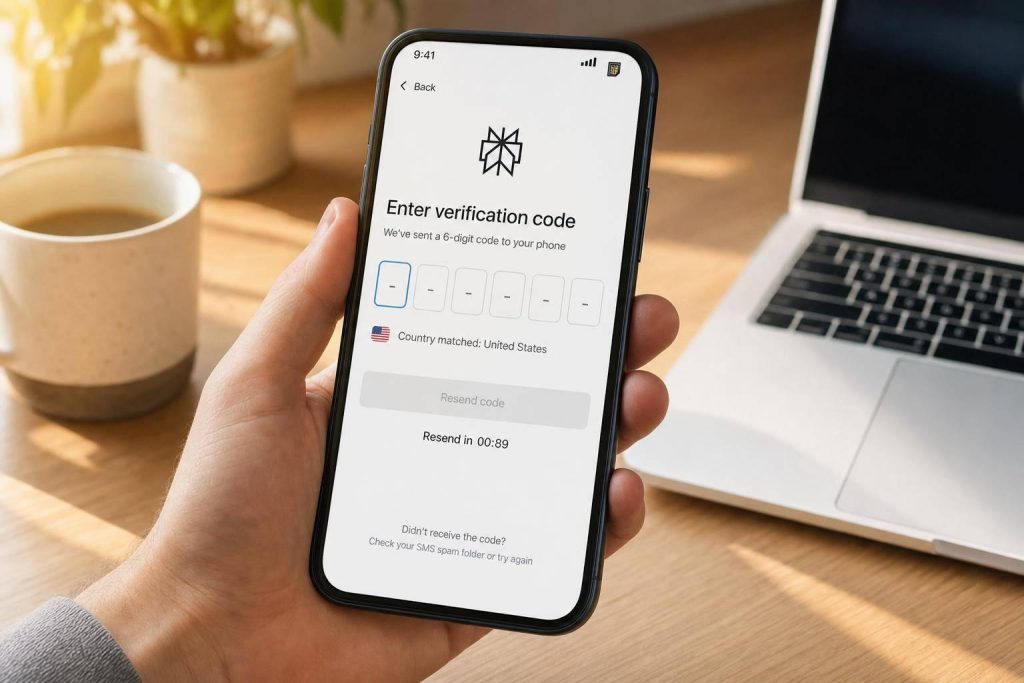
If Perplexity won’t send your code, the problem is usually your number type, a short code timeout, or a lockout from too many tries. In most cases, I’d do three things first: use a mobile SIM number, wait 90 seconds before resending, and make sure my IP country matches the phone number’s country.
Perplexity often checks a number before sending any SMS. So if a number is marked as VoIP, recycled, or linked to heavy past use, the code may never go out. And even when it does, the window is small: many OTP codes expire in about 2 to 10 minutes.
Here’s the short version:
- No code at all: the number may fail Perplexity’s pre-check, or carrier routing may lag
- Code arrives late: the code may expire before you enter it
- “Invalid code” message: you may be using an older SMS from a past request
- “Too many attempts” message: Perplexity may pause new tries for 10 to 30 minutes
- VPN on: an IP and phone-country mismatch can trip checks
- VoIP number: these are more likely to be blocked than SIM-based mobile numbers
If I had to sum up the fix in one line, it would be this: stop retrying too fast, use the newest code only, and switch numbers if the line keeps failing after a cooldown.
| Problem | Most likely reason | What I’d do first |
|---|---|---|
| Number rejected at once | VoIP, bad formatting, blocked region | Check country code and use a mobile number |
| Code never shows up | Delivery lag, IP mismatch, number block | Wait 90 seconds, turn off VPN, try again |
| Code says invalid | Expired code or old SMS | Enter the latest code only |
| Too many attempts | Too many resends or failed tries | Stop and wait 10 to 30 minutes |
That’s the full picture in plain English: Perplexity phone checks are strict, timing is short, and repeated retries often make things worse.
How Perplexity phone verification works
Perplexity sends a one-time SMS code after a quick number check. Here’s the basic flow: you enter your phone number, Perplexity checks the number type, your carrier sends the text, and you enter the code before it expires.
An OTP, or One-Time Passcode, is a temporary code you can use once. These codes usually expire within 5 to 10 minutes.
Before sending the SMS, Perplexity runs a number-type check that sorts your number as MOBILE, VOIP, or LANDLINE. If your number doesn’t pass that screen, there’s a good chance no code will arrive. That’s why the next section links each error message to a different cause.
A few terms will make the rest of this guide much easier to follow:
- Carrier – The telecom company that owns and routes your number, such as AT&T, T-Mobile, or Verizon.
- VoIP number – A virtual number that runs over the internet instead of a cellular network. No SIM card is involved.
- Real SIM number – A number tied to an actual SIM card and a licensed carrier. These numbers carry trusted carrier data and are accepted by most platforms.
- Region restriction – A block that stops numbers from certain countries or regions from finishing verification, sometimes along with an IP location check.
- Rate limit – A cap on how many verification attempts a number or account can make in a set time window, such as an hourly or daily limit.
Those labels explain most Perplexity verification failures.
Why VoIP and real SIM numbers are treated differently
This difference matters because phone numbers work like a trust signal. A real SIM number is tied to physical hardware and a licensed carrier. A VoIP number is virtual and can be created in bulk. That makes VoIP numbers more likely to get flagged as higher risk, rejected, or quietly dropped.
In plain English: real SIM numbers usually have a smoother path. They’re trusted more often and tend to get SMS messages faster. VoIP numbers, on the other hand, are more likely to be filtered, delayed, or rejected.
That single check explains a lot. If one number works and another doesn’t, the number type is often the reason.
Next, match the error pattern to the real cause.
sbb-itb-5a89343
Match the error you see to the real cause
Most Perplexity verification failures fall into four common patterns. The message on your screen usually points to the cause. Match it first, try the first fix, and only then retry.
| What you see | Likely cause | First fix to try | When to switch to a MobileSMS.io number |
|---|---|---|---|
| "Invalid number" or "Blocked" | VoIP number, recycled number, or blocked country code | Double-check country code and formatting | Right away if you’re using a virtual app or free SMS site |
| Code never arrives | Carrier routing delay, VoIP block, or IP/location mismatch | Wait 90 seconds; check whether a VPN is active | If a second attempt after a 2-minute wait also fails |
| "Code invalid" after entry | Code expired or you entered an older code from a previous request | Use the newest code only | If codes keep showing up too late |
| "Too many attempts" or "Try again later" | Rate limiting from repeat resend requests or multiple failed numbers | Stop requesting codes and wait at least 30 minutes | If the lockout stays in place or your number looks flagged from heavy use |
Code never arrives, arrives late, or expires before entry
Wait the full 90 seconds before you ask for another code. It’s tempting to hit resend right away, but that often makes things worse.
If nothing shows up after two attempts spaced at least 90 seconds apart, check whether a VPN is on. Turn it off, or switch it to a U.S. location if you’re using a U.S. number, then try one more time.
Number rejected immediately or code shows as invalid
If the number gets rejected right away, Perplexity likely failed it during the number check. If the number goes through but the code still shows as invalid, the usual issue is simple: you entered an older code from a past request.
Always use the newest message only. Also check that the country code in the dropdown is correct. Forms often default to the wrong region, and that mismatch can break verification even when the phone number itself is typed correctly.
If retries still fail, move to the lockout fix below.
Too many attempts and already-used number warnings
A "too many attempts" message means Perplexity has paused verification for a cooldown period. Stop requesting codes and wait it out. In most cases, that means 10 to 30 minutes.
If the same number keeps failing after the cooldown, the number is probably burned. Numbers that have been reused a lot tend to get flagged, and waiting longer usually won’t change that.
At that point, clear your browser cache and cookies, or open an Incognito window. That cuts the session tie to earlier failed attempts. If the problem still sticks, swap the number out for a fresh, non-VoIP line. A private number with no signup history is less likely to trigger the account links behind these blocks.
Step-by-step fixes for each Perplexity verification failure
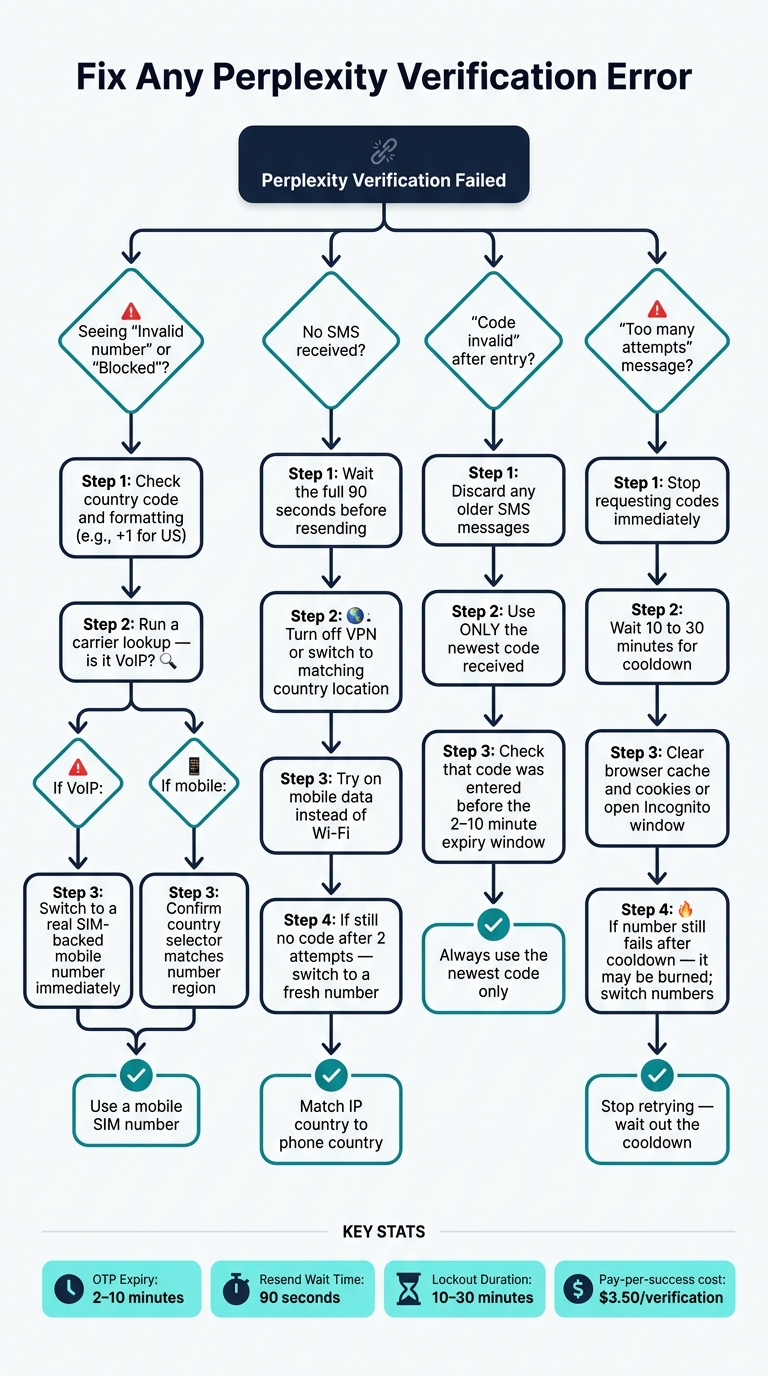
Perplexity Phone Verification: Fix Any Error Fast
Each fix below follows the same logic: start with the least disruptive move, check whether it worked, and only then move to the next step. That matters more than it sounds. If you skip around or keep retrying too fast, a small issue can turn into a lockout.
Most verification failures usually come down to three things: number type, delivery, or lockout. Use the error pattern above, then go straight to the fix that fits.
Fix VoIP rejection, number-type checks, and blocked delivery
Start with a carrier lookup for your number. Perplexity often blocks VoIP numbers before it even sends a code. If the lookup shows VoIP, stop using that number right away and switch to a SIM-backed mobile number.
If the number shows as mobile but the code still doesn’t arrive, move on to delivery checks.
Turn off your VPN, switch to mobile data, and make sure the IP country matches the number. It can also help to clear cookies or open a new Incognito session. Sometimes Perplexity is reacting to earlier failed attempts or a browser fingerprint it has already seen.
MobileSMS.io provides U.S. numbers marked as mobile. Codes show up in the dashboard as soon as they arrive. Pay-per-success billing starts at $3.50 per verification, so you only pay when a code is received.
Fix country restrictions, reused numbers, and formatting errors
If the number type checks out, look at the country selector and the number’s history next. First, make sure the country selector is right. For U.S. numbers, confirm that +1 is selected before you request the code.
If the number has been flagged or used up, don’t keep pushing it. Switch to a fresh number instead.
If you need another region, MobileSMS.io offers numbers from 100+ countries. That makes it easier to match the country selector to the number you’re entering.
Recover after invalid codes and too many attempts
If Perplexity has already locked the flow, stop requesting new codes and wait for the cooldown. Pushing through a lock almost never helps.
When you try again, use a clean browser session and keep the SMS dashboard open. Verification codes can expire within minutes, so enter the newest code as soon as it comes in. Use the newest code only.
If the same number fails twice in a row, stop using it and switch to a fresh one. For access that lasts longer, use a short-term rental. MobileSMS.io offers 7-day rentals from $15 and 30-day rentals from $30, which gives you a stable number without having to start over each time.
Using MobileSMS.io for reliable and private Perplexity verification
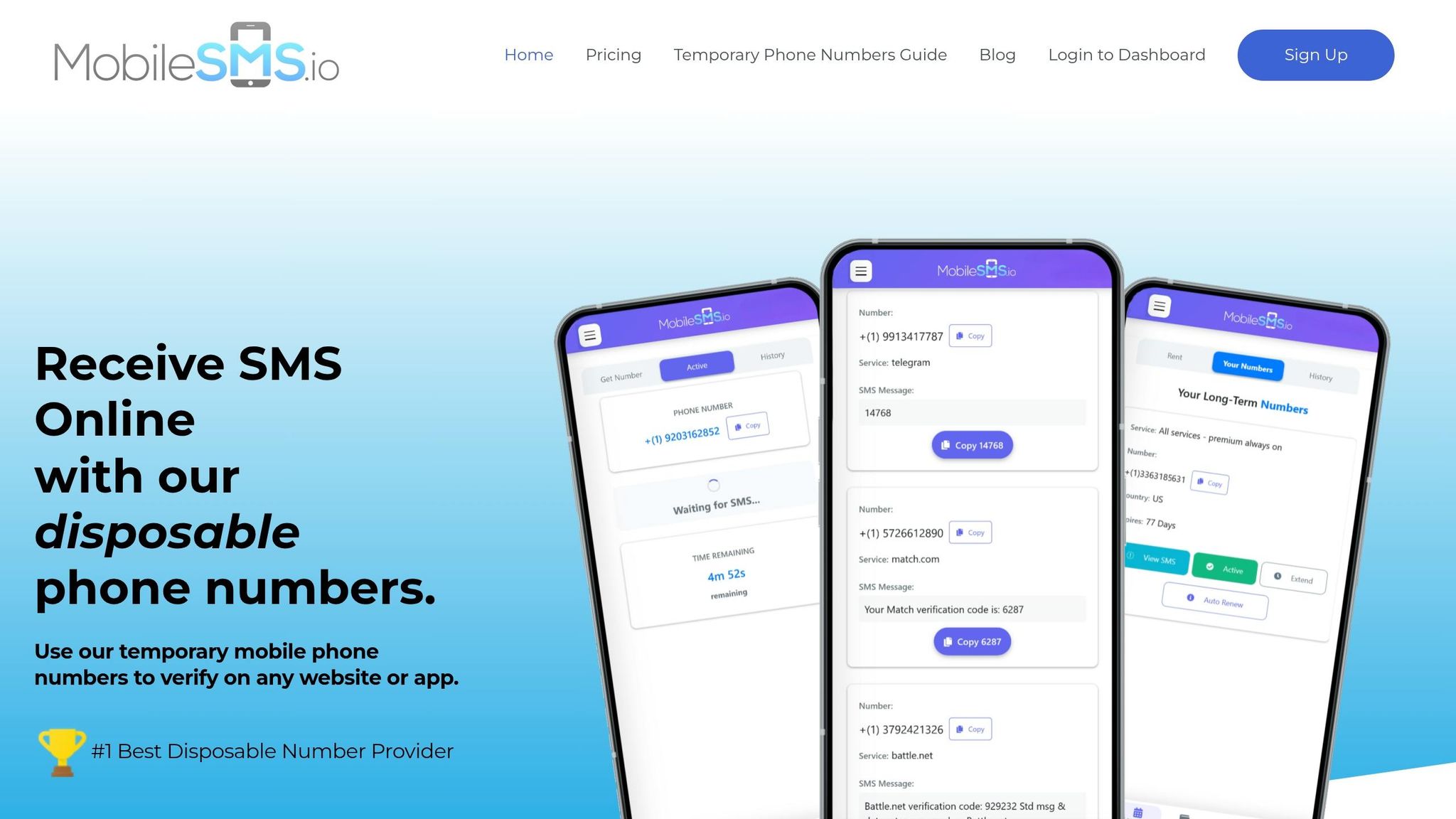
If Perplexity keeps rejecting your number or takes too long to send a code, the simplest fix is to use a real SIM-backed number that fits the platform’s checks. MobileSMS.io uses real SIM-backed numbers, so they’re more likely to get through Perplexity’s number screening than virtual numbers.
Choose the right number type for one-time signups or ongoing account access
Use a disposable number for a one-time signup. Use a rental number if you may need to log in again later. The right choice depends on one thing: do you only need the code once, or might you need that same number again?
| Number Type | Best For | Perplexity Use Case |
|---|---|---|
| One-Time Disposable | Single account creation | Initial signup or a quick one-off research task |
| Long-Term Rental | Reliability and recovery | Accounts that may need repeated logins or 2FA |
One-time numbers are billed at $3.50 per successful verification. Your balance is charged only when an SMS verification code is successfully received, so if no code arrives, you pay $0.00.
Protect privacy and keep verification attempts organized
Once the number works, the next step is keeping things separate and easy to track. A dedicated number keeps your personal phone number off Perplexity and cuts down on spam and data gathering tied to your main line.
It also helps to keep a simple record of the number, the account email, and the rental expiration date in one place. That small habit can save you from account recovery mix-ups later.
Conclusion: The fastest path to a successful Perplexity verification
Start by spotting the failure pattern. If the number is rejected, the number type likely didn’t pass Perplexity’s check. If the code is missing or late, you’re probably dealing with a delivery issue.
Once you know what’s going wrong, try again with a clean session and a fresh real SIM-backed number. Matching your IP to the number’s country removes one of the most common remaining triggers and gives you a better shot at getting verified on the next try.
FAQs
How do I check if my number is VoIP or mobile?
Use a carrier lookup tool to check where your number came from and what kind of line it is. These tools can tell you whether the number is mobile or VoIP by checking carrier and line-type data.
VoIP numbers run through internet-based phone services, so they’re often marked that way. Mobile numbers are tied to carriers like AT&T, T-Mobile, or Verizon and show up in carrier databases as standard mobile lines.
Can a recycled number cause Perplexity verification to fail?
Yes. Recycled numbers can make Perplexity verification fail if they’re flagged, tied to more than one account, or detected as virtual or VoIP numbers, which the platform often rejects.
Should I use a disposable or rental number for Perplexity?
Usually, no. Disposable and VoIP numbers are more likely to get rejected or flagged during Perplexity verification. When that happens, the code may never arrive, or the verification can fail outright.
A real, non-VoIP temporary number is often a safer bet because it cuts down the odds of carrier/type detection issues or region-based blocks.