

Want to join Medium’s Partner Program but stay anonymous? Here’s how you can securely set up an account without exposing personal information.
Medium and Stripe require phone verification with either SMS or Google Authenticator, often tied to a personal phone number. This poses privacy concerns for writers using pseudonyms or managing multiple accounts. The solution? Use MobileSMS.io to get disposable, real SIM-based phone numbers that work for Medium and Stripe verification.
Key Steps:
- Create a pseudonymous Medium account with a separate email.
- Use MobileSMS.io to purchase a disposable number for verification (starting at $3.50).
- Verify your Medium account and set up Stripe for payouts using another disposable number.
- Ensure privacy by using VPNs, separate browsers, and anonymous emails for each account.
MobileSMS.io numbers bypass VoIP rejections, support long-term rentals, and accept cryptocurrency payments for added privacy. Manage multiple accounts easily with their tools, including API support and team integrations.
Bottom Line: Protect your anonymity while earning through Medium by combining disposable numbers, browser isolation, and anonymous emails.
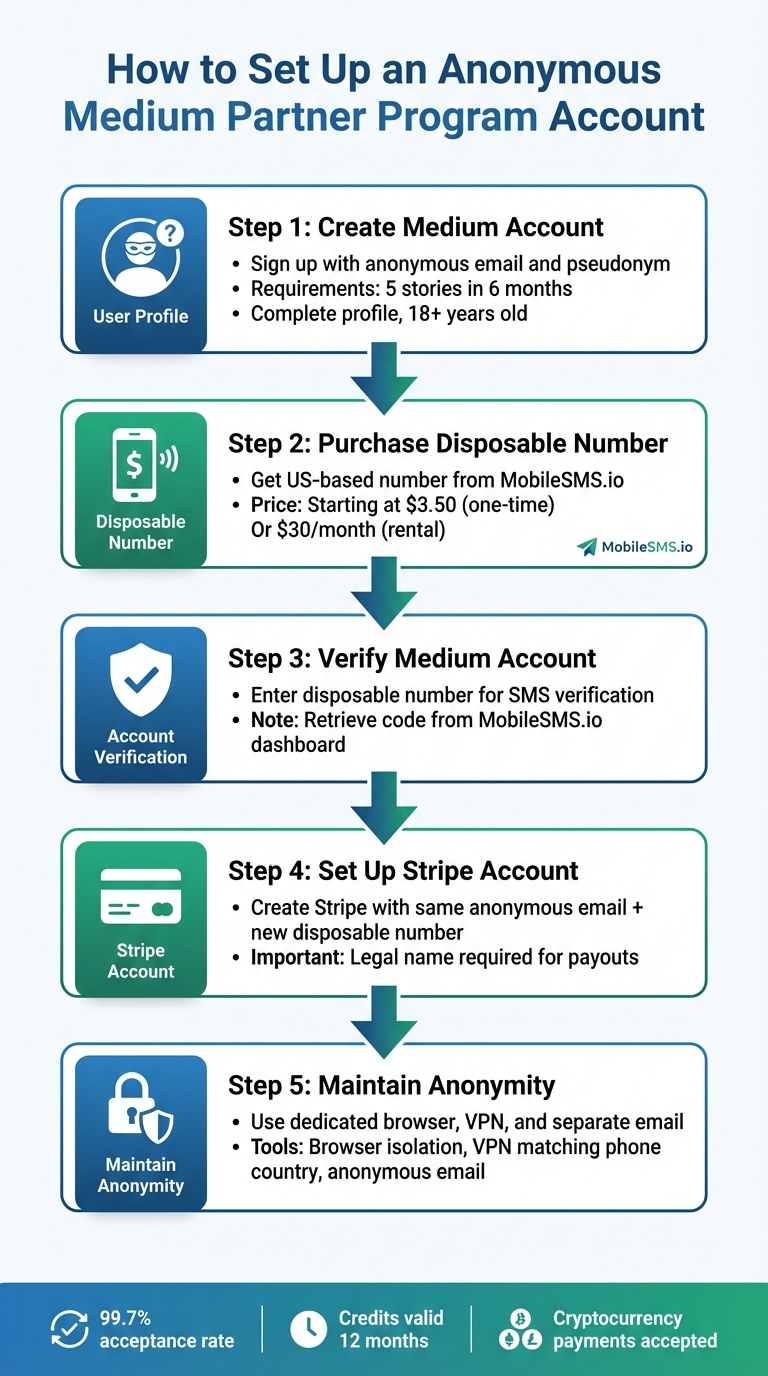
5 Steps to Set Up Anonymous Medium Partner Program Account
Why Use MobileSMS.io for Medium Verification
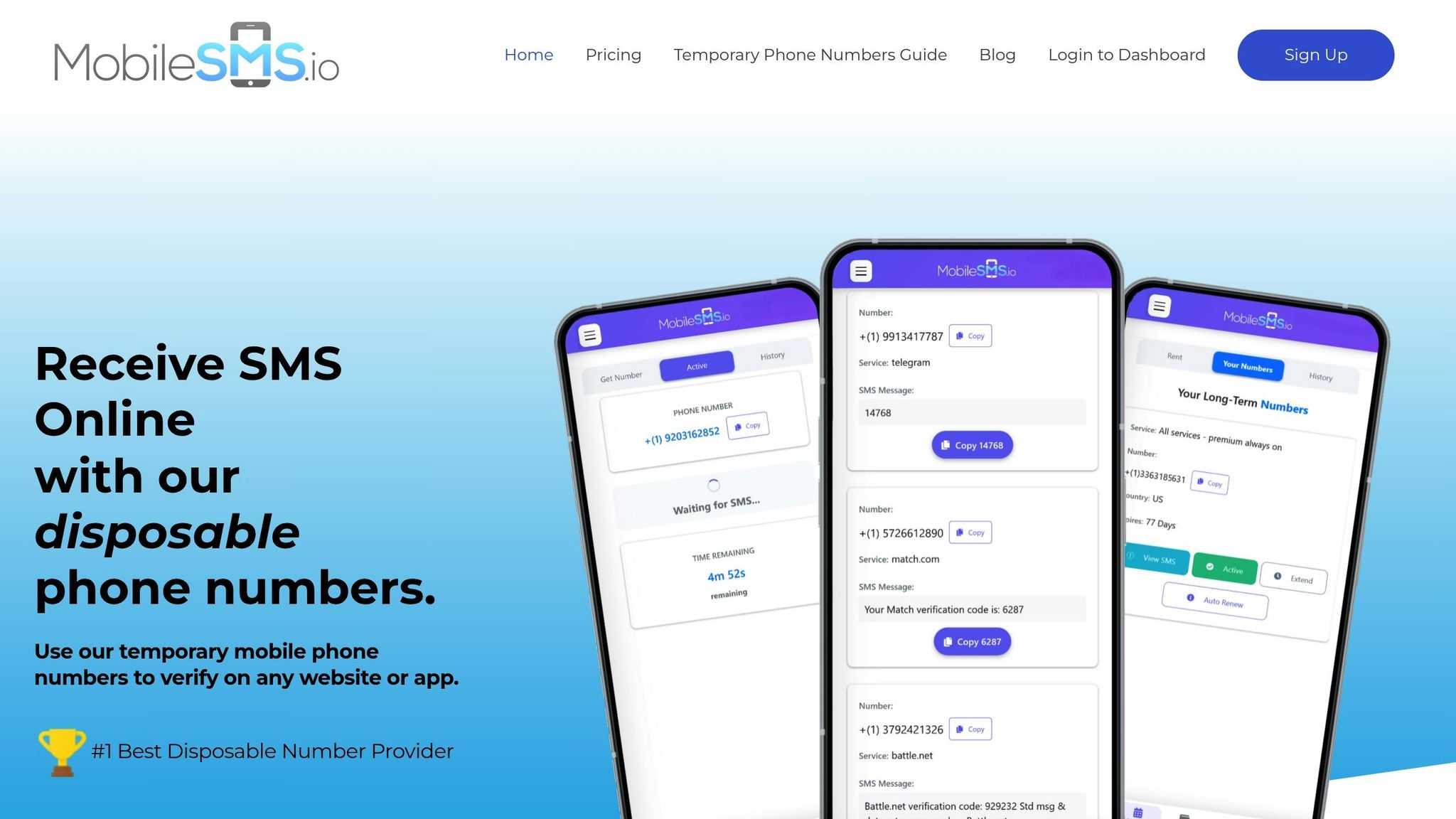
If you’re looking to stay anonymous while participating in the Medium Partner Program, MobileSMS.io has you covered. They provide verified SIM numbers that not only meet Medium’s verification requirements but also keep your personal information secure. By using real SIM-card numbers from legitimate mobile carriers, MobileSMS.io avoids the common pitfalls of virtual number rejections, ensuring a smooth and secure verification process.
Protecting Your Privacy During Verification
Sharing your personal phone number for Medium or Stripe verification can expose you to risks like data breaches or unwanted marketing messages. Medium and Stripe may store your number, potentially compromising your privacy. MobileSMS.io eliminates this concern by offering verified numbers that are entirely separate from your personal data. Plus, you can fund your account using cryptocurrencies like Bitcoin or Ethereum, eliminating the need to link a credit card. Their receive-only numbers are designed specifically for one-way SMS verification, adding an extra layer of privacy.
On top of privacy protection, MobileSMS.io ensures its numbers meet the standards required by platforms like Medium and Stripe.
High Compatibility with Medium and Stripe
Medium and Stripe typically reject virtual or VoIP numbers due to their association with fraudulent activities. MobileSMS.io solves this problem by providing real SIM-card numbers that bypass these restrictions. Their service supports SMS verification for over 1,200 platforms, including social media, financial apps, and online marketplaces. For Medium verification, using a USA-based number is highly recommended. Since Medium is a US-based company, matching your VPN or browser IP address to the USA can help prevent security flags. Keep in mind, verification codes are time-sensitive and expire within 10 minutes.
Pricing Options for Different Needs
MobileSMS.io operates on a pay-per-success model, meaning you’re only charged when you successfully receive an SMS. Disposable numbers start at $3.50 per SMS, with USA-specific verifications priced at $4.25 for Google and $4.50 for Facebook. Any credits you purchase remain valid for 12 months, giving you flexibility.
If you anticipate needing Medium security codes in the future, long-term rental options might be a better fit. A 30-day rental for a single-service number costs $30.00. For those requiring access to multiple platforms and features like automatic SMS forwarding or team integration, the Premium All Services plan is available for $100 per month.
What You Need Before Starting
Before diving in, make sure you have the right tools and setup to save time and protect your privacy. These essentials will help you maintain anonymity throughout the process.
Anonymous Email Account
The first step is setting up a dedicated email account specifically for your anonymous Medium activities. This email will also be used for your Medium and Stripe accounts, ensuring your identity stays private.
"In order to use the Medium Partner Program in different accounts, you will need to use a separate email address and phone number when registering with Stripe."
Consider using a private email provider like ProtonMail, or create a pseudonymous Gmail account. The most important thing is to keep this email entirely separate from your personal accounts. If you’re managing multiple Medium accounts, assign a unique email to each one to avoid any conflicts with Stripe.
Browser Isolation Setup
When managing multiple anonymous accounts, you need to avoid cross-account tracking caused by cookies or browser fingerprinting. To do this, use separate browsers or container extensions for each Medium persona. Pair each browser with a VPN exit IP that matches the country of your disposable phone number to further minimize tracking risks.
MobileSMS.io Account with Credits
Set up a MobileSMS.io account and add at least $5 in credits. These credits will let you access disposable phone numbers for verification purposes. Once your account is funded, you’ll have a personal dashboard to manage credits, view transactions, and purchase numbers as needed.
To top up your account, go to the "Top-Up" section in your dashboard. Payments can be made via credit card (secured with Stripe’s 3D-Secure system) or cryptocurrency like Bitcoin or Ethereum if you prefer a more private option. Credits are valid for 12 months, so make sure your balance is sufficient to handle any additional verification attempts.
How to Set Up an Anonymous Medium Partner Program Account
Here’s a step-by-step guide to securely setting up an anonymous Medium Partner Program account while keeping your identity private.
Step 1: Create a Medium Account with a Pseudonym
Start by visiting Medium.com and signing up with an anonymous email address. Choose a pseudonym to write under. While you can use any name for your Medium profile, you’ll need to provide your legal name later when setting up Stripe for payouts.
"It is fine to use a pen name on Medium, but Stripe can’t verify and pay you unless you use your legal name." – Medium Help Center
To qualify for the Partner Program, you’ll need to meet a few requirements: publish at least five stories within six months, complete your profile, and be at least 18 years old. When registering, avoid using your personal phone number for verification. You’ll handle this step with a disposable number in the next phase.
Step 2: Purchase a Disposable Number from MobileSMS.io
Log in to your MobileSMS.io dashboard and head to the number selection page. For Medium verification, opt for a US-based number to ensure compatibility. Look for "Medium" in the service list and select a US-based number. A one-time number typically costs around $4.50.
If you’re planning to use the Medium Partner Program long-term, consider renting a number instead. A 30-day rental starts at $30 for single-service numbers or $65 for numbers that work across multiple services. This option gives you unlimited SMS access during the rental period. Once you’ve chosen your number, complete the purchase using your available credits.
Step 3: Verify Your Medium Account
When Medium asks for phone verification, input the disposable number you purchased. Medium will send a verification code via SMS. Retrieve this code from your MobileSMS.io dashboard and enter it into the verification field on Medium.
Phone verification is essential to unlock features and gain access to the Partner Program.
Step 4: Set Up a Stripe Account for Payouts
After verifying your Medium account, go to Stripe.com and create an account using the same anonymous email address you used for Medium. Although your Medium account can remain anonymous, Stripe requires your legal name for verification.
"In order to use the Medium Partner Program in different accounts, you will need to use a separate email address and phone number when registering with Stripe. Otherwise when registering in a new account, you will be told that the account already exists." – Silver Berry, Software Engineer
Stripe also requires Two-Factor Authentication (2FA), which can be set up using SMS or Google Authenticator. To maintain anonymity, purchase another disposable number from MobileSMS.io for your Stripe account. Each new Stripe account must have a unique email and phone number. If you manage multiple accounts, you can link them to the same bank account for payouts.
Keep in mind that Stripe will forfeit any earnings if your account is inactive or unable to receive payouts for more than 180 days. Make sure to keep your account active and in good standing.
Step 5: Maintain Account Anonymity
To protect your anonymity, use a dedicated browser profile for each account. This prevents cookies or browser fingerprints from linking your accounts. Avoid logging into multiple accounts from the same browser session.
If you’re using long-term disposable numbers, track and renew them promptly to maintain access for 2FA and account recovery. For one-time numbers, keep in mind that recovery won’t be possible if you lose access to your account, so upgrading to a rental might be a better option if you’re serious about building a presence on Medium.
Lastly, keep your anonymous email, Medium account, and Stripe account entirely separate from your personal online activities. Avoid engaging with your personal Medium account or writing on topics that could unintentionally reveal your identity. Privacy is key!
sbb-itb-5a89343
Managing Multiple Anonymous Medium Accounts
Handling multiple anonymous Medium accounts can be a challenge, but keeping each identity distinct and simplifying the process is key. MobileSMS.io offers tools tailored for managing multiple accounts with ease, outperforming competitors in SMS verification site comparisons.
Using MobileSMS.io for Bulk Verifications
If you’re creating multiple Medium accounts at the same time, the API key feature from MobileSMS.io can make the SMS verification process much smoother. You can find your API key in the "Account Settings" section of your MobileSMS.io dashboard. This feature lets you automate the retrieval of SMS codes, saving time when juggling multiple accounts.
To avoid any issues with Medium’s security system, ensure that your VPN’s IP address matches the country of the phone number you’re using. For example, if you’re using a U.S. number, connect through a U.S. proxy. This small step can prevent unnecessary security flags.
For ongoing use, long-term rental plans are a smart option for managing bulk verifications efficiently.
Long-Term Rental Options
Long-term rentals not only save money but also offer the convenience of automatic renewal. If you need a single number that works across platforms like Medium, Stripe, and email providers, the Premium All Services plan might be the way to go.
One standout benefit of long-term rentals is the automatic renewal feature. By enabling it in your dashboard, you can avoid losing access to your verification number – something that’s crucial for account recovery and future two-factor authentication. While most numbers are assigned within minutes, it’s worth noting that during high-demand periods, assignments might take up to 24–72 hours.
For those managing accounts as part of a team, there are solutions to make collaboration easier.
Team Collaboration Tool Integration
Teams managing multiple anonymous accounts can simplify their workflow by integrating tools like Slack and Discord. With these integrations, SMS verification codes can be sent directly to your team’s channel. If you’re using the Premium All Services plan, these codes are delivered in real time. This eliminates the need to share dashboard credentials and makes team collaboration more efficient.
Conclusion
Setting up an anonymous Medium Partner Program account offers a secure way to protect your privacy. By using verified numbers, you can ensure smooth verification with both Medium and Stripe – platforms that typically reject VoIP numbers. With a 99.7% acceptance rate, you can avoid the hassle of failed verifications.
The process is straightforward: create a pseudonymous Medium account, purchase a disposable number, verify your account, and link Stripe for payouts. For writers planning to stick with the Partner Program long-term, the 30-day rental option provides ongoing access to your verification number, making future security checks and account recovery hassle-free.
Privacy protection goes beyond phone verification. MobileSMS.io supports cryptocurrency payments like Bitcoin and Ethereum, keeping your financial details separate from your writing identity. This extra layer of security helps protect you from data breaches and spam.
Whether you’re managing a single account or multiple, tools like disposable numbers, browser isolation, and anonymous emails give you complete control over your online presence. Features like API integration and team collaboration make scaling your content creation both efficient and secure.
FAQs
How can I stay anonymous while participating in the Medium Partner Program?
To keep your identity private while participating in the Medium Partner Program, start by using a temporary phone number from MobileSMS.io to handle the phone verification step. Next, create a new email address and set up a pseudonymous Medium profile that avoids sharing any personal information. For payments, link the program to a dedicated Stripe account. This account should use your legal name solely for verification purposes, ensuring your public and private identities remain separate while still meeting Medium’s and Stripe’s guidelines.
What are the advantages of using MobileSMS.io for phone verification?
MobileSMS.io offers real SIM-based disposable phone numbers designed to keep your personal number secure. These numbers not only block spam but also work seamlessly with over 1,200 platforms worldwide. Plus, you can choose rental options that suit your needs – whether short-term or long-term.
For added convenience, MobileSMS.io includes team-friendly features, such as SMS delivery integrations with Slack and Discord, making it a practical choice for individuals and businesses alike.
How does MobileSMS.io protect my privacy and security during phone verification?
MobileSMS.io prioritizes your privacy by offering disposable, SIM-based phone numbers that shield your personal number during verification. Unlike VoIP numbers, these provide a higher level of reliability and anonymity.
To strengthen security, MobileSMS.io incorporates encrypted account access and 3D-Secure payment processing, safeguarding your information throughout the process. This approach ensures a smooth and secure verification experience while keeping your identity protected.