

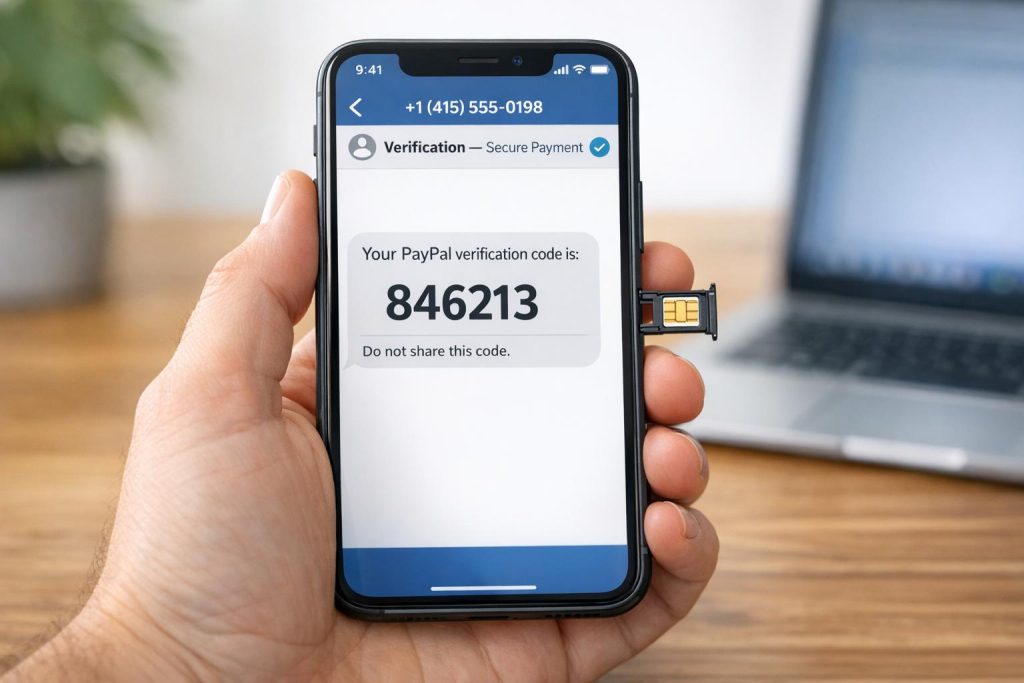
If you’re struggling to verify your PayPal account with a temporary phone number, here’s the bottom line: most VoIP and recycled numbers fail because PayPal’s system blocks them. The solution? Use a real SIM-based number from services like MobileSMS.io, which offers numbers tied to actual carriers with a 99.7% success rate for receiving verification codes.
Why PayPal Rejects VoIP and Recycled Numbers:
- VoIP Numbers: Often flagged as untrustworthy due to their use in fraud and mass registrations.
- Recycled Numbers: Previously used for other accounts, making them invalid for new verifications.
- Strict Checks: PayPal uses tools like HLR lookups to detect non-mobile or suspicious numbers.
The Fix: Real SIM-Card Numbers
- MobileSMS.io provides carrier-based numbers that work like personal cell phone lines.
- These numbers bypass PayPal’s filters and reliably receive SMS codes.
Rental Options:
- Plans range from $15 for 7 days to $100 for 90 days, with unlimited SMS during the rental period.
- Numbers are exclusive to you and can be renewed for long-term use.
Pro Tip: Use a U.S.-based VPN if your IP location doesn’t match the rented number’s region to avoid verification issues.
For reliable PayPal verification, skip free or disposable services and opt for a trusted provider like MobileSMS.io. It’s fast, dependable, and ensures your account setup goes smoothly.
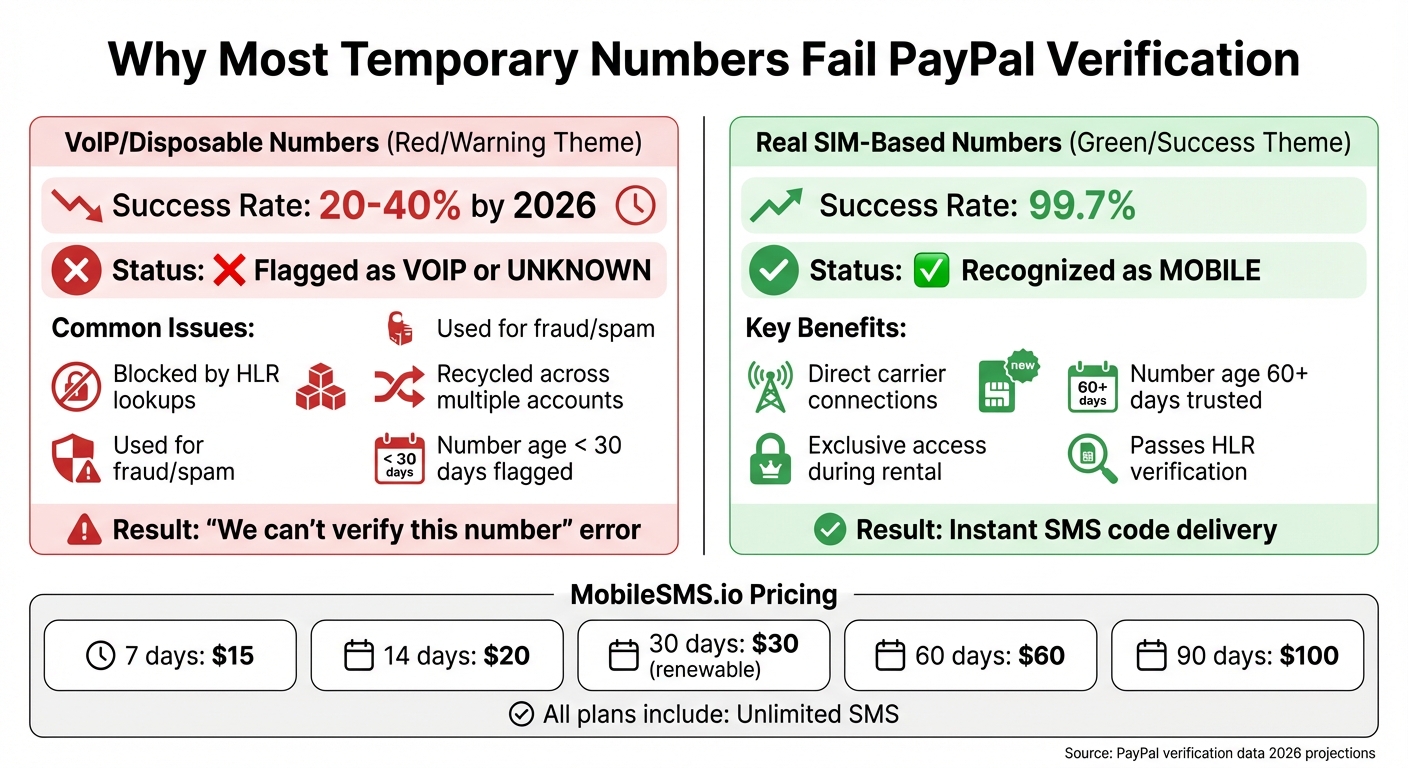
VoIP vs Real SIM Numbers: PayPal Verification Success Rates
Why PayPal Blocks VoIP and Recycled Numbers
PayPal uses a series of rigorous background checks before sending verification codes. One key method involves HLR (Home Location Register) lookups, which classify phone numbers as MOBILE, VOIP, or UNKNOWN. If a number is flagged as VoIP, PayPal may block it outright or mark the associated account for further review. This layered verification helps the platform identify and mitigate risks tied to both VoIP and recycled numbers.
VoIP Numbers and Fraud Detection
VoIP numbers are a favorite tool for fraudsters. They’re easy to acquire in bulk, making them ideal for spamming and creating fake accounts. Because of this, PayPal’s fraud detection system treats VoIP numbers with heightened suspicion.
To spot potential fraud, PayPal compares the phone number’s carrier with the IP address being used. For example, if you’re using a U.S.-based T-Mobile number but your IP is coming from a European datacenter or VPN, the system flags this mismatch. Mobile apps add another layer of scrutiny by checking for SIM card activity and radio signals like LTE or 5G. If no SIM activity is detected, verification often fails.
"Platforms don’t just check what number you use – they check whether everything around that number makes sense. Carrier type, number history, IP origin, behavioral patterns. Miss one layer and the whole verification fails." – VoidMob
By 2026, only 20-40% of VoIP and disposable numbers pass verification processes, compared to over 95% for real SIM-based numbers paired with matching mobile proxies.
Problems with Recycled Numbers
Recycled numbers come with their own challenges. PayPal tracks how many accounts a single number has verified. If a number is tied to 14 accounts in one week, it’s flagged as disposable and risky.
Another factor PayPal considers is number age – how long the number has been active with a carrier. Numbers that have been active for less than 30 days are more likely to be flagged, while those with at least 60 days of carrier history are seen as more trustworthy. Some platforms have even started retroactive scanning, where numbers are re-checked against updated reputation databases days or weeks after initial verification. This can result in sudden account restrictions.
Common Verification Error Messages
When PayPal blocks a number, you might encounter messages like "We can’t verify this number" or "Number not supported." These errors usually indicate that PayPal has identified the number as VoIP through an HLR lookup. In some cases, you might experience a silent failure – the SMS code never arrives, even though the request seems to have gone through. This happens when the platform filters the number without notifying you.
Even if a VoIP number initially passes verification, it could still lead to issues. Within 24-72 hours, the system may impose a soft ban, limiting your account’s functionality or even closing it. This often occurs during post-verification checks, where the number is flagged as suspicious after further analysis.
sbb-itb-5a89343
How MobileSMS.io Long-Term US Numbers Work for PayPal
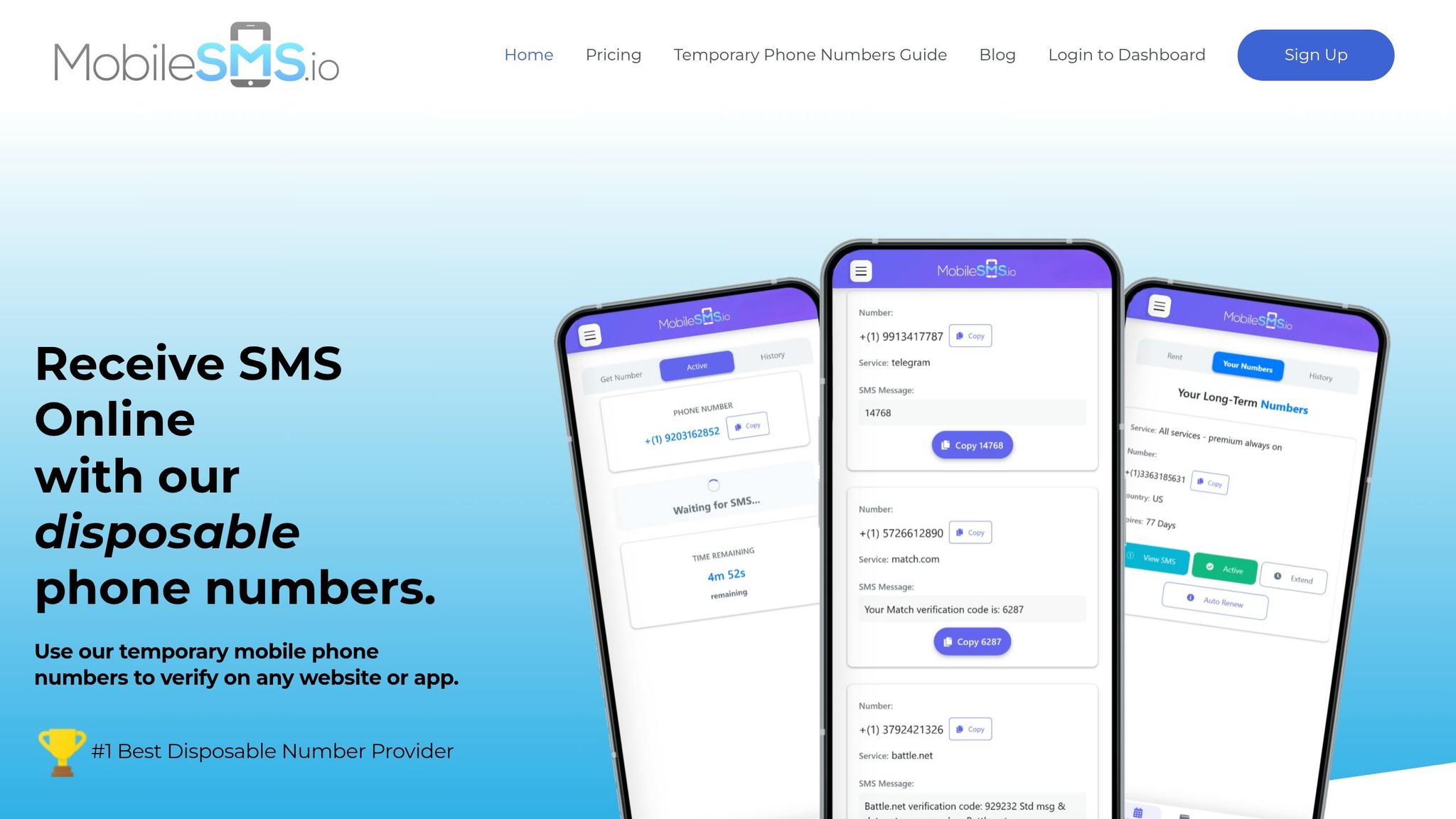
Now that we’ve covered why PayPal often rejects unreliable numbers, let’s dive into how MobileSMS.io ensures smooth verification. Their approach directly addresses the challenges discussed earlier.
Carrier-Based Numbers with a 99.7% Acceptance Rate
MobileSMS.io uses dedicated numbers that sidestep typical VoIP issues by relying on direct carrier connections. When PayPal checks these numbers, they appear as MOBILE instead of VOIP or UNKNOWN, just like a traditional SIM card.
These numbers are sourced from established U.S. telecom providers and are new, unregistered lines. Each rental gives you exclusive access to a private number for the entire rental period.
Because these numbers are backed by legitimate carrier infrastructure, PayPal’s systems recognize them as genuine mobile lines. This is why the acceptance rate is an impressive 99.7%. It’s a stark contrast to disposable VoIP numbers, which are often flagged or blocked. Now, let’s look at the rental options available.
Rental Duration and Pricing Options
MobileSMS.io offers flexible rental plans to suit different PayPal needs:
- 7 days – $15: Ideal for quick, one-time setups with a safety buffer.
- 14 days – $20: Great for short-term projects or temporary access.
- 30 days – $30: Perfect for regular account verifications or recovery.
- 60 days – $60: Designed for business accounts needing frequent verifications.
- 90 days – $100: Best for long-term use, including multiple transactions.
The 30-day rental option is renewable, so you can extend it month-to-month while keeping the same number. This is especially useful for resetting passwords, enabling two-factor authentication, or responding to PayPal’s security challenges.
Unlimited SMS and Payment Terms
All rentals come with unlimited SMS during the rental period. Whether you’re re-verifying after a failed attempt, updating devices, or addressing PayPal’s additional security checks, there are no extra fees per message.
For one-time numbers, you’re only charged after successfully receiving an SMS. For long-term rentals, you activate your number with a $5 deposit. If the number doesn’t work with PayPal within 7 days, support will issue a refund.
Premium rentals also feature Slack and Discord integration, allowing teams managing business accounts to receive codes directly in shared channels. This ensures you never miss a verification code, making the process seamless and reliable for PayPal verifications.
Step-by-Step: Verifying PayPal with a MobileSMS.io Number
You can verify your PayPal account in about 5 minutes using a MobileSMS.io number. Here’s how to do it:
Step 1: Sign Up and Add Credits
Visit MobileSMS.io and click Sign Up in the top-right corner. Create an account using your email and confirm it. Once you’re logged in, go to your dashboard and click Top Up to add credits. The minimum deposit is $5, payable via credit card (processed securely with 3D-Secure) or cryptocurrency like Bitcoin or Ethereum. These credits are valid for 12 months, so you don’t need to use them right away.
Step 2: Rent a US Number for PayPal
In your dashboard, head to the Long Term Rental section. Select USA as your country and choose between Single-Service (for PayPal only) or All Services (if you plan to use the same number for multiple platforms). For PayPal, the 30-Day Single-Service rental at $30 is the most affordable option and can be renewed monthly. After confirming your selection, your number is typically assigned in minutes, although during high-demand periods, it might take up to 72 hours. Once ready, the number and its expiration date will appear in your dashboard.
Step 3: Receive and Enter the Verification Code
Copy the rented number in international format (+1) and enter it into PayPal’s verification field. If the form rejects it, remove any spaces or dashes. Click Send Code in PayPal and wait 60–120 seconds. The verification code will show up on your MobileSMS.io dashboard. If you’re on a standard plan, you’ll need to click Activate to view messages. With Single-Service or Premium plans, codes appear automatically. Copy the 6-digit code and enter it into PayPal to complete the process. If the code doesn’t arrive within 2 minutes, try clearing cookies or using an incognito browser window. This method uses real SIM-based numbers, ensuring reliable PayPal verification.
Troubleshooting and Long-Term Number Management
Fixing SMS Delays and Code Issues
If you’re waiting for an SMS code from PayPal, give it up to 5 minutes before trying again. Typically, PayPal’s SMS delivery takes 60–120 seconds, but occasional delays can stretch beyond that. If you’re on the 30-Day Rental plan, you’ll need to manually click Activate to view incoming messages. However, if you’re using the All Services Premium plan, codes are delivered instantly without requiring manual activation.
If the code still doesn’t arrive, check that your IP address matches the United States. If you’re outside the US, use a US-based VPN, as PayPal often flags mismatched regions as suspicious, which may block SMS delivery. If the issue persists, try switching to a different device, such as a tablet or mobile phone. Once you’ve resolved SMS delays, focus on keeping your rental active to avoid further interruptions.
Renewing Your Number Rental
After resolving any SMS issues, it’s crucial to renew your number rental to maintain uninterrupted access to your account. Only 30-day plans are eligible for renewal, and you can extend them monthly for as long as you need. This is especially important because PayPal may require re-verification during routine security checks. Losing access to your number could mean losing access to your account.
To avoid accidental expiration, enable auto-renewal in your settings. If you prefer manual renewal, ensure you have at least $30–$45 in credits ready before your rental cycle ends to keep the process smooth.
Managing Multiple PayPal Accounts Securely
For those managing multiple PayPal accounts, it’s essential to assign a dedicated number to each account. This ensures each account remains secure and avoids complications. Purchase separate long-term rentals for every account you manage. The All Services Premium plan, priced at $45/month, simplifies this process by eliminating manual activation steps. It also integrates with Slack or Discord, delivering codes instantly – a huge help when managing several accounts.
Keep all numbers active to ensure PayPal can send important recovery and security alerts. If you suspect any security issues with a number, switch to a new one and update your PayPal settings promptly to maintain account safety.
Conclusion
PayPal’s strict verification process often rejects VoIP and recycled numbers, making account setup a challenge. That’s where MobileSMS.io steps in with a reliable fix. By offering long-term US numbers tied to real SIM cards, they provide a solution PayPal accepts 99.7% of the time. These carrier-based numbers ensure successful verification without the hassle.
With MobileSMS.io, you gain unlimited SMS codes during your rental period, so you’re always covered for setup, security checks, or account recovery. The 30-day rental plans automatically renew, so there’s no risk of losing access due to an expired number.
For those managing multiple PayPal accounts, MobileSMS.io simplifies things further by allowing you to rent separate numbers for each account, keeping everything organized and compliant with PayPal’s requirements.
Need an even more streamlined option? The All Services Premium plan ($100/month) delivers codes instantly to Slack or Discord, eliminating manual steps – perfect for teams or anyone managing several accounts. Forget unreliable free services. Visit the rental page to secure your number and complete your PayPal verification in minutes.
FAQs
Will a SIM-based rented number work for PayPal long-term?
SIM-based rented numbers can work effectively with PayPal for long-term use. Since these numbers are tied to real carriers, they are generally accepted by PayPal and support repeated verifications over time. This makes them a dependable option for ongoing account needs.
Why does PayPal say “number not supported” for some numbers?
PayPal shows a "number not supported" message when it identifies a phone number as either internet-based (VoIP) or recycled. This happens because PayPal relies on carrier databases to confirm whether a number is connected to an active SIM card. For security purposes, VoIP and recycled numbers are usually declined.
Can I verify PayPal if my IP location doesn’t match the number?
Yes, PayPal might block verification attempts if your IP address location doesn’t match your phone number’s area, as this can raise security flags. To avoid this, you can use a verified, non-VoIP U.S. number from MobileSMS.io. This solution helps you complete verification successfully, even if your IP location differs.