

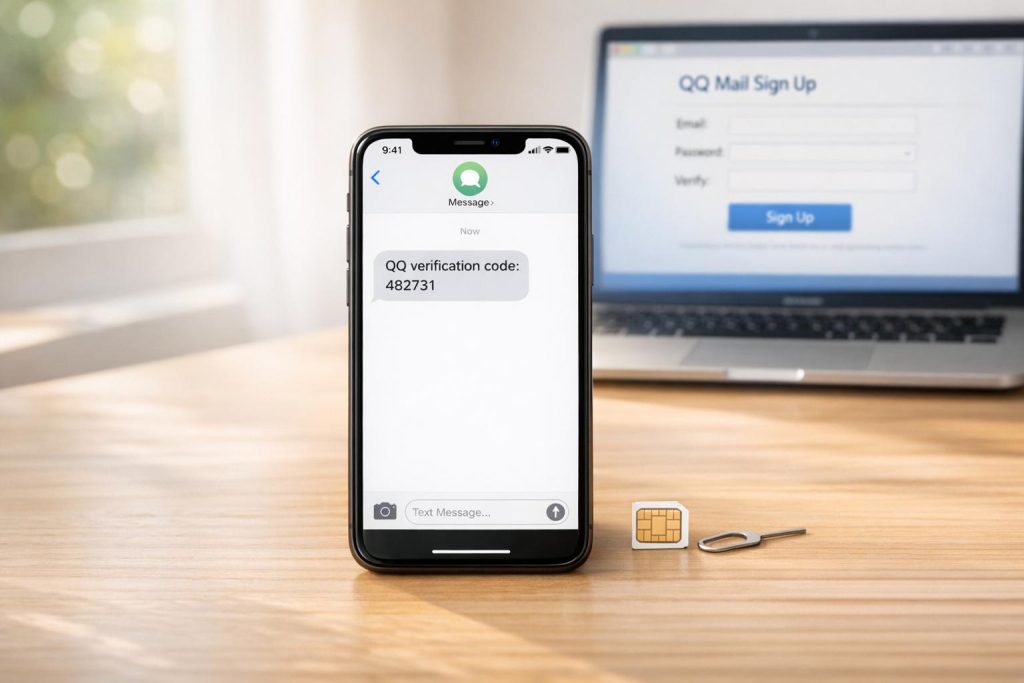
If you’re trying to create a QQ Mail account but don’t have a Mainland China phone number, you’re likely to face challenges. Tencent’s system prioritizes Chinese numbers (+86) and often rejects international or VoIP numbers. Here’s the solution: use a real SIM-based number from MobileSMS.io. This service provides non-VoIP numbers that work with Tencent’s verification system.
Key Steps:
- Sign up on MobileSMS.io and add credits (starting at $3.50 per SMS).
- Choose a real SIM-based number matching your VPN location.
- Use the number during QQ registration and retrieve the SMS code to bypass SMS verification from MobileSMS.io.
- Complete the registration and activate your QQ Mail account.
Why It Works:
- Tencent blocks VoIP numbers due to spam risks.
- Real SIM-based numbers have a high success rate for verification.
- MobileSMS.io offers one-time or rental numbers for ongoing access.
Tip: Save your QQ ID and log in within three days to avoid account deletion.
QQ Mail Sign-Up Requirements Explained
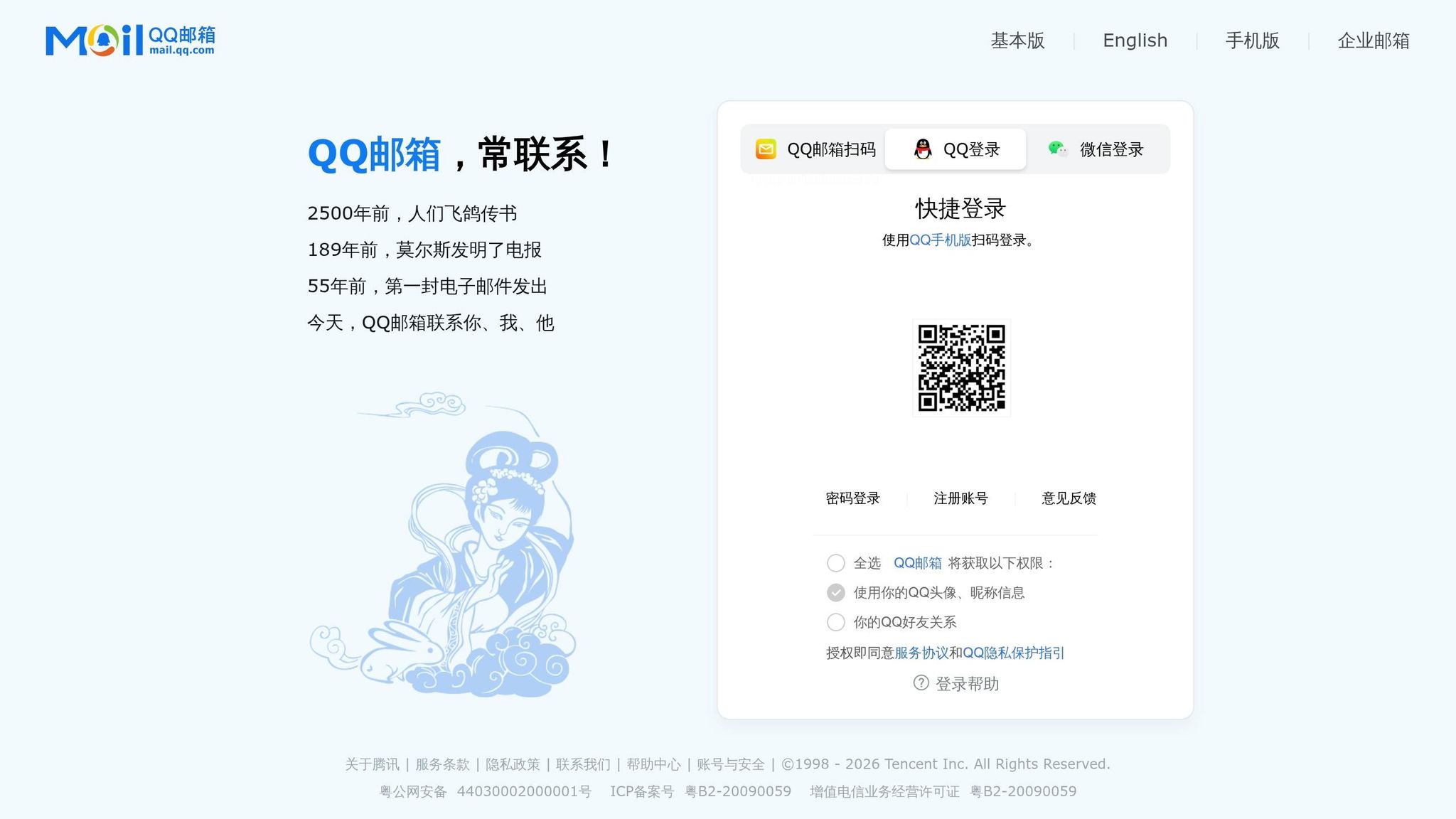
What is QQ Mail and Why Does It Need a Phone Number?
QQ Mail is Tencent’s free email service, designed to work seamlessly with other Tencent products like messaging, storage, gaming, and payment platforms. To maintain account security and prevent spam, Tencent uses phone verification during the registration process.
When signing up, you’ll need to verify your identity by entering a 6–8-digit SMS code sent to your phone. In some cases, an additional step requires an existing QQ user (with an account older than six months) to scan a QR code to confirm your registration. This trust-based system is similar to the one used by WeChat.
These verification measures are key to understanding why regional restrictions can make it tricky for international users to sign up.
Why Non-Mainland Phone Numbers Cause Problems
International users often face challenges during registration due to how the system is set up. By default, the registration interface prioritizes Mainland China phone numbers with the country code +86. Even if you change the country code, the system may still reject your number. As explained by qqmail.info:
"IMPORTANT! If you just go typing your phone number in right now, it won’t work because it’s set to accept only numbers from mainland China."
There are two main technical obstacles for international users. First, Tencent’s security system flags VoIP numbers (online phone numbers provided by internet services) as high-risk because they are frequently linked to spam accounts. Second, if your IP address doesn’t match the region of your phone number, the system may block the SMS verification entirely. This often results in no code being sent, leaving users stuck in the process.
Additionally, even if you manage to register with an international number, it may limit access to some features like messaging, voice or video calls, and file sharing. However, full integration with QQ Wallet and payment services remains unavailable for non-Mainland numbers. Being aware of these limitations can help you approach the sign-up process with realistic expectations.
sbb-itb-5a89343
Getting a Non-Mainland Phone Number for QQ Mail Verification
VoIP vs. Real SIM-Based Numbers: What’s the Difference?
QQ’s verification system is designed to differentiate between VoIP numbers and real SIM-based numbers. Here’s how they stack up:
- VoIP numbers are generated by internet-based platforms and aren’t linked to a physical SIM card or mobile carrier. These numbers are commonly used for business tools or spam and are often blocked by QQ’s system.
- Real SIM-based numbers, issued by mobile carriers, function like standard phone lines and have a much higher acceptance rate for account verification.
| Feature | VoIP Numbers | Real SIM-Based Numbers |
|---|---|---|
| Source | Internet software | Mobile carriers |
| QQ Acceptance | Frequently blocked | High acceptance rate |
| Reliability for SMS | Low | High |
| Common Use | Business/spam | Personal use/verification |
Simply put, QQ prioritizes real SIM-based numbers for verification, as they are recognized as legitimate.
How MobileSMS.io Works for QQ Mail Verification
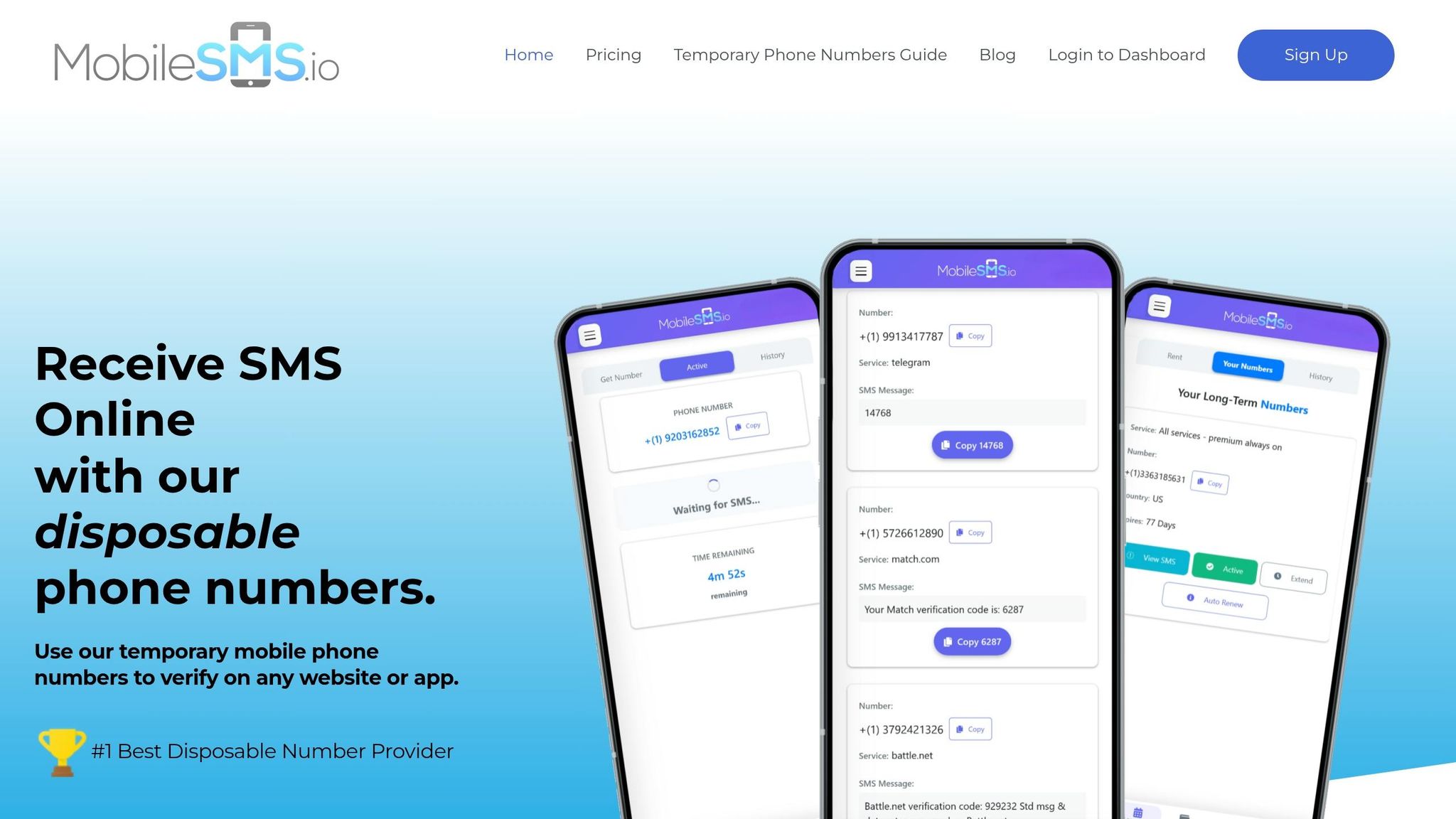
MobileSMS.io provides a reliable solution by offering real SIM-card phone numbers for SMS verification. These numbers are specifically designed to bypass the restrictions that block VoIP numbers. According to MobileSMS.io:
"MobileSMS.io is a privacy-first service that lets you receive SMS verification codes using real SIM-card phone numbers (non-VoIP) – so you can verify accounts on platforms that often reject VoIP numbers."
For QQ Mail, MobileSMS.io offers one-time use numbers that remain active for 10 minutes, ensuring you have enough time to receive and use the verification code. Here’s why it works:
- Covers over 1,200 platforms with a 99.7% acceptance rate.
- Charges only if the SMS is successfully delivered. If no code arrives, you don’t lose any credits.
Pro Tip: Be prepared. Have your QQ nickname and password ready before requesting a number to avoid wasting the 10-minute activation window.
If you’re worried about future access to your account, MobileSMS.io also provides long-term rental numbers starting at $15 for 7 days. These are great for maintaining consistent access to your QQ account.
How to Set Up a MobileSMS.io Account
Here’s a quick guide to getting started with MobileSMS.io and verifying your QQ account:
- Create your account
Head to MobileSMS.io and sign up using your email address. You don’t need to provide a personal phone number during registration. - Add credits
Prepay at least $5 in credits, which are valid for 12 months. Prices for one-time use numbers start at $3.50 per SMS received but may vary by country. Payments can be made via credit/debit card or cryptocurrency. - Choose a QQ-verified number
Use the dashboard to search for QQ/Tencent and select a number that matches your VPN location (e.g., use a U.S. IP for a U.S. number). This helps avoid mismatches between your IP address and phone region, which can raise flags with Tencent. - Verify your QQ account
Enter the selected number during QQ registration, request the SMS code, and retrieve it from your MobileSMS.io dashboard in real time. The code will appear instantly, so you can complete the process within the active window.
For those who need long-term access or extra peace of mind, the platform’s rental numbers provide a consistent option for account recovery or future logins.
Step-by-Step: Sign Up for QQ Mail Without a Mainland China Number
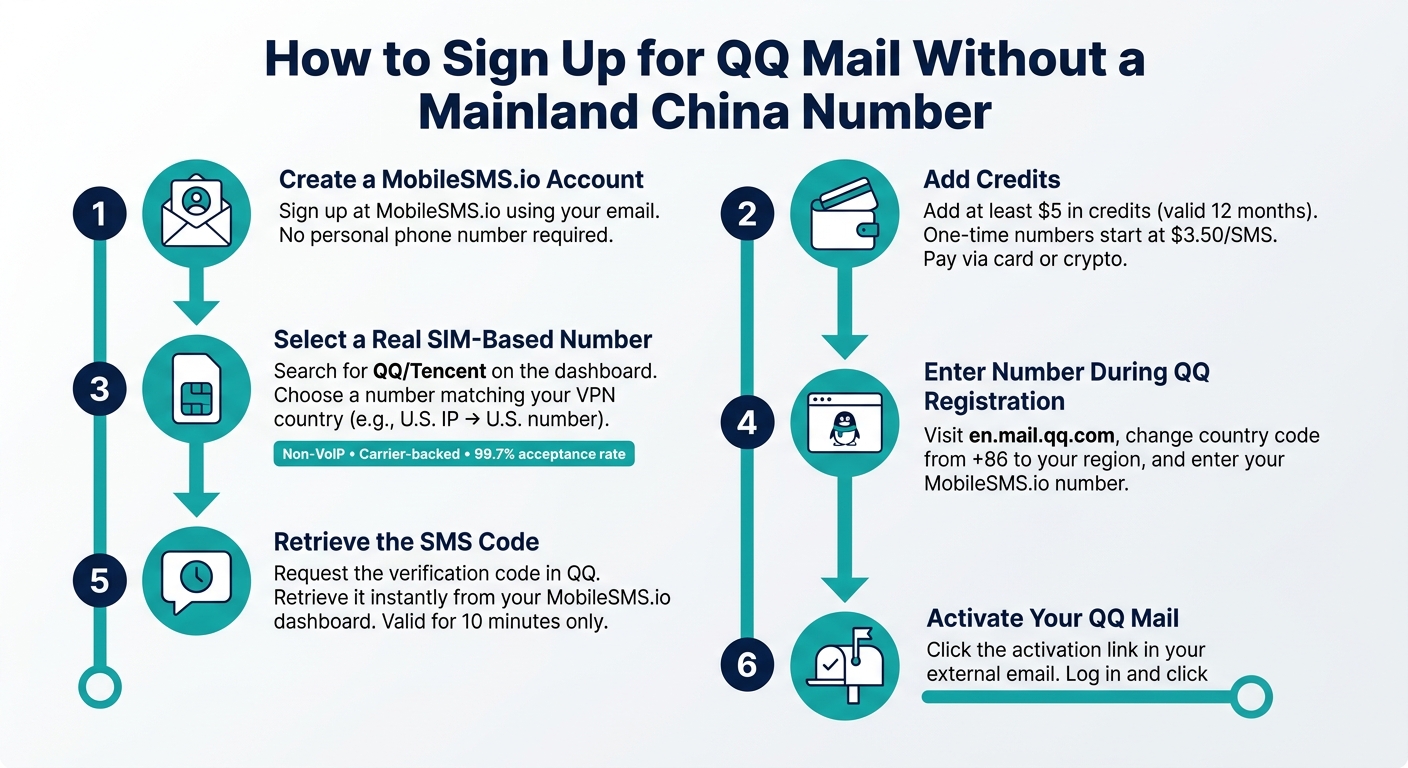
How to Sign Up for QQ Mail Without a China Phone Number
To get started, use your MobileSMS.io number for registration. You can follow the browser-based instructions or opt for the mobile app process outlined below.
Signing Up Through the QQ Mail Web Interface
The web interface is often easier for English-speaking users since it offers an English-language option at en.mail.qq.com.
- Visit the registration page
Head to en.mail.qq.com and click the sign-up option. Then, select "choose your country/region" and change the default +86 code to your international code (e.g., +1 for the U.S.). - Enter your MobileSMS.io number and get the SMS code
Input your MobileSMS.io number, request the verification code, and retrieve it from your MobileSMS.io dashboard. Make sure to use the code within 10 minutes, as it expires quickly. - Activate your account via the email link
If you receive an activation link in your external email, click it to complete the setup. If you don’t see the email, check your Spam or Updates folder. - Enable your mailbox
Log in with your new QQ ID and click "Enter My Mailbox" to activate the email service. This step is essential; without it, QQ Mail won’t function. Be sure to save your QQ ID – it’s your main login credential and can be hard to recover if lost.
If you’d rather register on your phone, the instructions below will guide you through the QQ app process.
Signing Up Through the QQ or QQ International App
For mobile registration, download the latest version of the QQ app from your device’s app store. Open the app, tap "Sign Up" (新用户), and select your country code from the dropdown menu. You’ll then need to solve a sliding puzzle CAPTCHA. If the CAPTCHA doesn’t work, disable your VPN or proxy.
After completing the CAPTCHA, enter your MobileSMS.io number and request the SMS code. Use the code promptly, as it’s only valid for 10 minutes. In some cases, you might be asked to have an existing QQ user (with an account at least 6 months old) scan a QR code for verification. If this happens, you’ll need help from someone with an established QQ account. Once registered, log in at en.mail.qq.com and click "Enter My Mailbox" to fully activate QQ Mail.
Fixing Common Sign-Up Errors
If you run into problems during the process, here are some common issues and how to resolve them:
| Error | Likely Cause | Solution |
|---|---|---|
| "Security risk detected" | Number flagged or previously used by Tencent | Request a new MobileSMS.io number |
| No SMS code received | Expired code or incorrect country code | Double-check the code and request a new one |
| "Server Busy" message | Temporary issue with Tencent servers | Wait at least 30 minutes before trying again |
| Sliding puzzle CAPTCHA fails | VPN or proxy interference | Turn off your VPN or proxy and try again |
| Activation email not found | Email filtered by Gmail | Check Spam or Updates folders |
It’s important to log in within three days of verification to avoid account recycling. If your account gets flagged or suspended, you can request a new MobileSMS.io number for re-verification if necessary.
Securing and Managing Your QQ Mail Account After Sign-Up
Once you’ve registered your QQ Mail account, keeping it secure should be your top priority. QQ is known for flagging logins from irregular IPs or devices, so following best practices from the beginning is key to avoiding disruptions.
How to Secure Your QQ Mail Account
Start by setting a strong, unique password that you haven’t used on other platforms. If possible, add a recovery email address – this will help you regain access if you’re ever locked out.
Stick to using the same device and IP region whenever you log in. QQ’s system closely monitors for inconsistencies, and the combination of a new account, a foreign IP, and a new device can raise red flags. If you rely on a VPN, make sure it stays set to the same country as your registered phone number to avoid triggering security measures.
By following these steps, you’ll not only protect your account but also ensure smoother long-term access.
How MobileSMS.io Helps Protect Your Privacy
MobileSMS.io offers real SIM-based numbers, which help safeguard your personal phone number from spam or potential data breaches. By using these numbers, you can avoid exposing your private information while still meeting QQ’s verification requirements.
QQ actively blocks virtual numbers, so MobileSMS.io’s carrier-backed, non-VoIP numbers are an ideal choice. This approach not only enhances your privacy but also ensures you pass QQ’s verification checks without issues.
Using Long-Term Rental Numbers for Ongoing Access
While a one-time use number works for initial account creation, it won’t help if QQ asks for re-verification later. A long-term rental number ensures you’re ready for any future verification requests, especially if you reset your password or QQ detects unusual activity. Having a consistent number simplifies these processes and helps avoid unnecessary account interruptions.
MobileSMS.io offers flexible rental options to fit your needs:
| Plan | Duration | Starting Price | Best For |
|---|---|---|---|
| One-Time Use | ~10 minutes | $3.50 | Initial sign-up only |
| 7-Day Rental | 7 days | $15 | Short-term access and recovery |
| 30-Day Rental | 30 days | $30 | Regular use and re-verification |
| Premium Rental | 30 days | $100 | Includes auto-forwarding for added convenience |
Note: The Premium Rental plan includes auto-forwarding, making it especially useful if you manage multiple platforms.
If you plan to expand beyond email and use features like QQ Wallet or other Tencent services, a dedicated long-term number is a must. These services often require additional SMS authentication, and having a reliable number will make the process seamless.
Conclusion: How International Users Can Sign Up for QQ Mail
Signing up for QQ Mail is simple with a real SIM-based number from MobileSMS.io. These numbers mimic standard mobile lines, ensuring they appear legitimate to Tencent’s servers. For the best results, MobileSMS.io’s USA (+1) numbers are highly effective. The process is straightforward: request a number, input it during QQ registration, and retrieve the SMS code directly from your dashboard. Make sure to use the SMS code quickly. Once verified via SMS, QQ often requires an additional email activation step – so don’t skip activating your mailbox right away.
Two important tips: save your QQ ID as soon as you get it, and make sure to log in within three days to avoid account deletion.
For ongoing use or re-verification needs, consider a secure temporary number for a 30-day rental instead of a one-time code. Re-verification is often required after password resets or logging in from a new device, and having a consistent number on file helps you avoid unnecessary hassles.
"MobileSMS.io is a privacy-first service that lets you receive SMS verification codes using real SIM-card phone numbers (non-VoIP) – so you can verify accounts on platforms that often reject VoIP numbers." – MobileSMS.io
FAQs
Can I use a one-time number and still recover my QQ Mail later?
No, a one-time number cannot be used to recover your account later. These numbers are strictly for initial verification and cannot receive any future messages or recovery codes. If you require ongoing access for logins or account recovery, opt for a long-term rental number. These numbers remain active for 7, 30, or 90 days, ensuring you can continue receiving SMS verification when needed.
What should I do if QQ says my sign-up is a security risk?
If you encounter a security risk alert, don’t panic. Avoid clicking the registration button multiple times, as this could mistakenly identify you as a bot. Instead, clear your browser’s cache and cookies or switch to an incognito window to reset tracking data. Make sure your IP address aligns with the region of your phone number – using a VPN can help if it doesn’t. If the problem persists, consider trying a different device or phone number.
Why does my VPN location need to match the phone number region?
Matching the location of your VPN with the region of your phone number is key to avoiding issues during registration. If these don’t align, security systems might flag the activity, leading to blocks or triggering anti-bot measures. To sidestep this, set your VPN to a country where the service functions normally and matches the region of your non-VoIP phone number. This ensures a smooth and hassle-free verification process.