

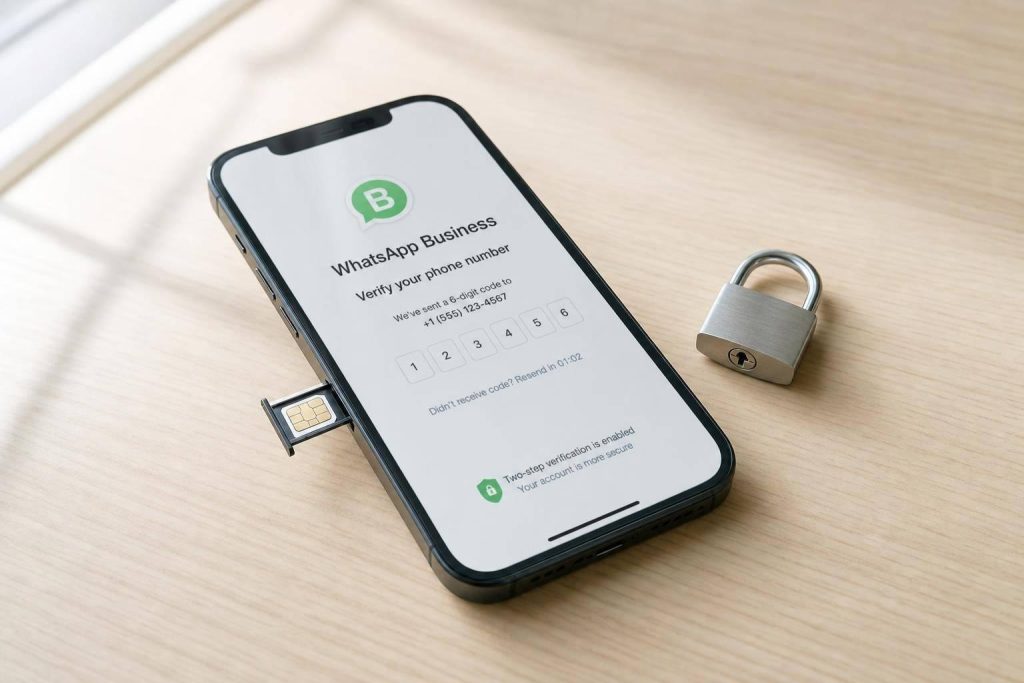
If you want the best shot at getting verified, use a dedicated mobile number on a physical SIM. That setup gets blocked less often than VoIP, shared, or recycled numbers, which means fewer failed codes, fewer lockouts, and less risk of hitting a “number already in use” error.
Here’s the short version:
- I’d use a carrier-issued mobile number that can receive both SMS and voice calls
- I would not use a VoIP, app-based, shared, or recycled line
- For the WhatsApp Business app, verification is usually done with a one-time SMS or call code
- For the WhatsApp Business Platform (API), I also need Meta Business verification, which often takes 3–5 business days and can take up to 30 days
- If the code does not arrive, I’d check signal, number format, SIM status, call blocking, and line type
- If the number is blocked or already linked to another account, I may need to wait, migrate the account, or get a new number
A few facts stand out. The article notes that WhatsApp blocks over 40% of VoIP-based numbers during SMS verification. It also points out that a spare business line from a carrier often costs about $10–$25/month, while a prepaid SIM may cost about $10–$30 to start.
My takeaway is simple: keep business and personal numbers separate, turn on two-step verification, and keep the line active with at least one text or call every 60 days.
| Setup | Code delivery | Block risk | Best use |
|---|---|---|---|
| Dedicated SIM-backed mobile number | High | Low | Best pick for most businesses |
| VoIP or virtual app number | Low | High | Poor fit for WhatsApp verification |
| Shared or recycled number | Low | High | High risk of account history problems |
| Landline | Call only | Medium | Can work for some business cases |
If I were setting this up today, I’d start with a clean carrier mobile number and verify it before building anything else around it.
How to choose the right number for WhatsApp Business
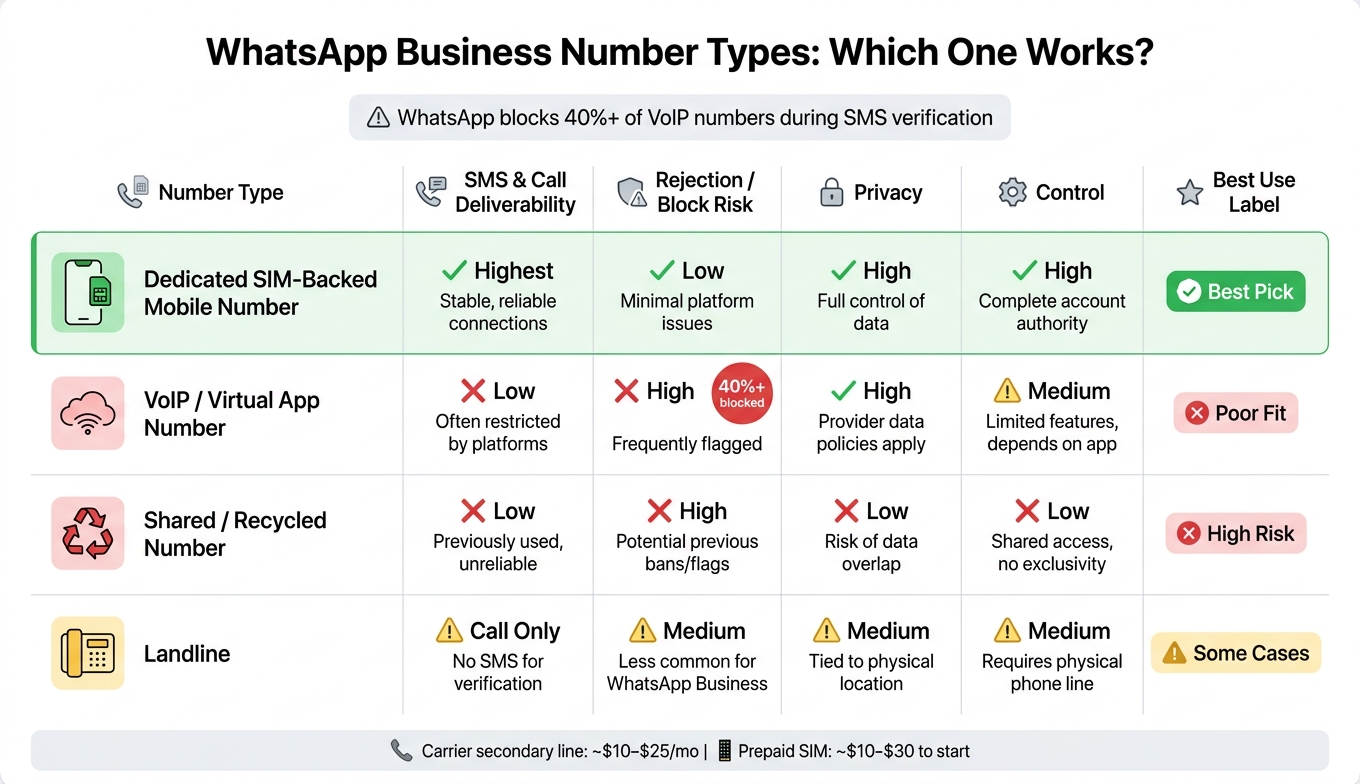
WhatsApp Business Number Types: Comparison Guide
### Benefits of non-VoIP phone numbers
A dedicated SIM-backed number is a real mobile number issued by a carrier and linked to a physical SIM card. It’s dedicated because it’s yours alone.
That number can receive SMS messages and voice calls, and it appears as a mobile line. That matters because WhatsApp looks for a number it reads as mobile. Once you’ve got a dedicated line, you can move to activation and code delivery.
Why shared, VoIP, and recycled numbers often fail
VoIP and recycled numbers tend to fail more often because their carrier history can look shaky. During registration, WhatsApp runs a carrier lookup to check the line type. If the result comes back as VoIP or virtual, WhatsApp will often stop the code before it reaches you. WhatsApp blocks over 40% of VoIP-based numbers during the SMS verification process.
Recycled numbers bring a second problem. Virtual number pools get reused, and if the last person tied to that number broke WhatsApp’s terms, that history can stick to the line. That’s one reason you might see the "number already in use" error on a number you’ve never used before.
Number type comparison for WhatsApp Business use
| Number Type | SMS/Call Deliverability | Rejection Risk | Privacy | Control |
|---|---|---|---|---|
| Dedicated SIM-backed | Highest | Lowest | High | High |
| VoIP / Virtual App | Low | High | High | Medium |
| Shared / Recycled | Low | High | Low | Low |
A dedicated line helps keep business verification separate from your personal number. After you pick the right number, the next step is to verify it in WhatsApp Business.
sbb-itb-5a89343
Step by step: Verify WhatsApp Business with a dedicated number
Prepare your number before requesting a verification code
Once you have a dedicated number, make sure it’s set up to receive WhatsApp’s code. Check that the number can receive both SMS messages and voice calls.
You should also confirm the number isn’t already tied to another WhatsApp account. A single number can’t stay active on both WhatsApp Messenger and WhatsApp Business at the same time.
Activate your number in the WhatsApp Business app
Open WhatsApp Business and enter your number in international format. For a U.S. number, type +1 followed by the 10-digit number, like +1 415 555 0123.
Ask for the SMS code first. If it doesn’t show up, tap Call me to get a voice code instead. During the call, the code will be read out loud.
After the code is confirmed, finish your business profile right away. Add your business name, category, description, hours, and website URL.
If the code doesn’t work, go to the troubleshooting steps next.
Complete Meta Business verification for the Platform or API
If you’re using the Platform, the process continues in Meta Business Portfolio. This step is required for Platform/API access and higher messaging limits.
Go to business.facebook.com and open your Meta Business Portfolio. Make sure your legal business name, address, and phone number match your registration documents. Then upload support documents, such as a business license or tax ID.
After you submit everything, Meta reviews the details and sends a 6-digit code by SMS or voice.
Fix SMS, call, and business verification problems
What to do when the SMS or call code does not arrive
Even a SIM-backed number can still fail during setup if the number format is off, the signal is weak, or the carrier labels the line the wrong way.
Start with the basics. Make sure SMS and voice calling are both turned on, and check that the SIM has an active cellular signal. A data-only SIM won’t receive WhatsApp verification codes.
If your phone blocks unknown calls, switch that setting off before you try the call option. Then wait at least 60 to 120 seconds for the SMS before tapping Call Me. In a lot of cases, when the text doesn’t show up, the voice code still gets through.
If neither option works, the carrier may be marking the number as something other than a mobile line. Use a carrier lookup tool and confirm the line type shows as mobile before you try again.
If both SMS and voice still fail, check whether the number is already registered.
What to do when the number is already in use or temporarily blocked
If the code arrives but setup still fails, the problem usually isn’t delivery. It’s the account history tied to that number.
When WhatsApp says the number is already registered, it’s often linked to a personal WhatsApp account or an older business account. If you’re moving from personal to business, back up your chat history first, then continue with the Business app setup. The personal account on that number will be deactivated.
Too many failed verification attempts can trigger a temporary lockout. If that happens, wait for the timer to run out before trying again. If a new SIM still doesn’t work, the number may have been recycled or linked to another account before. In that case, ask your carrier for a different mobile number.
How to keep your number stable over time
Keep the line active so the carrier doesn’t shut it off. A simple rule of thumb: send one text or make one call every 60 days.
Also, turn on WhatsApp two-step verification right away.
If Meta rejects business verification, make sure your legal name, address, and registration documents match exactly.
Conclusion: The safest setup for WhatsApp Business verification
Once you’ve picked the number, turned it on, and locked it down, the safest long-term move is simple: use a dedicated, SIM-backed, non-VoIP line.
Why this setup? Carrier-backed SIMs tend to be more reliable and less likely to get recycled. That matters because a recycled number can come with baggage, and you don’t want to end up with a line that WhatsApp has already flagged. On top of that, a separate business number keeps your personal number out of public business records, which cuts down on both verification issues and unwanted exposure.
Which setup fits your business needs
The best option comes down to two things: how public the number will be and how much separation you want between business and personal use.
| Your Situation | Best Setup |
|---|---|
| Solo operator, low volume, existing carrier plan | Add a secondary line through your carrier ($10–$25/month) |
| Small team needing a clean business number | Prepaid SIM from a major US carrier ($10–$30 initial activation) |
| Privacy-focused, multi-account, or testing workflows | Dedicated secondary carrier line |
| Established business with an office landline | Traditional landline with voice-call verification |
Never use your personal number in public-facing business channels.
FAQs
Can I switch to a new number later?
Yes. If your needs change, you can switch later.
MobileSMS.io lets you rent numbers for 7 days up to 12 months. If your current number no longer fits your business use case, you can rent a new dedicated, non-VoIP number to help maintain account stability and stay in line with WhatsApp verification standards.
Will a dedicated number help avoid bans?
Yes. A dedicated non-VoIP number can lower ban risk and help keep an account stable.
Why? WhatsApp often blocks VoIP and virtual numbers because those numbers are often tied to spam.
A dedicated, SIM-backed mobile number looks more like a normal consumer line. That makes it less likely to get flagged or rejected during verification.
Should I use a landline or mobile number?
For the most reliable WhatsApp Business setup, a mobile number is usually the best pick.
A dedicated, non-VoIP, SIM-backed mobile line tends to have the highest SMS verification acceptance rate. It’s the simplest path, and in most cases, the one with the fewest headaches.
Landlines work too, but they use voice call verification instead of SMS. That can get tricky if the line runs through an automated IVR, because verification calls need to go through and reach the right place.
Related Blog Posts
- Why Free VoIP Numbers Stop Receiving Verification Codes (and What to Do Next)
- Phone Numbers for Facebook Business Manager & Ads Account Verification
- How to Get a Non-VoIP Number for WhatsApp, Telegram & Signal (One Number, Many Apps)
- WhatsApp Without Your Real Phone Number in 2026: What Actually Works